-
-
タイムラインコントロール
This content has been machine translated dynamically.
Dieser Inhalt ist eine maschinelle Übersetzung, die dynamisch erstellt wurde. (Haftungsausschluss)
Cet article a été traduit automatiquement de manière dynamique. (Clause de non responsabilité)
Este artículo lo ha traducido una máquina de forma dinámica. (Aviso legal)
此内容已经过机器动态翻译。 放弃
このコンテンツは動的に機械翻訳されています。免責事項
이 콘텐츠는 동적으로 기계 번역되었습니다. 책임 부인
Este texto foi traduzido automaticamente. (Aviso legal)
Questo contenuto è stato tradotto dinamicamente con traduzione automatica.(Esclusione di responsabilità))
This article has been machine translated.
Dieser Artikel wurde maschinell übersetzt. (Haftungsausschluss)
Ce article a été traduit automatiquement. (Clause de non responsabilité)
Este artículo ha sido traducido automáticamente. (Aviso legal)
この記事は機械翻訳されています.免責事項
이 기사는 기계 번역되었습니다.책임 부인
Este artigo foi traduzido automaticamente.(Aviso legal)
这篇文章已经过机器翻译.放弃
Questo articolo è stato tradotto automaticamente.(Esclusione di responsabilità))
Translation failed!
タイムラインコントロール
障害、レポート、ネットワークマップ、および統計ページの最上部にあるタイムラインには、現在のビューの時間枠を制限するためのコントロールが用意されています。現在のデータベースから最大30日間のデータを含む時間枠を表示できます。
注
選択した期間に基づいて、現在のCitrix SD-WAN™ネットワーク構成に関係なく、履歴データを表示できます。
時間
現在のビューの時間枠を指定するには、次の要素を使用できます。
-
時間 - 時間フィールドに日付と時刻を入力して、グラフの結果を特定の日付と時刻に絞り込みます。形式は次のいずれかです
- 月 日, 年 時:分 [午前 / 午後 ] 例: 2015年9月7日 午後2時
- MM/DD/YYYY HH:MM [午前 / 午後 ] 例: 09/07/2015 8:36am
- M/D/YY H:MM [午前 / 午後 ] 例: 9/7/15 10:14pm
-
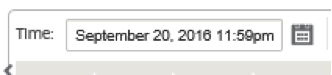
カレンダー - (カレンダーアイコン)時間フィールドの右側にあるカレンダーアイコンをクリックし、日付を選択してビューの結果をその日付に制限します
-
タイムライン - タイムライン上の別のポイントをクリックしてドラッグし、少なくとも30分の時間枠を選択します

-
最終: 時間 / 日 / 週 / 月 - オプション(時間、日、週、または月)をクリックして、ビューの結果をその時間枠に制限します

モード
タイムラインモードは、タイムラインが時間枠の選択をどのように解釈するか、および自動更新が現在のビューとダッシュボードにどのように反映されるかを決定します。モードオプションには相対(選択された時間枠)と絶対(選択された時間枠)の2つがあり、選択された時間枠は時間フィールドで指定された時間枠です。
タイムラインモードを変更するには、タイムラインの右上隅にあるモードドロップダウンメニューから相対または絶対を選択します。
相対モード
相対モードを選択すると、タイムラインは時間に指定された時間枠を現在時刻に対する相対的な時間として扱います。ビューを保存して後で開くと、ビューに表示される情報は、ビューが開かれた時刻に対して相対的になります。自動更新を有効にしていて、統計の更新が検出された場合、ビューはデータベースに記録された最新の時刻に対して相対的に更新されます。
現在指定されている時間枠は、相対メニューオプションの一部として括弧内に表示されます。たとえば、時間枠として最終: 日を選択した場合、相対オプションは「相対(1日前 - 現在から1分後)」と表示されます。
絶対モード
絶対モードを選択すると、タイムラインは時間に指定された時間枠を絶対的な(静的な)時点として扱います。ビューを保存して後で開いた場合でも、または自動更新を有効にした場合でも、ビューは常に選択された時間を表します。現在指定されている時間枠は、次の形式を使用して絶対メニューオプションの一部として括弧内に表示されます。
絶対(開始日 開始時刻 - 終了日 終了時刻)
たとえば、時間枠として最終: 日を選択し、現在の日付と時刻が9月7日午後4時43分の場合、絶対オプションは「絶対(9/6 4:43 PM - 9/7 4:43 PM)」と表示されます。
共有
共有
This Preview product documentation is Cloud Software Group Confidential.
You agree to hold this documentation confidential pursuant to the terms of your Cloud Software Group Beta/Tech Preview Agreement.
The development, release and timing of any features or functionality described in the Preview documentation remains at our sole discretion and are subject to change without notice or consultation.
The documentation is for informational purposes only and is not a commitment, promise or legal obligation to deliver any material, code or functionality and should not be relied upon in making Cloud Software Group product purchase decisions.
If you do not agree, select I DO NOT AGREE to exit.