Change the BMC host name
When changing the host name for BMC version 2.12, you must enter an IP address in the DNS Server IP field. Leaving this field blank results in the following error.
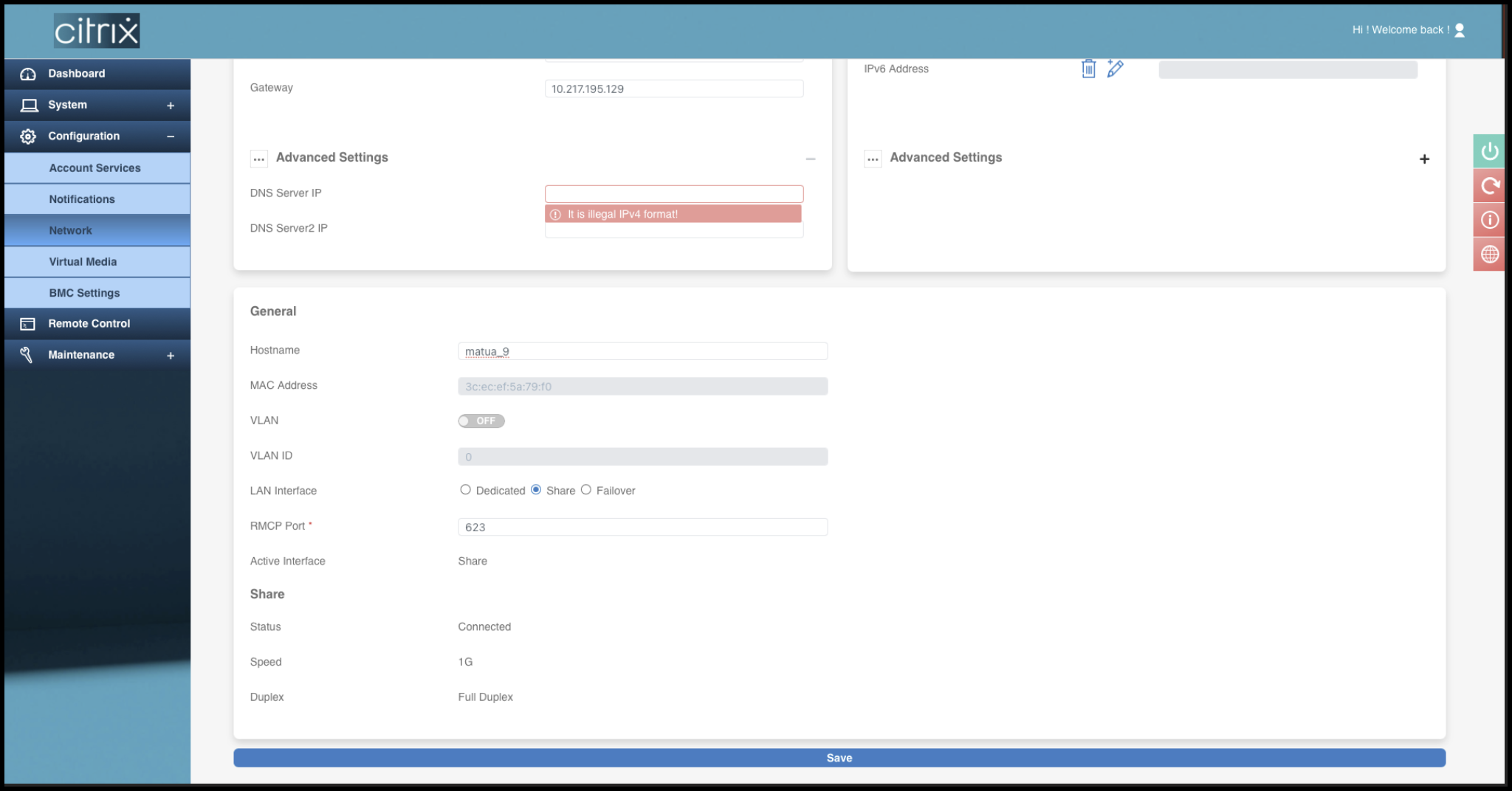
Entering a dummy IP address, such as 0.0.0.0 is supported.
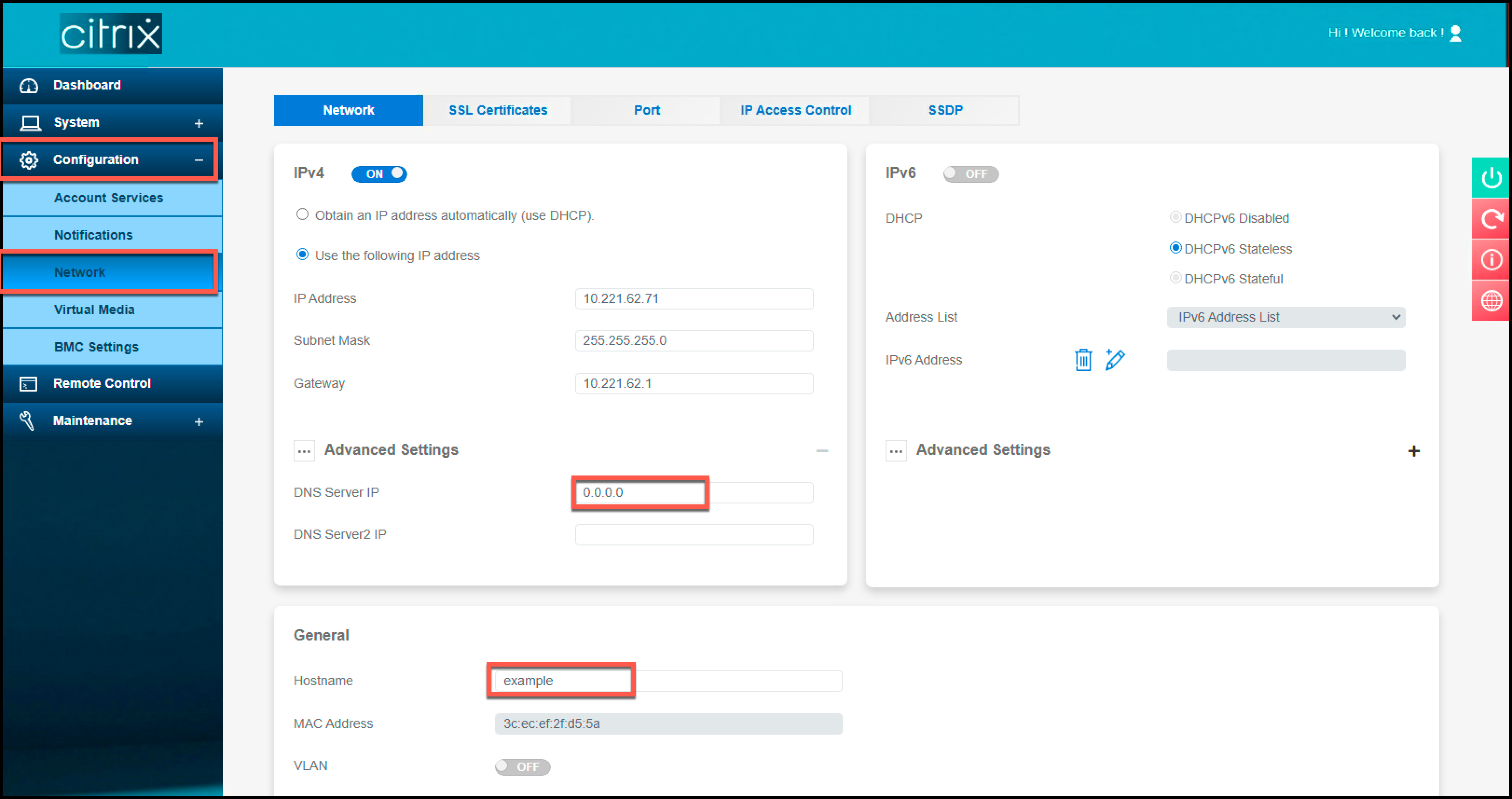
Perform the following steps to change the host name for BMC version 2.12 using the LOM GUI.
-
Log on to the LOM GUI.
-
Navigate to Configuration > Network.
-
In the DNS Server IP field, type an IP address. Type 0.0.0.0 if you don't have an IP address.
-
Type a host name.
-
Click Save.