
Deploy NetScaler Kubernetes Gateway Controller in OpenShift using NetScaler Operator
In this setup, NetScaler Kubernetes Gateway Controller configures NetScaler MPX or NetScaler VPX or NetScaler BLX residing outside the OpenShift cluster.
Prerequisites
-
Red Hat OpenShift Cluster (version 4.11 or later).
-
Deploy NetScaler Operator. For information on how to deploy NetScaler Operator, see Deploy NetScaler Operator.
-
Identify the IP address that NetScaler K8s Gateway Controller must communicate with NetScaler. This IP address might be any one of the following IP addresses depending on the type of NetScaler deployment:
-
NSIP (for standalone appliances) - The management IP address of a standalone NetScaler appliance. For more information, see IP Addressing in NetScaler.
-
SNIP (for appliances in High Availability mode) - The subnet IP address. For more information, see IP Addressing in NetScaler.
-
CLIP (for appliances in Cluster mode) - The cluster management IP (CLIP) address for a clustered NetScaler deployment. For more information, see IP addressing for a cluster.
-
-
The user name and password of NetScaler VPX or NetScaler MPX or NetScaler BLX used as the ingress device. NetScaler must have a system user account (non-default) with certain privileges so that the NetScaler K8s Gateway Controller can configure NetScaler VPX or NetScaler MPX. For instructions to create a system user account on NetScaler, see Create system user account for NetScaler Ingress Controller in NetScaler.
-
Create a Kubernetes secret that holds the NetScaler user name and password in the namespace where you create the NetscalerK8sGatewayController resource. If NetScaler Operator is installed in a specific namespace, use that namespace. Replace
<username>,<password>, and<namespace>with the required values. You can also provide the credentials throughsecretStoreorvaultCredentials(see the NetScaler parameters table).oc create secret generic nslogin --from-literal=username=<username> --from-literal=password=<password> -n <namespace> -
Install the Gateway API CRDs from the official standard channel if they are not already installed.
Deploy NetScaler Kubernetes Gateway Controller using OpenShift Operator
Perform the following steps:
-
Log in to the OpenShift 4.x Cluster console.
-
Deploy a CNNwebsite application using the console.
-
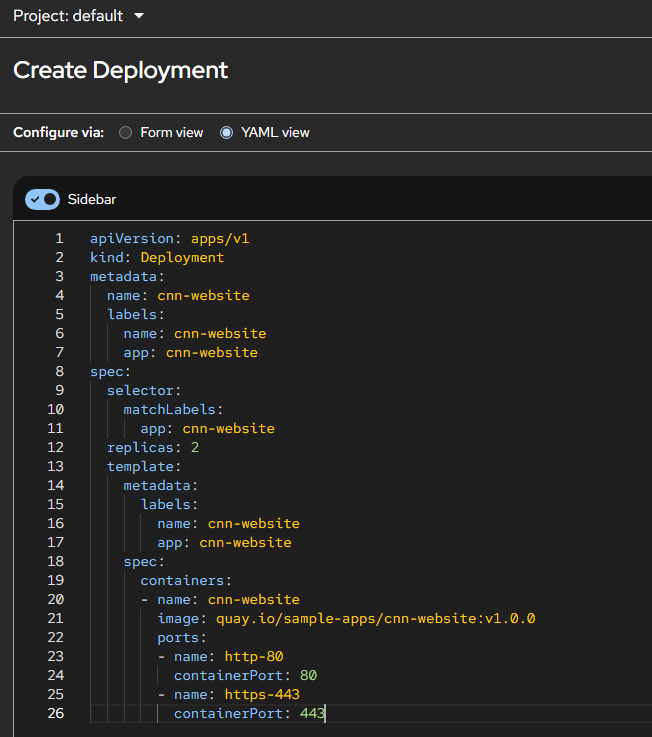
Navigate to Workloads > Deployments > Create Deployment and use the following YAML file to create the deployment.
apiVersion: apps/v1
 kind: Deployment
 metadata:
   name: cnn-website
   labels:
     name: cnn-website
     app: cnn-website
 spec:
   selector:
     matchLabels:
       app: cnn-website
   replicas: 2
   template:
     metadata:
       labels:
         name: cnn-website
         app: cnn-website
     spec:
       containers:
       - name: cnn-website
         image: quay.io/sample-apps/cnn-website:v1.0.0
         ports:
         - name: http-80
           containerPort: 80
         - name: https-443
           containerPort: 443
 ---
-
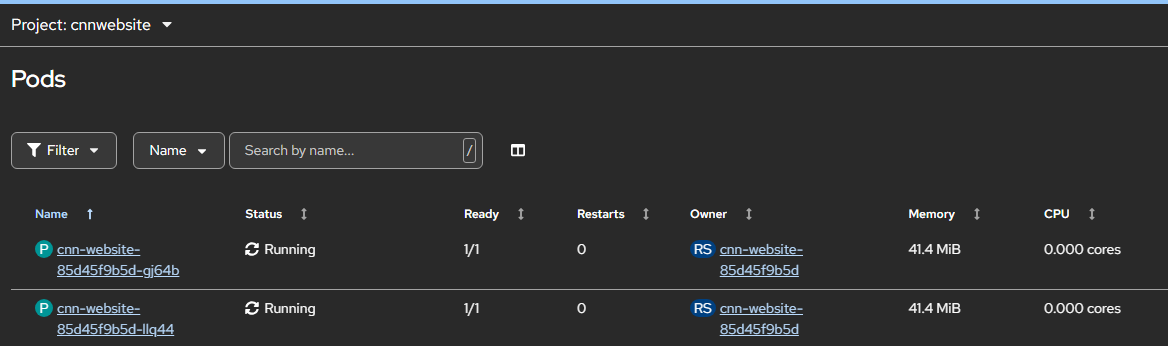
Navigate to Workloads > Pods section and ensure that the CNNwebsite application pods are up and running.
-
-
Create a service for the CNNwebsite application. Navigate to Networking > Services > Create Service and use the following YAML file.
apiVersion: v1
 kind: Service
 metadata:
   name: cnn-website
   labels:
     app: cnn-website
 spec:
   type: NodePort
   ports:
   - name: http-80
     port: 80
     targetPort: 80
   - name: https-443
     port: 443
     targetPort: 443
   selector:
name: cnn-website -
Create Self-Signed Certificate, Gateway Class, Gateway, and HTTP Route for CNNwebsite application.
-
Create a self-signed SSL certificate and a key to be used with the Gateway-Listener for TLS configuration. The following command is just a sample command to create a self-signed certificate and assumes that the host name of the application is example.com.
openssl genrsa -out cnnwebsite_key.pem 2048

 openssl req -new -key cnnwebsite_key.pem -out cnnwebsite_csr.pem -subj "/CN=example.com"

 openssl x509 -req -in cnnwebsite_csr.pem -sha256 -days 365 -extensions v3_ca -signkey cnnwebsite_key.pem -CAcreateserial -out cnnwebsite_cert.pem

oc create secret tls app1-secret --key cnnwebsite_key.pem --cert cnnwebsite_cert.pem -
Deploy Gateway Class, Gateway, and HTTP Route.
apiVersion: gateway.networking.k8s.io/v1
 kind: GatewayClass
 metadata:
   name: example-gateway-class
 spec:
   controllerName: citrix.com/nsgw-controller
 ---
 apiVersion: gateway.networking.k8s.io/v1
 kind: Gateway
 metadata:
   name: example-gateway
 spec:
   gatewayClassName: example-gateway-class
   listeners:
   - name: http
     protocol: HTTP
     port: 80
   - name: https
     protocol: HTTPS
     port: 443
     tls:
       mode: Terminate
       certificateRefs:
       - kind: Secret
         name: app1-secret
   addresses:
     - type: IPAddress
       value: 4.4.4.4 # VIP
 ---
 apiVersion: gateway.networking.k8s.io/v1
 kind: HTTPRoute
 metadata:
   name: example-route
 spec:
   parentRefs:
   - name: example-gateway
   hostnames:
     - "example.com"
   rules:
   - matches:
     - path:
         type: PathPrefix
         value: /
     backendRefs:
     - name: cnn-website
       namespace: default
       port: 443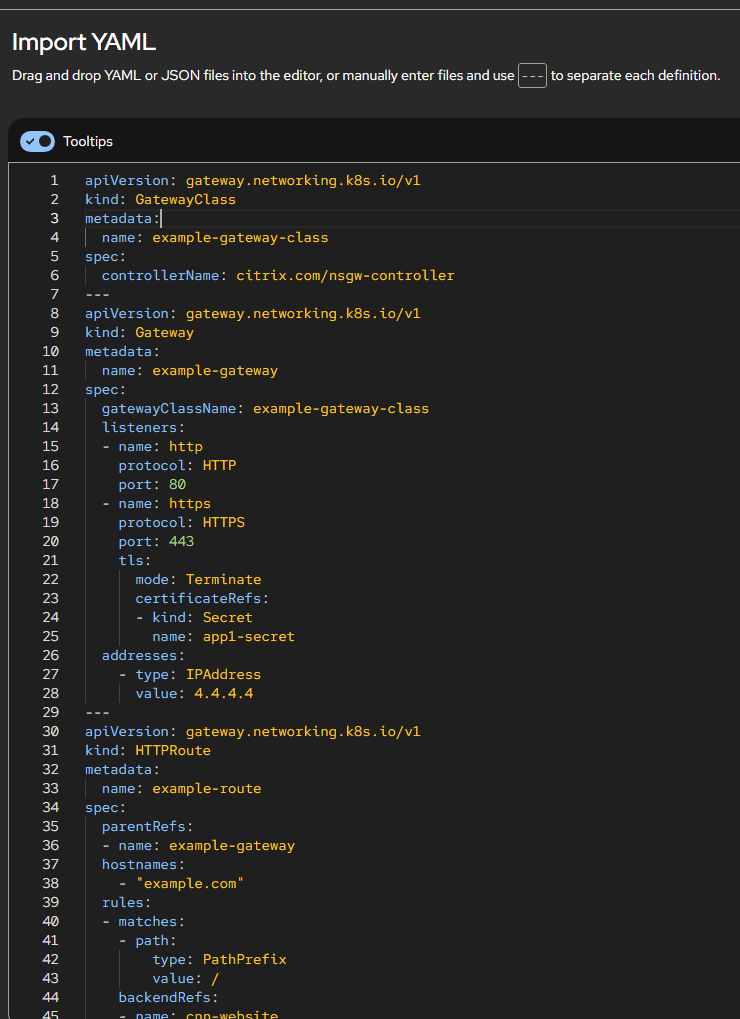
-
-
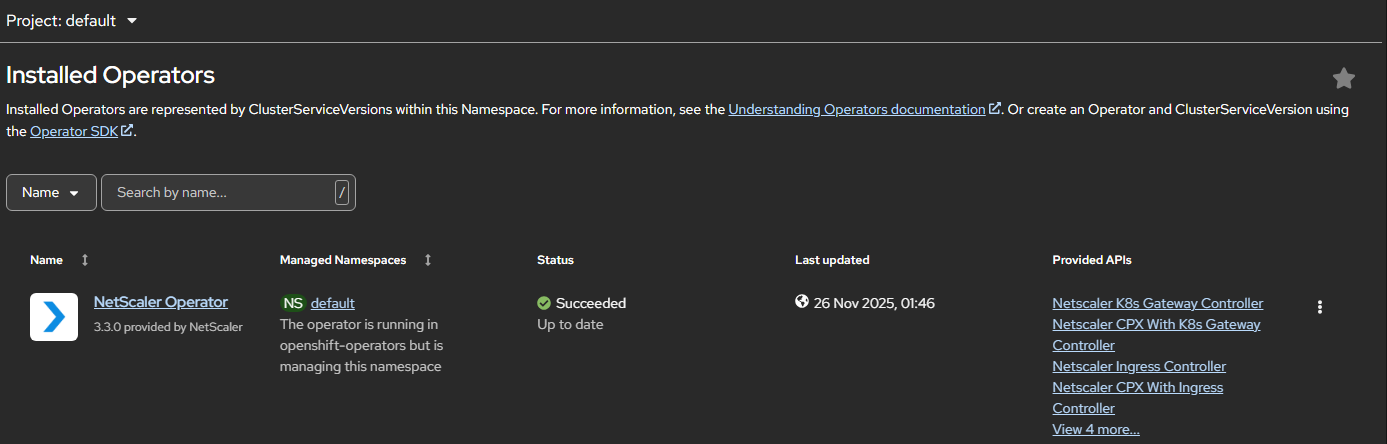
Navigate to Operators > Installed Operators and click NetScaler Operator.
-
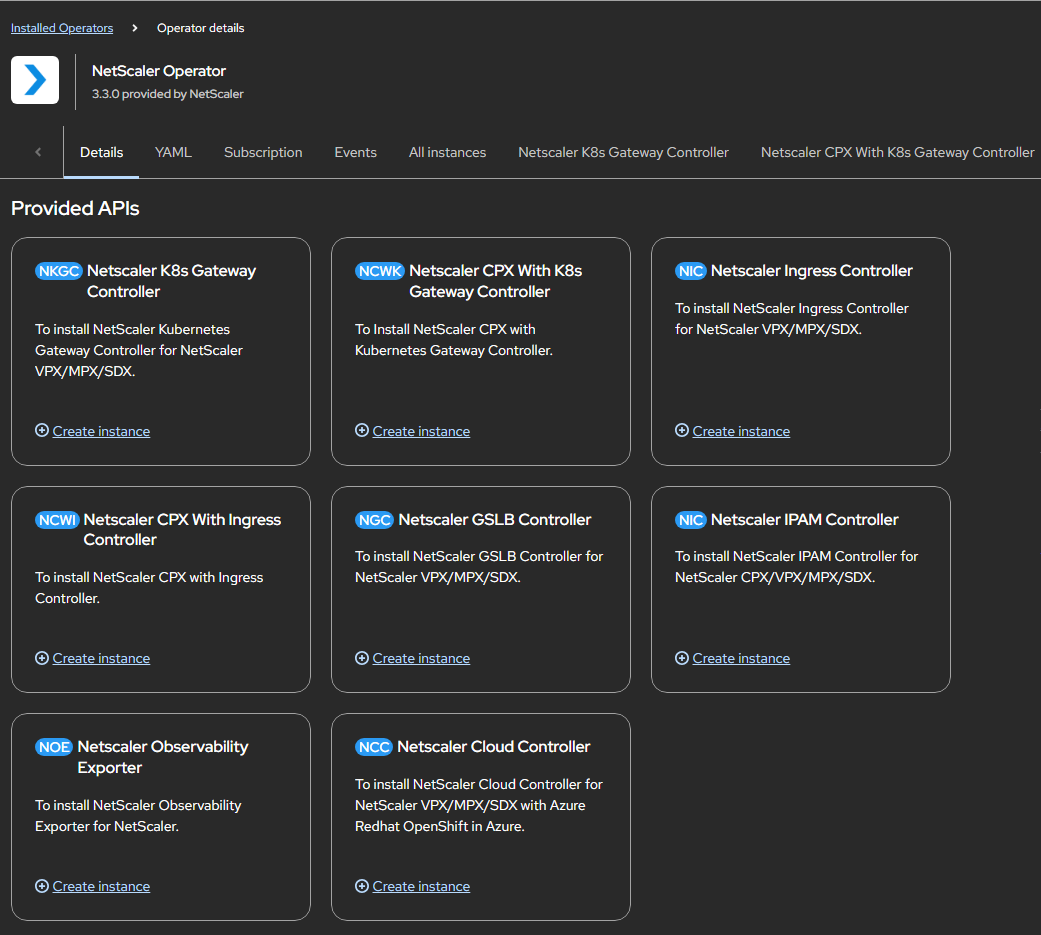
Click the NetScaler K8s Gateway Controller tab and select Create NetScalerK8sGatewayController.
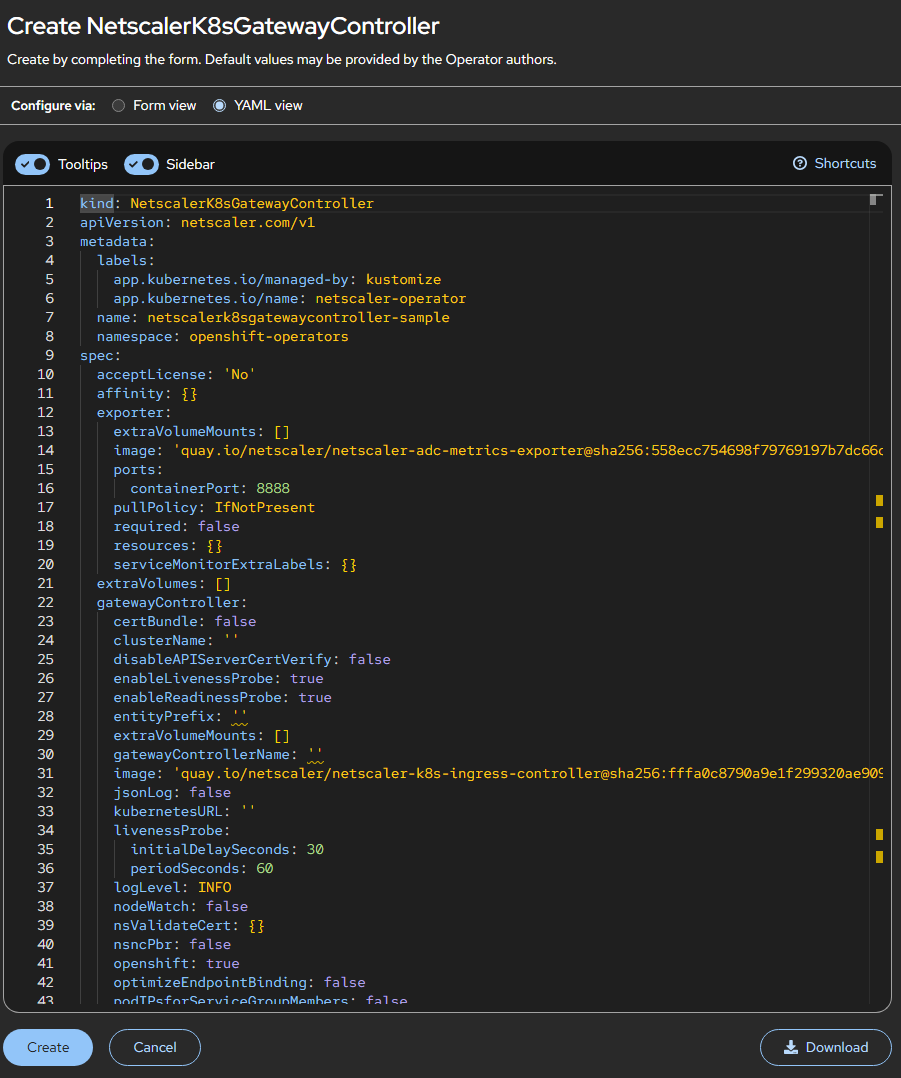
 The NetScaler K8s Gateway Controller YAML definition is displayed. Optionally, you can select Form view button and update the parameters in a form.
-
Refer the following table that lists the mandatory and optional parameters that you can configure during installation.
spec:
   acceptLicense: 'Yes'
   netscaler:
     adcCredentialSecret: nslogin
     # NetScaler management IP (NSIP), SNIP with management access for HA, or CLIP for a NetScaler cluster
     nsIP: 4.4.4.10
   gatewayController:
     entityPrefix: gwy
     gatewayControllerName: citrix.com/nsgw-controller
Parameters Mandatory or Optional Default value Description acceptLicense Mandatory No Set this value to Yesto accept the NetScaler K8s Gateway Controller EULA. The controller is not deployed until this value isYes.affinity Optional N/A Affinity labels for pod assignment. apiPriorityAndFairness Optional N/A Configure Kubernetes API Priority and Fairness for requests from NetScaler K8s Gateway Controller to the Kubernetes API server. Set apiPriorityAndFairness.enabledtotrueto enable it (defaultfalse), and use theflowSchemaandpriorityLevelConfigurationfields to tune it.createClusterRoleAndBinding Optional true Set to false to skip creating the ClusterRole and ClusterRoleBinding for NetScaler K8s Gateway Controller. extraContainers / extraEnv / initContainers / hostAliases Optional N/A Extra pod-spec hooks to add sidecar containers, environment variables, init containers, and host aliases to the pod. extraVolumes Optional N/A Additional volumes for the NetScaler K8s Gateway Controller pod. Mount them in the container by using gatewayController.extraVolumeMounts.imagePullSecrets Optional N/A List of secret names used to pull images from a private registry. The operator adds them to the service account that it creates (they are not used when serviceAccount.createisfalse). For more information on how to create this secret, see Pull an Image from a Private Registry.nodeSelector Optional N/A The node label key:value pair to be used for nodeSelector option in NetScaler K8s Gateway Controller deployment. podAnnotations Optional N/A Map of annotations to add to the pods. serviceAccount Optional create: true Settings for the service account used by NetScaler K8s Gateway Controller, including whether to create it (create) and the account name (name). serviceAccount.nameis mandatory whenserviceAccount.createisfalse.tokenExpirationSeconds Optional 31536000 The expiration time, in seconds, for the service account token mounted into the NetScaler K8s Gateway Controller pod. Allowed range: 600 to 31536000. tolerations Optional N/A The tolerations for the NetScaler K8s Gateway Controller deployment. upgradeImageAlways Optional true When true(the default), the operator deploys the image that is built into this operator release and ignores the image value in this resource. Set it tofalseto deploy the image that you specify.Gateway ControllerParameters Mandatory or Optional Default value Description clusterName Optional N/A A unique identifier of the Kubernetes cluster on which NetScaler K8s Gateway Controller is deployed. disableAPIServerCertVerify Optional false Disables API server certificate verification. The default value is false, so the controller verifies the API server certificate.enableLivenessProbe Optional true Set to false to disable liveness probe settings for NetScaler K8s Gateway Controller. enableReadinessProbe Optional true Set to false to disable readiness probe settings for NetScaler K8s Gateway Controller. entityPrefix Mandatory N/A The prefix for the resources that NetScaler K8s Gateway Controller creates on NetScaler MPX, VPX, or BLX. Use a value that is unique for each controller that shares the same NetScaler. gatewayControllerName Mandatory N/A The controller name that NetScaler K8s Gateway Controller registers. It must match spec.controllerNamein your GatewayClass (citrix.com/nsgw-controllerin this procedure).image Mandatory quay.io/netscaler/netscaler-k8s-ingress-controller@sha<sha value of latest release>The NetScaler K8s Gateway Controller image hosted on Quay.io. Used only when upgradeImageAlwaysisfalse.extraVolumeMounts Optional N/A Additional VolumeMounts to be mounted in the NetScaler K8s Gateway Controller container. jsonLog Optional false Set this argument to true if log messages are required in the JSON format. kubernetesURL Optional N/A The kube-apiserver URL that NetScaler K8s Gateway Controller uses to register events. If not specified, the controller uses the internal kube-apiserver IP address. livenessProbe Optional initialDelaySeconds 50, periodSeconds 60, failureThreshold 3, successThreshold 1 Liveness probe settings for NetScaler K8s Gateway Controller. logLevel Optional INFO The log level to control the logs generated by NetScaler K8s Gateway Controller. Supported levels: DEBUG, INFO, WARNING, and ERROR. nodeWatch Optional false Set to true to automatically configure network route from NetScaler MPX/VPX to the pods in the Kubernetes cluster. Cannot be truewhennsncPbristrue. For more information, see Automatically configure route on the NetScaler instance.nsncPbr Optional false Set to true to inform the controller that NetScaler Node Controller is configuring Policy Based Routes (PBR). Cannot be truewhennodeWatchistrue. For more information, see NSNC-PBR-SUPPORT.openshift Optional true Set to false if the OpenShift environment is not being used. pullPolicy Mandatory IfNotPresent The NetScaler K8s Gateway Controller image pull policy. readinessProbe Optional initialDelaySeconds 50, periodSeconds 60, failureThreshold 3, successThreshold 1 Readiness probe settings for NetScaler K8s Gateway Controller. resources Optional requests: cpu 32m, memory 256Mi; limits: cpu 100m, memory 512Mi CPU/memory resources for the NetScaler K8s Gateway Controller container. analyticsConfig Optional N/A Configures the analytics block ( NS_ANALYTICS_CONFIG) that the operator adds to the controller ConfigMap, for distributed tracing and Splunk export. SetanalyticsConfig.requiredtotrueto enable it (defaultfalse). Sub-fields:logAllJsonFields(defaultfalse),distributedTracing.enable(defaultfalse),distributedTracing.samplingRate(0 to 100, default100),splunk.enable(defaultfalse), andsplunk.servers(each withname,endpoint,port,authToken.nameandauthToken.namespaceof the secret that holds the Splunk HEC token, andprofiles).certBundle Optional false Set to trueto add the certificates from Gateway TLS secrets to NetScaler as an SSL certificate key bundle (certkeybundle), including the intermediate CA certificates. Requires NetScaler 14.1 build 21.x or later. For more information, see Certificate key bundle.nodeWatchLabelSelector Optional N/A Filters which nodes nodeWatch programs routes for. Applied only when nodeWatch is enabled and the selector is non-empty. nsValidateCert Optional N/A Enables validation of the NetScaler server certificate. Set nsValidateCert.nsCertSecretto a secret, in the same namespace, that holds the CA certificate under the keynsCA.pem(for example,oc create secret generic nscacert --from-file=nsCA.pem=<ca-cert-file> -n <namespace>). If the NetScaler certificate is issued to a host name, add ahostAliasesentry that maps the NetScaler IP address to that host name. For more information, see Enable NetScaler certificate validation.NetScalerParameters Mandatory or Optional Default value Description adcCredentialSecret Mandatory N/A Name of the Kubernetes secret (keys usernameandpassword) that holds the NetScaler login. Set eitheradcCredentialSecretorsecretStore, not both. Not required whenvaultCredentials.enabledandvaultCredentials.suppressEnvCredentialsaretrue.nitroReadTimeout Optional 20 The NITRO read timeout in seconds. nsIP Mandatory N/A NetScaler IP address. nsPort Optional 443 The port used by NetScaler K8s Gateway Controller to communicate with NetScaler. You can use port 80 for HTTP. nsProtocol Optional HTTPS The protocol used by NetScaler K8s Gateway Controller to communicate with NetScaler. You can use HTTP on port 80. nsSNIPs Optional N/A List of subnet IP addresses on the NetScaler used to create PBR routes instead of static routes (PBR support). nsVIP Optional N/A The virtual IP address on NetScaler. secretStore Optional N/A NetScaler user name and password as environment variable sources ( secretStore.usernameandsecretStore.password, both required), for examplesecretKeyRef. Use instead ofadcCredentialSecret; do not set both.vaultCredentials Optional N/A Sources the NetScaler login from files rendered by a customer-supplied Vault Agent sidecar. Disabled by default; add the sidecar with extraContainers. Sub-fields:enabled(defaultfalse),mountPath(default/etc/citrix),credentialWaitSeconds(default120),suppressEnvCredentials(defaulttrue; when bothenabledandsuppressEnvCredentialsaretrue,adcCredentialSecretandsecretStoreare not needed). If you enablevaultCredentialsand setupgradeImageAlwaystofalse,gatewayController.imagemust be an image whose version tag is 4.3.22 or later (NetScaler Kubernetes Gateway Controller 2.3.0 uses the 4.3.22 image), written as<repository>:<tag>or<repository>:<tag>@sha256:<digest>. With an older image, or an image without a version tag (for example, only a digest,latest, or a build name), the operator does not deploy the controller and reportsVaultImageUnsupportedin the instance status.Note: Theexportersection in the default YAML of this resource is not used. NetScaler Operator does not deploy NetScaler Metrics Exporter with NetScaler K8s Gateway Controller.The following examples are complete NetscalerK8sGatewayController resources that show how to set some of these parameters. Update the values for your environment before you click Create.Example: Read the NetScaler credentials from HashiCorp Vault. A Vault Agent sidecar writes the NetScaler user name and password to thecitrix-credsvolume that the operator adds, soadcCredentialSecretis not needed. Set up Vault, thegateway-vault-agent-configConfigMap, and a Vault role for the service account of the instance (by default, the instance name) as described in Use NetScaler credentials stored in a Vault server with NetScaler Kubernetes Gateway Controller.apiVersion: netscaler.com/v1
kind: NetscalerK8sGatewayController
metadata:
name: nsgw-vault
spec:
acceptLicense: 'Yes'
gatewayController:
entityPrefix: gwy
gatewayControllerName: citrix.com/nsgw-controller
netscaler:
nsIP: 10.0.0.10
# No adcCredentialSecret: the Vault Agent sidecar supplies the credentials
vaultCredentials:
enabled: true
extraEnv:
# Optional: seconds between checks for new credentials (default 30)
- name: NS_CRED_RELOAD_INTERVAL
value: "60"
extraContainers:
- name: vault-agent
image: hashicorp/vault:<version>
args: ["agent", "-config=/etc/vault/vault-agent-config.hcl"]
env:
- name: VAULT_ADDR
value: "https://<vault-server>:8200"
# Needed when the container does not run as root, for example on OpenShift
- name: SKIP_SETCAP
value: "true"
volumeMounts:
# citrix-creds is the shared in-memory volume that the operator adds
- name: citrix-creds
mountPath: /etc/citrix
- name: vault-config
mountPath: /etc/vault
- name: vault-token
mountPath: /home/vault
- name: sa-token
mountPath: /var/run/secrets/kubernetes.io/serviceaccount
readOnly: true
extraVolumes:
- name: vault-config
configMap:
name: gateway-vault-agent-config
- name: vault-token
emptyDir:
medium: Memory
- name: sa-token
projected:
sources:
- serviceAccountToken:
path: token
expirationSeconds: 3600
audience: vault # the token works only for Vault, not for the Kubernetes APIExample: Export analytics to Splunk. The operator adds the analytics configuration only whenanalyticsConfig.requiredistrue. First create the secret with the Splunk HEC token, for exampleoc create secret generic splunktoken --from-literal=authToken=<splunk-hec-token> -n <namespace>.apiVersion: netscaler.com/v1
kind: NetscalerK8sGatewayController
metadata:
name: nsgw
spec:
acceptLicense: 'Yes'
gatewayController:
entityPrefix: gwy
gatewayControllerName: citrix.com/nsgw-controller
analyticsConfig:
required: true
distributedTracing:
enable: true
samplingRate: 50
splunk:
enable: true
servers:
- name: my-splunk
endpoint: <splunk-endpoint>
port: 8088
# Secret that holds the Splunk HEC token under the key authToken
authToken:
name: splunktoken
namespace: <namespace>
# Profile attribute values are strings, so quote numbers.
profiles:
timeseries:
metricsexportfrequency: "60"
analyticsendpointurl: netscaler/metric
streaminsight:
analyticsendpointurl: /services/collector/event
analyticsendpointcontenttype: application/json
netscaler:
nsIP: 10.0.0.10
adcCredentialSecret: nsloginExample: Configure routes only for selected nodes. WithnodeWatchset totrue, NetScaler K8s Gateway Controller configures routes only for the nodes that have all the labels innodeWatchLabelSelector.apiVersion: netscaler.com/v1
kind: NetscalerK8sGatewayController
metadata:
name: nsgw
spec:
acceptLicense: 'Yes'
gatewayController:
entityPrefix: gwy
gatewayControllerName: citrix.com/nsgw-controller
nodeWatch: true
# Configure routes only for the nodes that have all these labels.
nodeWatchLabelSelector:
topology.kubernetes.io/zone: zone-a
netscaler:
nsIP: 10.0.0.10
adcCredentialSecret: nslogin -
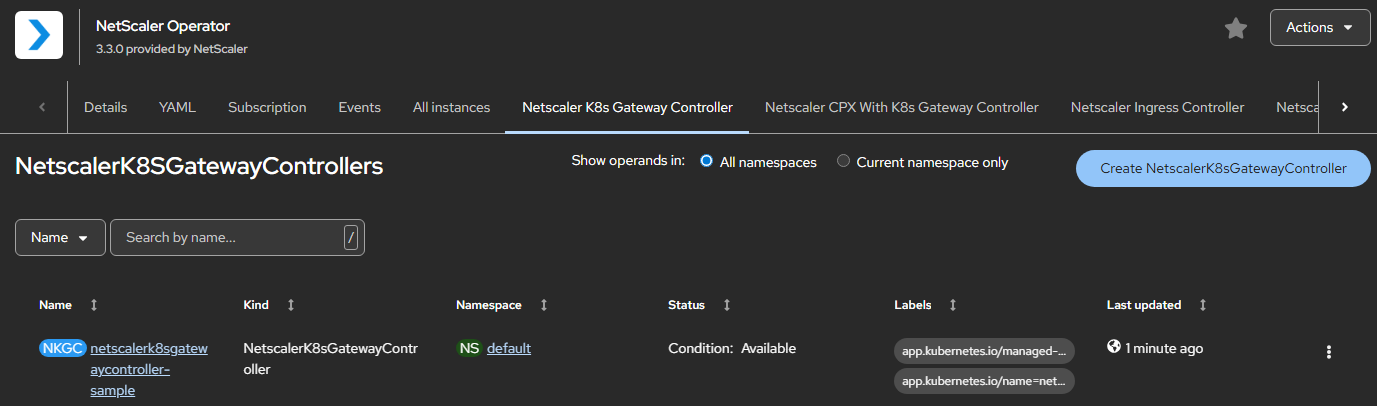
After updating the values for the required parameters, click Create.Ensure that NetScaler K8s Gateway Controller is successfully deployed and initialized.
-
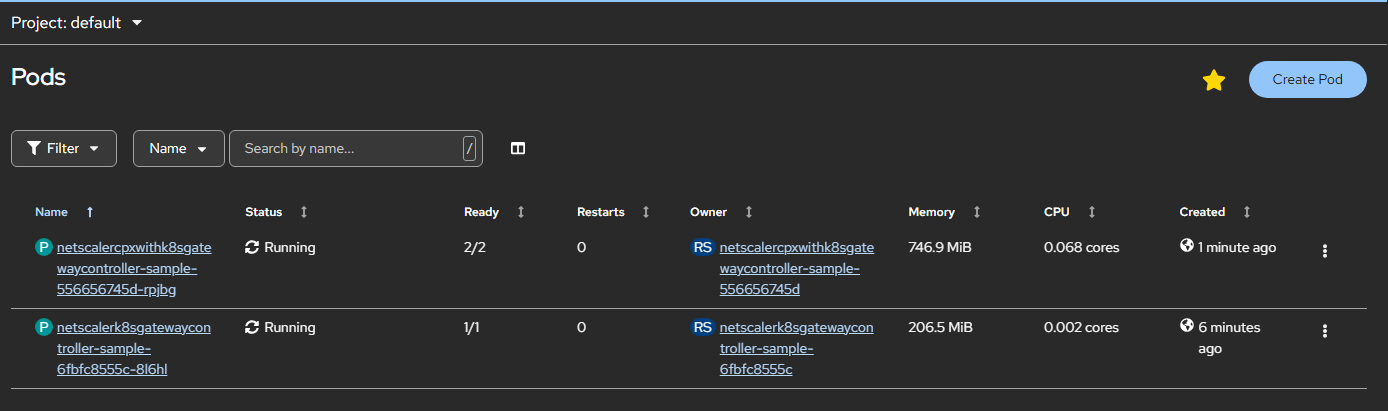
Navigate to Workloads > Pods section and verify whether the NetScaler Kubernetes Gateway Controller pod is up and running.
-
Verify the deployment by sending traffic:
curl -kv https://example.com --resolve example.com:443:<VIP>
Note:
Ensure that the pod network in OpenShift cluster is reachable from NetScaler VPX or NetScaler MPX or NetScaler BLX if you are using a service of type ClusterIP for your application. To configure static route automatically using NetScaler K8s Gateway Controller, see Configure static route.