
Configure a NetScaler VPX high availability setup on Azure VMware solution
You can configure a NetScaler VPX HA setup on Azure VMware solution (AVS) for internet facing applications.
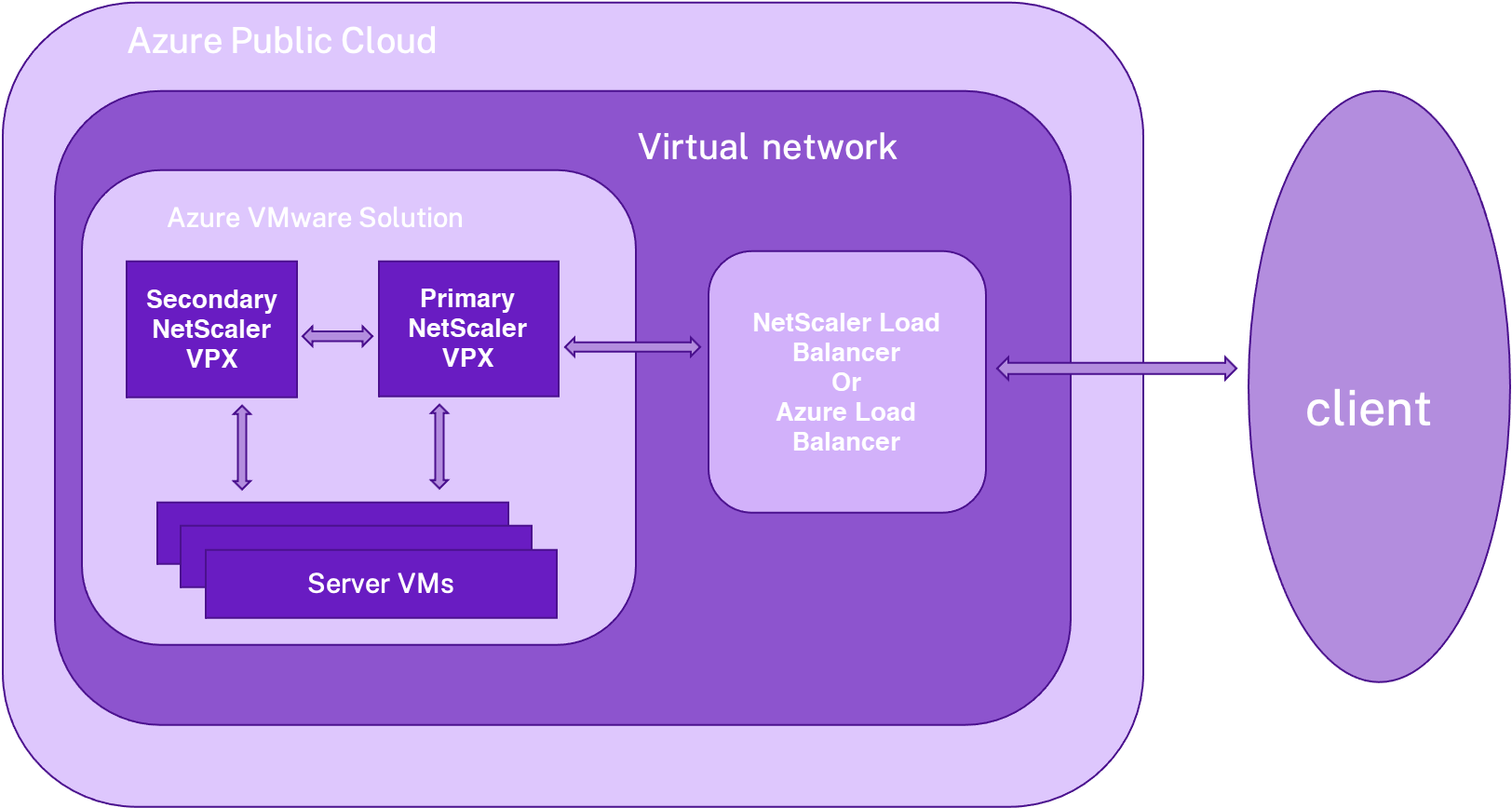
The following diagram shows the NetScaler VPX HA pair on AVS. A client can access the AVS service by connecting to the VIP of the primary ADC node inside the AVS. You can achieve this by provisioning a NetScaler load balancer or the Azure load balancer instance outside AVS but in the same Azure virtual network. Configure the load balancer to access the VIP of primary ADC node within AVS service.
Prerequisites
Before you begin installing a virtual appliance, read the following Azure prerequisites:
-
For more information on Azure VMware solution and its prerequisites, see Azure VMware Solution documentation.
-
For more information on deploying Azure VMware solution, see Deploy an Azure VMware Solution private cloud.
-
For more information on creating a Windows Jump box VM to access and manage Azure VMware Solution, see Access an Azure VMware Solution private cloud.
-
In Windows Jump box VM, download the NetScaler VPX appliance setup files.
-
Create appropriate NSX-T network segments on VMware SDDC to which the virtual machines connect. For more information, see Add a network segment in Azure VMware Solution.
Configuration steps
Follow these steps to configure the NetScaler VPX high availability setup in AVS for internet facing applications.
-
Create two NetScaler VPX instances on VMware cloud. For more information, see Install a NetScaler VPX instance on VMware cloud.
-
Configure the NetScaler HA setup. For more information, see Configuring high availability.
-
Configure the NetScaler HA setup to be accessible for internet facing applications.
-
To configure the NetScaler VPX instance using the NetScaler load balancer, see Configure a NetScaler VPX standalone instance on AVS using the NetScaler load balancer.
-
To configure the NetScaler VPX instance using the Azure load balancer, see Configure NetScaler VPX standalone instance on AVS using the Azure load balancer.
-