Deploy NetScaler Kubernetes Gateway Controller with CPX in OpenShift using NetScaler Operator
In this setup, NetScaler Kubernetes Gateway Controller configures NetScaler CPX deployed in the OpenShift cluster.
Prerequisites
-
Access to Red Hat OpenShift Cluster (version 4.1 or later).
-
Deploy NetScaler Operator. For information on how to deploy NetScaler Operator, see Deploy NetScaler Operator.
-
To export to any service monitor, install the service monitor CRD by using the following command:
kubectl create -f https://raw.githubusercontent.com/prometheus-operator/prometheus-operator/refs/heads/main/example/prometheus-operator-crd/monitoring.coreos.com_servicemonitors.yaml <!--NeedCopy--> -
Install Prometheus Operator if you want to view the metrics of the NetScaler CPX collected through the direct Prometheus export.
-
Install the Gateway API CRDs from the official standard channel if they are not already installed.
Deploy NetScaler Kubernetes Gateway Controller as a sidecar with NetScaler CPX
Perform the following steps:
-
Log in to the OpenShift 4.x Cluster console.
-
Deploy a CNNwebsite application using the console.
-
Navigate to Workloads > Deployments > Create Deployment and use the following YAML file to create the deployment.
apiVersion: apps/v1
kind: Deployment
metadata:
  name: cnn-website
  labels:
    name: cnn-website
    app: cnn-website
spec:
  selector:
    matchLabels:
      app: cnn-website
  replicas: 2
  template:
    metadata:
      labels:
        name: cnn-website
        app: cnn-website
    spec:
      containers:
      - name: cnn-website
        image: quay.io/sample-apps/cnn-website:v1.0.0
        ports:
        - name: http-80
          containerPort: 80
        - name: https-443
          containerPort: 443
  <!--NeedCopy-->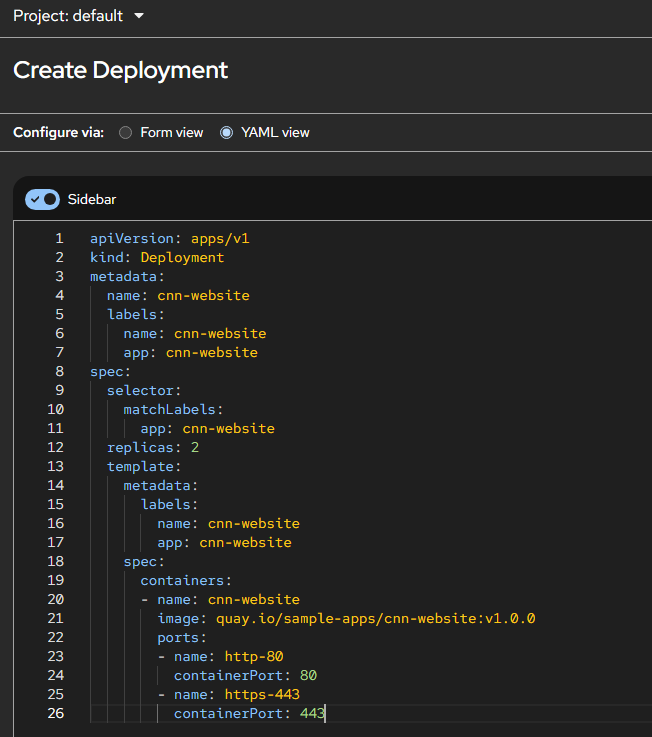
-
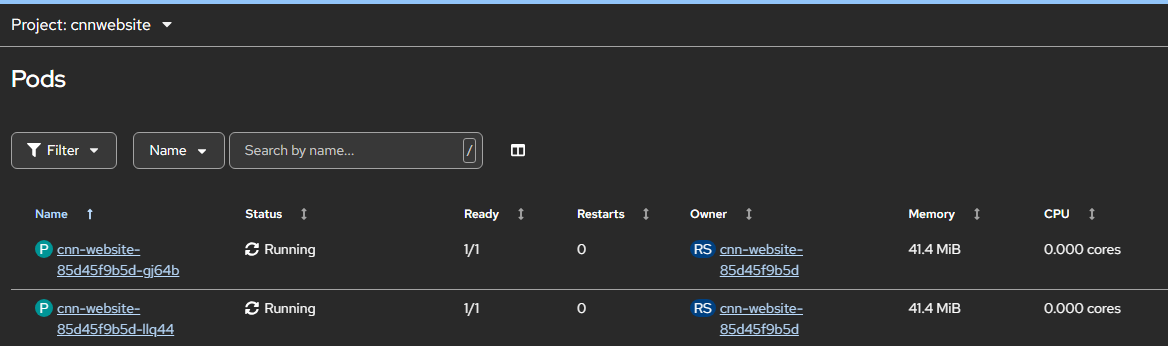
Navigate to Workloads > Pods section and ensure that the CNNwebsite application pods are up and running.
-
-
Create a service for the CNNwebsite application. Navigate to Networking > Services > Create Service and use the following YAML file.
apiVersion: v1 kind: Service metadata: name: cnn-website labels: app: cnn-website spec: type: NodePort ports: - name: http-80 port: 80 targetPort: 80 - name: https-443 port: 443 targetPort: 443 selector: name: cnn-website <!--NeedCopy--> -
Create Self-Signed Certificate, Gateway Class, Gateway, and HTTP Route for CNNwebsite application.
-
Create a self-signed SSL certificate and a key to be used with the Gateway-Listener for TLS configuration. The following command is just a sample command to create a self-signed certificate and assumes that the host name of the application is example.com
openssl genrsa -out cnnwebsite_key.pem 2048 openssl req -new -key cnnwebsite_key.pem -out cnnwebsite_csr.pem -subj "/CN=example.com" openssl x509 -req -in cnnwebsite_csr.pem -sha256 -days 365 -extensions v3_ca -signkey cnnwebsite_key.pem -CAcreateserial -out cnnwebsite_cert.pem oc create secret tls app1-secret --key cnnwebsite_key.pem --cert cnnwebsite_cert.pem <!--NeedCopy--> -
Deploy Gateway Class, Gateway, and HTTP Route.
apiVersion: gateway.networking.k8s.io/v1
kind: Gateway
metadata:
  name: example-gateway
spec:
  gatewayClassName: example-gateway-class
  listeners:
  - name: http
    protocol: HTTP
    port: 80
  - name: https
    protocol: HTTPS
    port: 443
    tls:
      mode: Terminate
      certificateRefs:
      - kind: Secret
        name: app1-secret
---
apiVersion: gateway.networking.k8s.io/v1
kind: HTTPRoute
metadata:
  name: example-route
spec:
  parentRefs:
  - name: example-gateway
  hostnames:
    - "example.com"
  rules:
  - matches:
    - path:
        type: PathPrefix
        value: /
    backendRefs:
    - name: cnn-website
      namespace: default
      port: 443
  <!--NeedCopy-->
-
-
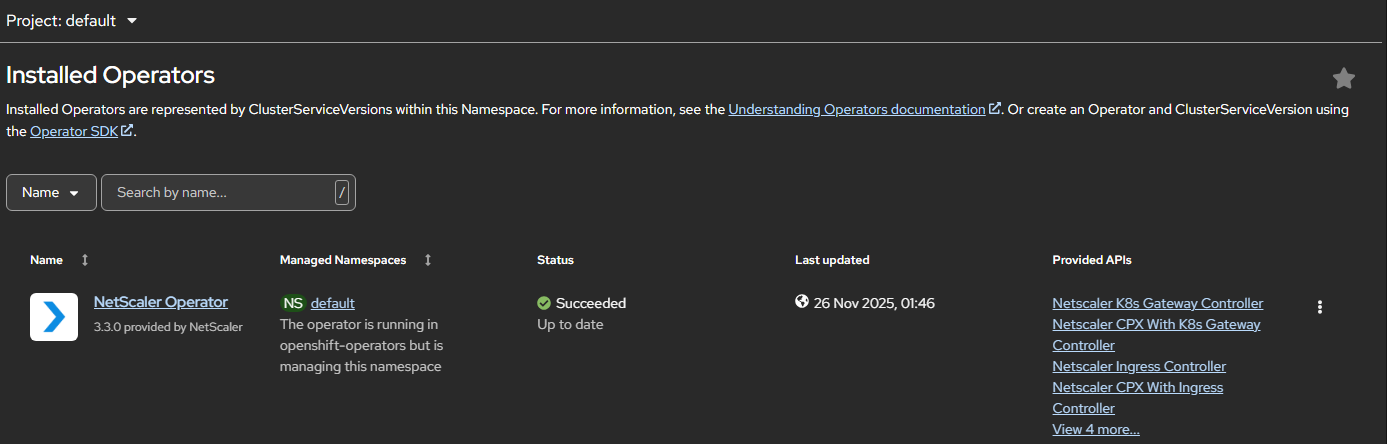
Navigate to Operators > Installed Operators and click NetScaler Operator.
-
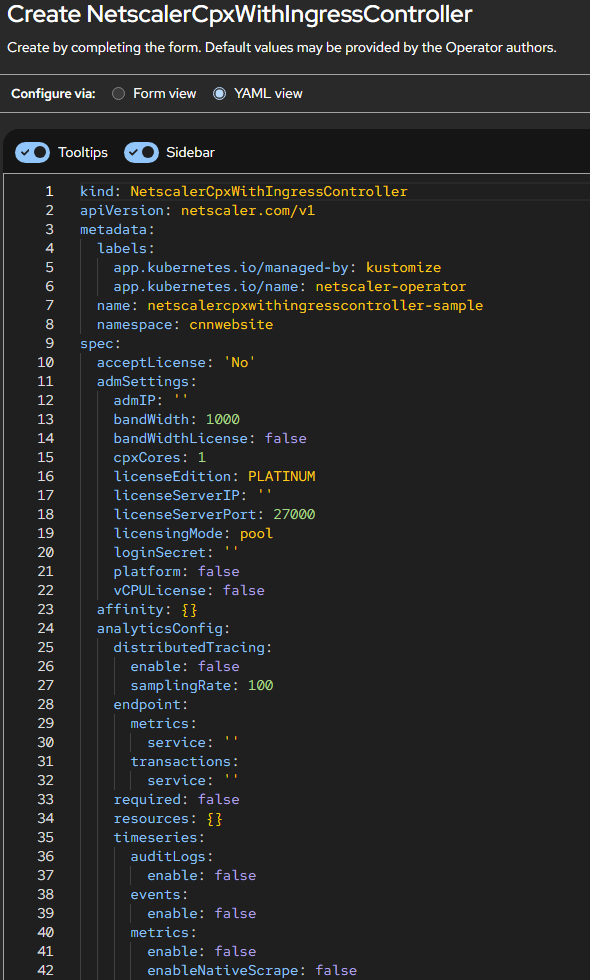
Click the NetScaler K8s Gateway Controller tab and select Create NetScalerCPXWithK8sGatewayController.
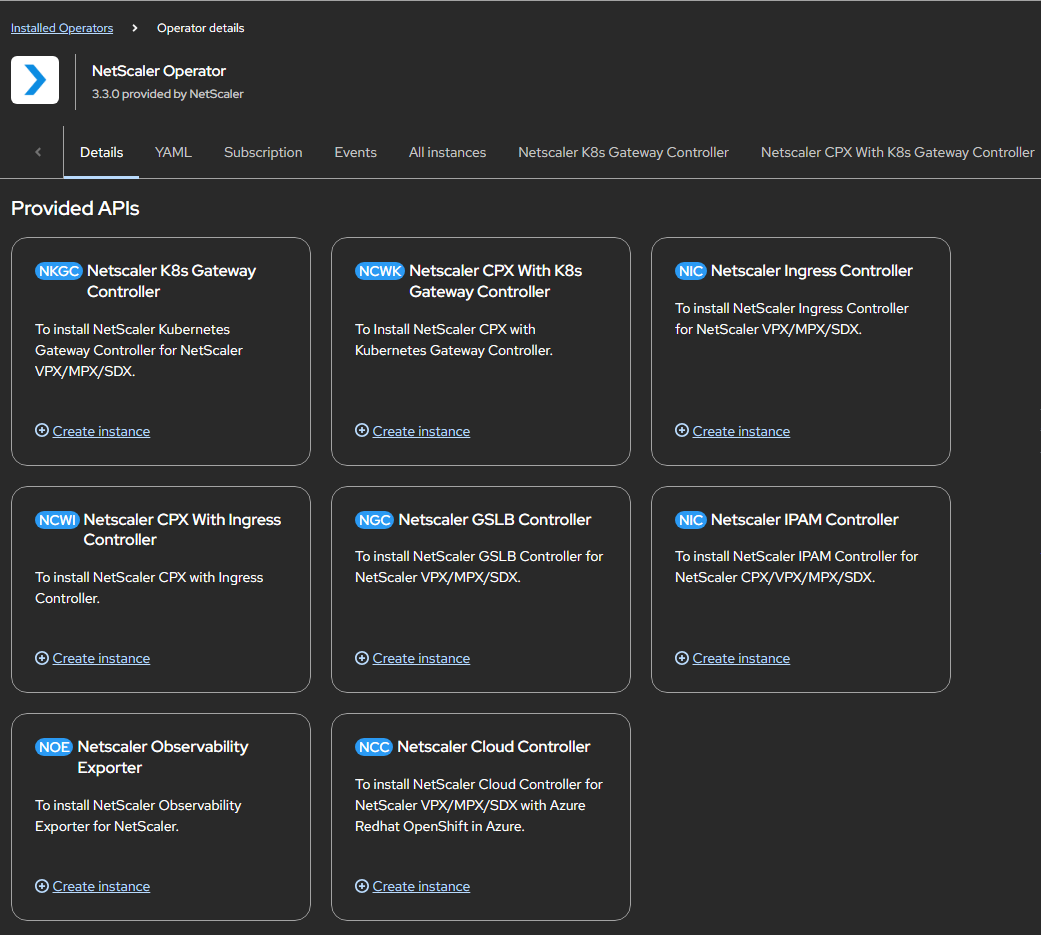
The NetScaler CPX with Kubernetes Gateway Controller YAML definition is displayed. Optionally, you can select Form view button and update the parameters in a form.
-
Refer the following table that lists the mandatory and optional parameters that you can configure during installation.
gatewayController:
  entityPrefix: gwy
  gatewayControllerName: "citrix.com/nscpxgw-controller"

accept License: yes

service:
  annotations: {}
  spec:
    type: NodePort
    ports:
      - port: 80
        targetPort: 80
        protocol: TCP
        name: http
      - port: 443
        targetPort: 443
        protocol: TCP
        name: https
<!--NeedCopy-->
Parameters Mandatory or Optional Default value Description acceptLicense Mandatory no Set Yes to accept the NetScaler Ingress Controller EULA. affinity Optional N/A Affinity labels for pod assignment. nodeSelector Optional N/A The node label key:value pair to be used for nodeSelector option in NetScaler Ingress Controller deployment. podAnnotations Optional N/A Map of annotations to add to the pods. replicaCount Optional 1 The number of CPX-NSIC pods to be deployed. With cpxBgpRouter : true, replicaCount is 1 because CPX is deployed as a DaemonSet. tolerations Optional N/A Specify the tolerations for the CPX-NetScaler K8s Gateway deployment. NetScaler Consolse settings
Parameters Mandatory or Optional Default value Description ADMIP Optional N/A The NetScaler Console (formerly NetScaler Console) IP address. bandWidth Optional 1000 The desired bandwidth capacity for NetScaler CPX in Mbps. bandWidthLicense Optional false Set this parameter to true if you want to use bandwidth-based licensing for NetScaler CPX. cpxCores Optional 1 The desired number of vCPUs for NetScaler CPX. licenseEdition Optional PLATINUM The possible values are Standard, Platinum, and Enterprise. licenseServerIP Optional N/A NetScaler Console (formerly NetScaler Console) IP address to license NetScaler CPX. For more information, see Licensing. licenseServerPort Optional 27000 NetScaler Console (formerly NetScaler Console) port if a non-default port is used. loginSecret Optional N/A The secret key to log in to NetScaler Console. platform Optional false Set to true to enable CP1000 platform license. vCPULicense Optional N/A Set the value to true if you want to use a vCPU-based license for NetScaler CPX. licensingMode Optional pool Set the licensing mode as poolorlas. For licensingModelas, set ADMIP, loginSecret, bandWidth, and licenseEdition. Forpool, set licenseServerIP and either bandWidthLicense or vCPULicense.Exporter
Parameters Mandatory or Optional Default value Description required Optional false Set this parameter to true to run the Exporter for NetScaler Stats along with NetScaler Ingress Controller to pull metrics for NetScaler CPX. image Optional quay.io/netscaler/netscaler-adc-metrics-exporter@sha256:3d54b9151c742c00117be74e1ffd54430358e4cf628fe1f02d503088583f678 The metrics exporter image hosted on Quay.io. pullPolicy Optional IfNotPresent The exporter image pull policy. resources Optional {} CPU/memory resources for the metrics exporter container. ports.containerPort Optional 8888 The exporter container port. extraVolumes Optional N/A Additional volumes for the additional volumeMounts. imagePullSecrets Optional N/A A list of Kubernetes secrets to be used for pulling the images from a private Docker registry or repository. For more information, see Pull an Image from a Private Registry. Gateway Controller
Parameters Mandatory or Optional Default value Description disableAPIServerCertVerify Optional false Set this parameter to true for disabling API server certificate verification. enableLivenessProbe Optional true Set this parameter to false to disable liveness probe settings for NetScaler Ingress Controller. enableReadinessProbe Optional true Readiness probe settings for NetScaler Ingress Controller. entityPrefix Optional N/A The prefix for the resources on NetScaler CPX. extraVolumeMounts Optional N/A N/A gatewayControllerName Mandatory N/A Provide the name for the Gateway Controller. image Mandatory quay.io/netscaler/netscaler-k8s-ingress-controller@sha256:2ff38654476234bfe2c3908932702b90c8ec6ed3cfb7c7f467dc6181df0f1adf The NetScaler Ingress Controller image hosted on Quay.io. jsonLog Optional false Set this parameter to true if log messages are required in the JSON format. kubernetesURL Optional N/A The kube-apiserver URL that NetScaler Ingress Controller uses to register events. If not specified, it uses the internal kube-apiserver IP address. livenessProbe.initialDelaySeconds Optional 30 The time period in seconds for which Kubernetes waits before performing the first liveness check. livenessProbe.periodSeconds Optional 60 After the initial delay, Kubernetes performs a liveness check every 60 seconds. logLevel Optional INFO The log level to control logs generated by NSIC. Supported levels: CRITICAL, ERROR, WARNING, INFO, DEBUG, TRACE, and NONE. OpenShift Optional true Set this parameter to false if the OpenShift environment is not being used. optimizeEndpointBinding Optional false Set to true to enable binding of back-end endpoints to a service group in a single API call. Recommended when many endpoints per application. (NetScaler >=13.0-45.7) pullPolicy Mandatory IfNotPresent The NetScaler Ingress Controller image pull policy. readinessProbe Optional N/A Readiness probe settings. resources Optional {} CPU/memory resources for the NetScaler Ingress Controller container. routeLabels Optional N/A Route label selectors used by NetScaler Ingress Controller for routeSharding in the OpenShift cluster. NetScaler CPX settings
Parameters Mandatory or Optional Default value Description cpxCommands Optional N/A User-provided NetScaler bootup config applied when CPX is instantiated. Not dynamic — changes to the ConfigMap do not reflect until the pod is restarted. cpxLicenseAggregator Optional N/A IP address or FQDN of the CPX License Aggregator (if used) to license CPX. cpxShellCommands Optional N/A User-provided bootup commands applied when CPX is instantiated. Not dynamic — changes require pod restart. enableLivenessProbe Optional true Set to false to disable liveness probe settings for NetScaler CPX. enableStartupProbe Optional true Set to false to disable startupProbe settings for NetScaler CPX. extraVolumeMounts Optional N/A Additional volume mounts for CPX. hostName Optional N/A Host name to set for the CPX. image Mandatory quay.io/netscaler/netscaler-cpx@sha256:04defadf6311259d6ada5380498ed7afe8035b11ee3c1d7b456faa94472b5550 NetScaler CPX image hosted on Quay.io. livenessProbe Optional N/A Liveness probe settings for NetScaler CPX. mgmtHttpPort Optional 9080 HTTP port to be used for a NodePort CPX service. mgmtHttpsPort Optional 9443 HTTPS port to be used for a NodePort CPX service. nitroReadTimeout Optional 20 NITRO read timeout in seconds. nsHTTP2ServerSide Optional OFF Set to ON to enable HTTP/2 for NetScaler service group configurations. nsProtocol Optional HTTP Protocol used for communication between NetScaler CPX and NetScaler Ingress Controller. pullPolicy Mandatory IfNotPresent NetScaler CPX image pull policy. service.annotations Optional N/A Dictionary of annotations for the CPX service (for example, for exposing TLS secret through annotations). service.spec Optional N/A Service specification for CPX. To expose CPX as NodePort set service.spec.type: NodePort and use service.citrix.com/secret annotation to reference TLS secret. startupProbe Optional N/A Startup probe settings for NetScaler CPX. -
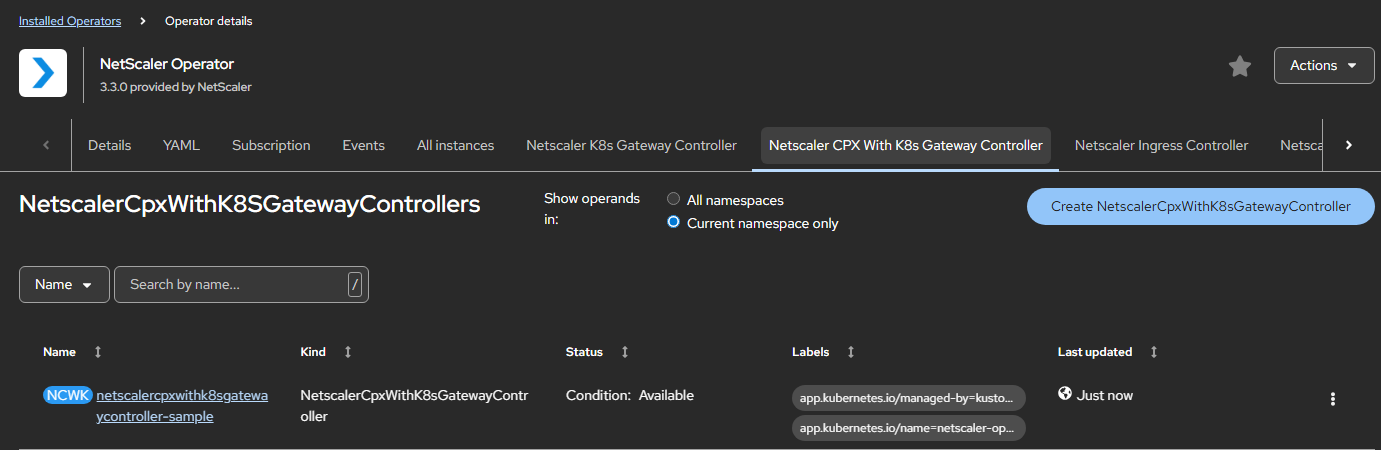
After updating the values for the required parameters, click Create. Ensure that the NetScaler CPX with Kubernetes Gateway Controller is successfully deployed and initialized.
-
Attach privileged security context constraints to the service account of NetScaler CPX (as it runs as a privileged pod) by using the following command:
-
Get the service account name used by NetScaler CPX using the following command in the namespace where NetScaler CPX has been deployed:
oc get sa -
Attach privileged SCC to the service account of NetScaler CPX:
oc adm policy add-scc-to-user privileged system:serviceaccount:<namespace>:<CPX-ServiceAccount-Name retrieved in the previous step>
-
-
Navigate to Workloads > Pods section and verify that the
netscaler-cpx-with-gateway-controllerpod is up and running.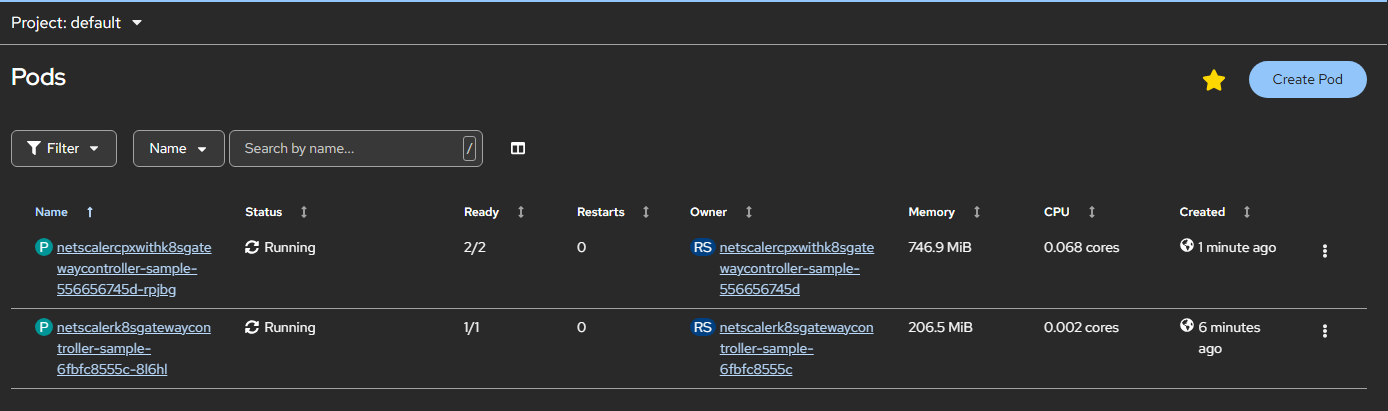
-
Verify the deployment by sending traffic.
- Obtain the NodePort details using the following command:
oc get svc -
Use cpx-service NodePort and send the traffic as shown in the following command:
curl https://example.com:<NodePort> --resolve example.com:<NodePort>:<Master-Node-IP>The preceding cURL command must return the following output:
<html><body><h1>It works!</h1></body></html>
- Obtain the NodePort details using the following command: