Deploy NetScaler Kubernetes Gateway Controller in OpenShift using NetScaler Operator
In this setup, NetScaler Kubernetes Gateway Controller configures NetScaler MPX or NetScaler VPX or NetScaler BLX residing outside the OpenShift cluster.
Prerequisites
-
Red Hat OpenShift Cluster (version 4.1 or later).
-
Deploy NetScaler Operator. For information on how to deploy NetScaler Operator, see Deploy NetScaler Operator.
-
Identify the IP address that NetScaler K8s Gateway Controller must communicate with NetScaler. This IP address might be any one of the following IP addresses depending on the type of NetScaler deployment:
-
NSIP (for standalone appliances) - The management IP address of a standalone NetScaler appliance. For more information, see IP Addressing in NetScaler.
-
SNIP (for appliances in High Availability mode) - The subnet IP address. For more information, see IP Addressing in NetScaler.
-
CLIP (for appliances in Cluster mode) - The cluster management IP (CLIP) address for a clustered NetScaler deployment. For more information, see IP addressing for a cluster.
-
-
The user name and password of NetScaler VPX or NetScaler MPX or NetScaler BLX used as the ingress device. NetScaler must have a system user account (non-default) with certain privileges so that the NetScaler K8s Gateway Controller can configure NetScaler VPX or NetScaler MPX. For instructions to create a system user account on NetScaler, see Create system user account for NetScaler Ingress Controller in NetScaler.
-
You can directly pass the user name and password as environment variables to the controller, or use OpenShift secrets (recommended). To create a secret for the user name and password using the following command, modify the
<username>and<password>to required values:oc create secret generic nslogin --from-literal=username=<username> --from-literal=password=<password>` <!--NeedCopy--> -
To export to any service monitor, install the service monitor CRD by using the following command:
oc create -f https://raw.githubusercontent.com/prometheus-operator/prometheus-operator/refs/heads/main/example/prometheus-operator-crd/monitoring.coreos.com_servicemonitors.yaml <!--NeedCopy--> -
Install the Gateway API CRDs from the official standard channel if they are not already installed.
Deploy NetScaler Kubernetes Gateway Controller using OpenShift Operator
Perform the following steps:
-
Log in to the OpenShift 4.x Cluster console.
-
Deploy a CNNwebsite application using the console.
-
Navigate to Workloads > Deployments > Create Deployment and use the following YAML file to create the deployment.
apiVersion: apps/v1
kind: Deployment
metadata:
  name: cnn-website
  labels:
    name: cnn-website
    app: cnn-website
spec:
  selector:
    matchLabels:
      app: cnn-website
  replicas: 2
  template:
    metadata:
      labels:
        name: cnn-website
        app: cnn-website
    spec:
      containers:
      - name: cnn-website
        image: quay.io/sample-apps/cnn-website:v1.0.0
        ports:
        - name: http-80
          containerPort: 80
        - name: https-443
          containerPort: 443
---
<!--NeedCopy-->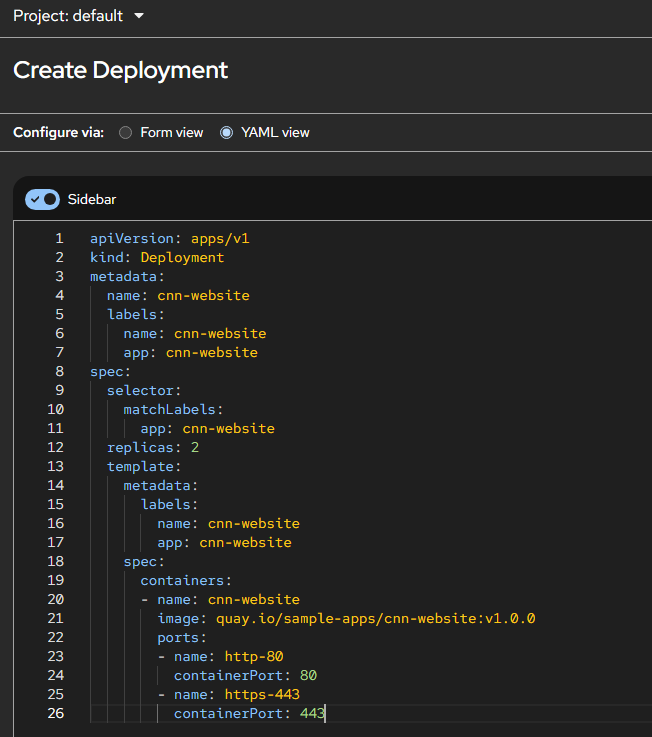
-
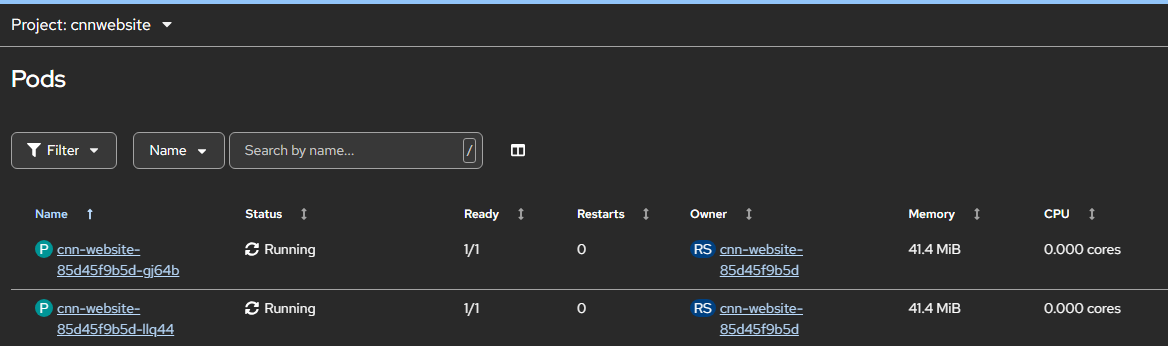
Navigate to Workloads > Pods section and ensure that the CNNwebsite application pods are up and running.
-
-
Create a service for the CNNwebsite application. Navigate to Networking > Services > Create Service and use the following YAML file.
apiVersion: v1 kind: Service metadata: name: cnn-website labels: app: cnn-website spec: type: NodePort ports: - name: http-80 port: 80 targetPort: 80 - name: https-443 port: 443 targetPort: 443 selector: name: cnn-website <!--NeedCopy--> -
Create Self-Signed Certificate, Gateway Class, Gateway, and HTTP Route for CNNwebsite application.
-
Create a self-signed SSL certificate and a key to be used with the Gateway-Listener for TLS configuration. The following command is just a sample command to create a self-signed certificate and assumes that the host name of the application is example.com.
openssl genrsa -out cnnwebsite_key.pem 2048 openssl req -new -key cnnwebsite_key.pem -out cnnwebsite_csr.pem -subj "/CN=example.com" openssl x509 -req -in cnnwebsite_csr.pem -sha256 -days 365 -extensions v3_ca -signkey cnnwebsite_key.pem -CAcreateserial -out cnnwebsite_cert.pem oc create secret tls app1-secret --key cnnwebsite_key.pem --cert cnnwebsite_cert.pem <!--NeedCopy--> -
Deploy Gateway Class, Gateway, and HTTP Route.
  apiVersion: gateway.networking.k8s.io/v1
  kind: GatewayClass
  metadata:
    name: example-gateway-class
  spec:
    controllerName: citrix.com/nsgw-controller
  ---
  apiVersion: gateway.networking.k8s.io/v1
  kind: Gateway
  metadata:
    name: example-gateway
  spec:
    gatewayClassName: example-gateway-class
    listeners:
    - name: http
      protocol: HTTP
      port: 80
    - name: https
      protocol: HTTPS
      port: 443
      tls:
        mode: Terminate
        certificateRefs:
        - kind: Secret
          name: app1-secret
    addresses:
      - type: IPAddress
        value: 4.4.4.4 # VIP
  ---
  apiVersion: gateway.networking.k8s.io/v1
  kind: HTTPRoute
  metadata:
    name: example-route
  spec:
    parentRefs:
    - name: example-gateway
    hostnames:
      - "example.com"
    rules:
    - matches:
      - path:
          type: PathPrefix
          value: /
      backendRefs:
      - name: cnn-website
        namespace: default
        port: 443
  <!--NeedCopy-->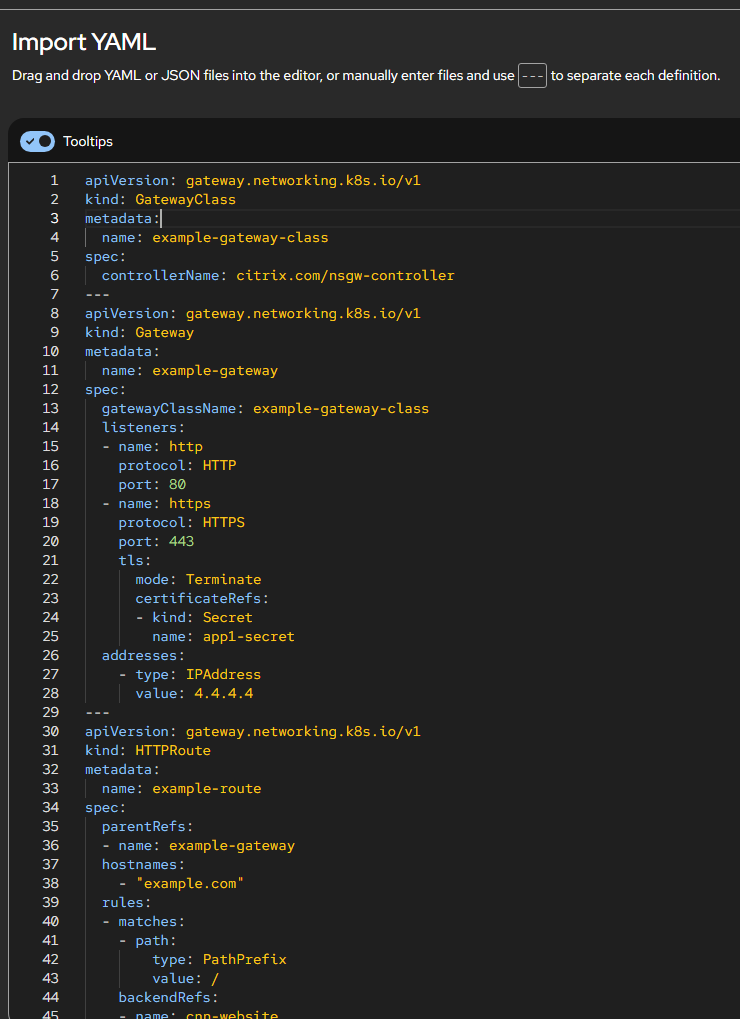
-
-
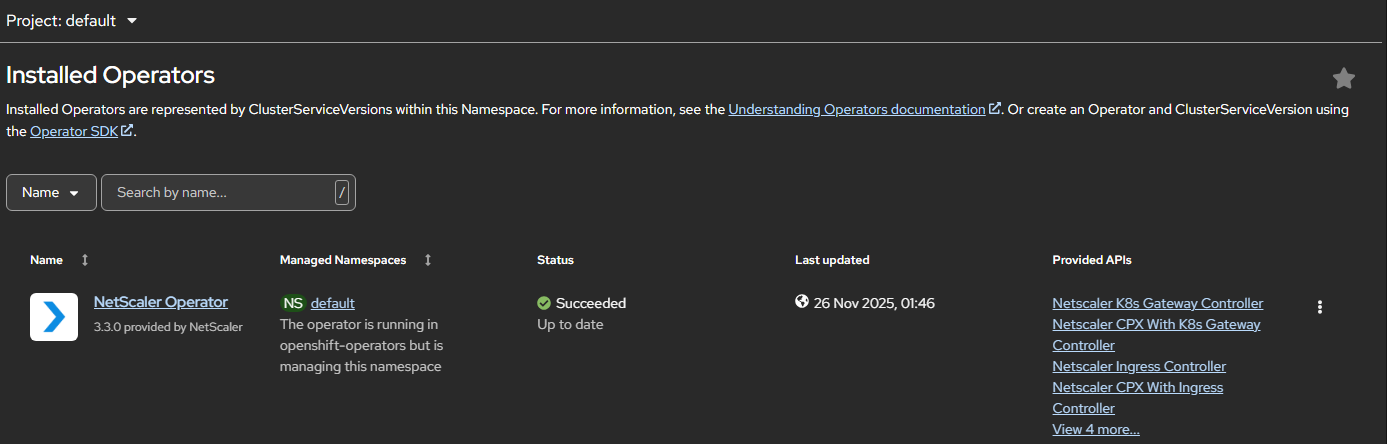
Navigate to Operators > Installed Operators and click NetScaler Operator.
-
Click the NetScaler K8s Gateway Controller tab and select Create NetScalerK8sGatewayController.
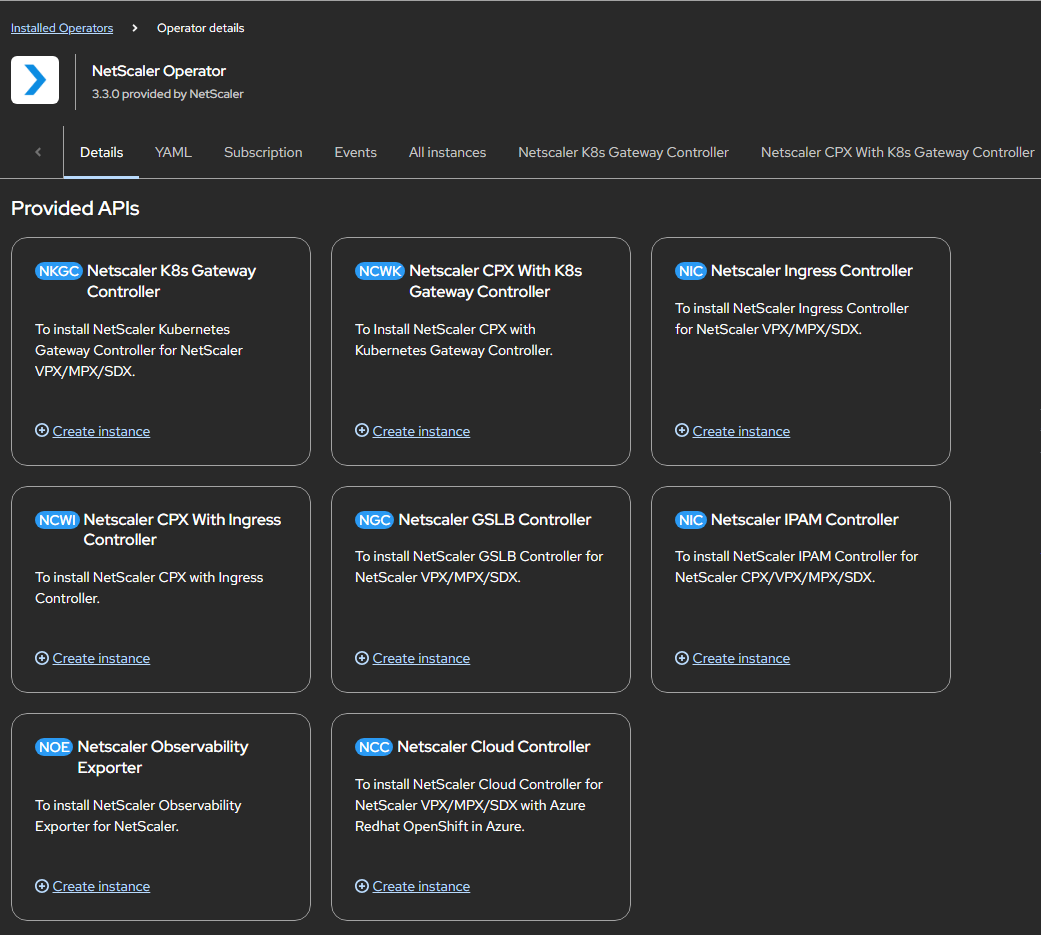
The NetScaler K8s Gateway Controller YAML definition is displayed. Optionally, you can select Form view button and update the parameters in a form.
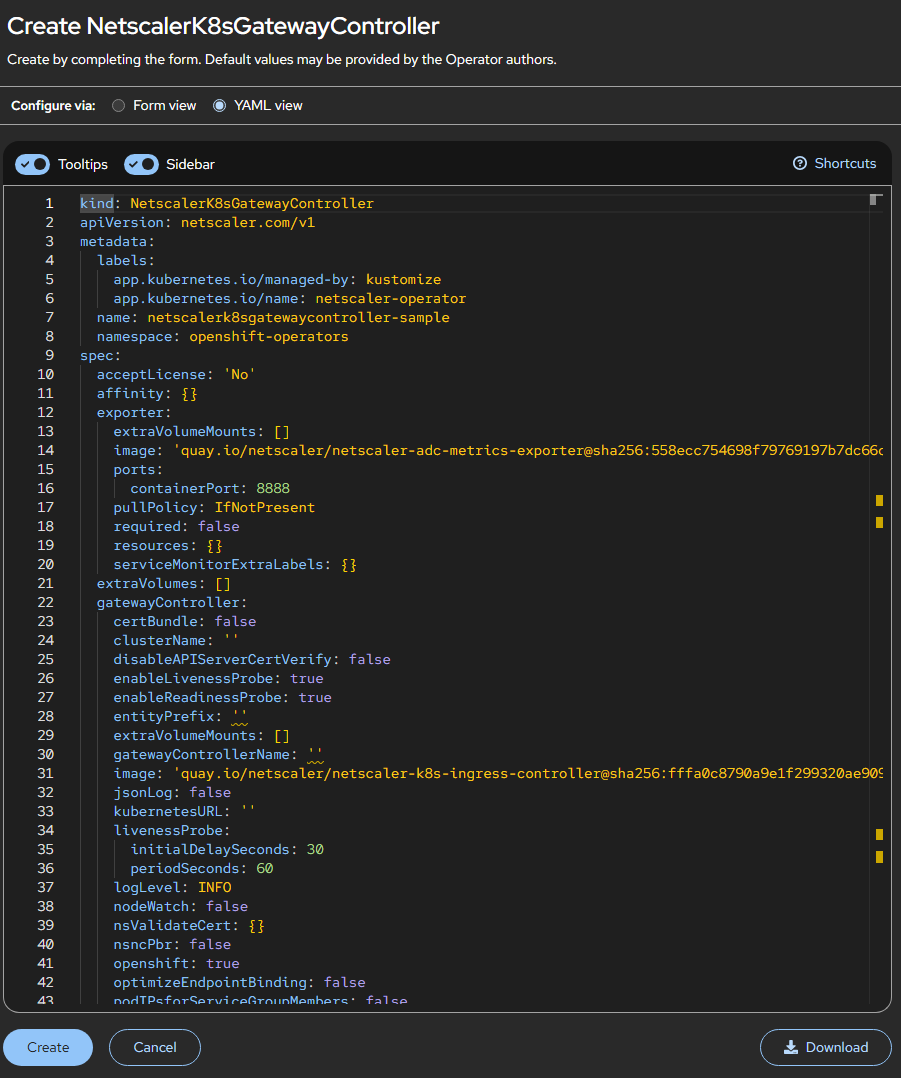
-
Refer the following table that lists the mandatory and optional parameters that you can configure during installation.
netscaler:
  adcCredentialSecret: "nslogin"
  nsIP: "4.4.4.10"
# NetScaler Management IP or SNIP with Management access enabled for HA and CLIP for NetScaler Cluster

gatewayController:
  entityPrefix: gwy
  gatewayControllerName: "citrix.com/nsgw-controller"

acceptLicense:yes
<!--NeedCopy-->
Parameters Mandatory or Optional Default value Description acceptLicense Mandatory no Set this value to Yes to accept the NetScaler K8s Gateway Controller EULA. affinity Optional N/A Affinity labels for pod assignment. extraVolumes Optional N/A Additional VolumeMounts to be mounted. imagePullSecrets Optional N/A List of Kubernetes secrets to be used for pulling images from a private Docker registry or repository. nodeSelector Optional N/A The node label key:value pair to be used for nodeSelector option in NetScaler K8s Gateway Controller deployment. For more information on how to create this secret, see Pull an Image from a Private Registry. podAnnotations Optional N/A Map of annotations to add to the pods. tolerations Optional N/A The tolerations for the NetScaler K8s Gateway Controller deployment. Exporter
Parameters Mandatory or Optional Default value Description extraVolumeMounts Optional N/A Additional VolumeMounts to be mounted in the exporter container. image Optional quay.io/netscaler/netscaler-adc-metrics-exporter@sha<sha value of the latest release>The metrics exporter image hosted on Quay.io. required Optional false Set to true to run the Exporter for NetScaler Stats along with NetScaler K8s Gateway Controller to pull metrics for NetScaler MPX/VPX/BLX. pullPolicy Optional IfNotPresent The exporter image pull policy. ports.containerPort Optional 8888 The exporter container port. resources Optional N/A CPU/memory resources for a metrics exporter container. serviceMonitorExtraLabels Optional N/A Extra labels for a service monitor when exporter is enabled. Gateway Controller
Parameters Mandatory or Optional Default value Description clusterName Optional N/A A unique identifier of the Kubernetes cluster on which NetScaler K8s Gateway Controller is deployed. disableAPIServerCertVerify Optional false Set this parameter to True for disabling API Server certificate verification. enableLivenessProbe Optional true Set to false to disable liveness probe settings for NetScaler K8s Gateway Controller. enableReadinessProbe Optional true Set to false to disable readiness probe settings for NetScaler K8s Gateway Controller. entityPrefix Optional N/A The prefix for the resources on NetScaler MPX or NetScaler VPX. gatewayControllerName Mandatory N/A Name of Gateway Controller. image Mandatory quay.io/netscaler/netscaler-k8s-ingress-controller@sha<sha value of latest release>The NetScaler K8s Gateway Controller image hosted on Quay.io. extraVolumeMounts Optional N/A Additional VolumeMounts to be mounted in the NetScaler K8s Gateway Controller container. jsonLog Optional false Set this argument to true if log messages are required in the JSON format. kubernetesURL Optional N/A The kube-apiserver URL that NetScaler K8s Gateway Controller uses to register events. If not specified, the controller uses the internal kube-apiserver IP address. livenessProbe Optional N/A Liveness probe settings for NetScaler K8s Gateway Controller. logLevel Optional INFO The log level to control the logs generated by NetScaler K8s Gateway Controller. Supported levels: CRITICAL, ERROR, WARNING, INFO, DEBUG, TRACE, and NONE. nodeWatch Optional false Set to true to automatically configure network route from NetScaler MPX/VPX to the pods in the Kubernetes cluster. For more information, see Automatically configure route on the NetScaler instance. nsncPbr Optional false Set to true to inform the controller that NetScaler Node Controller is configuring Policy Based Routes (PBR). For more information, see NSNC-PBR-SUPPORT. OpenShift Optional true Set to false if the OpenShift environment is not being used. optimizeEndpointBinding Optional false Set to true to enable binding of back-end endpoints to a service group in a single API call. Recommended when many endpoints per application exist. Applicable for NetScaler >=13.0–45.7. podIPsforServiceGroupMembers Optional false If true, adds pod IP and pod port as service group members for LoadBalancer/NodePort services instead of node IP and node port. Requires a route between NetScaler and cluster pods (nodeWatch or NSNC). pullPolicy Mandatory IfNotPresent The NetScaler K8s Gateway Controller image pull policy. readinessProbe Optional N/A Readiness probe settings for NetScaler K8s Gateway Controller. resources Optional N/A CPU/memory resources for the NetScaler K8s Gateway Controller container. NetScaler
Parameters Mandatory or Optional Default value Description adcCredentialSecret Mandatory NA Secret required for NetScaler K8s Gateway Controller to connect to NetScaler. nitroReadTimeout Optional 20 The NITRO read timeout in seconds. nsIP Mandatory N/A NetScaler IP address. nsPort Optional 443 The port used by NetScaler K8s Gateway Controller to communicate with NetScaler. You can use port 80 for HTTP. nsProtocol Optional N/A The protocol used by NetScaler K8s Gateway Controller to communicate with NetScaler. You can use HTTP on port 80. nsSNIPS Optional N/A List of subnet IP addresses on the NetScaler used to create PBR routes instead of static routes (PBR support). nsVIP Optional N/A The virtual IP address on NetScaler. -
After updating the values for the required parameters, click Create.
Ensure that NetScaler K8s Gateway Controller is successfully deployed and initialized.
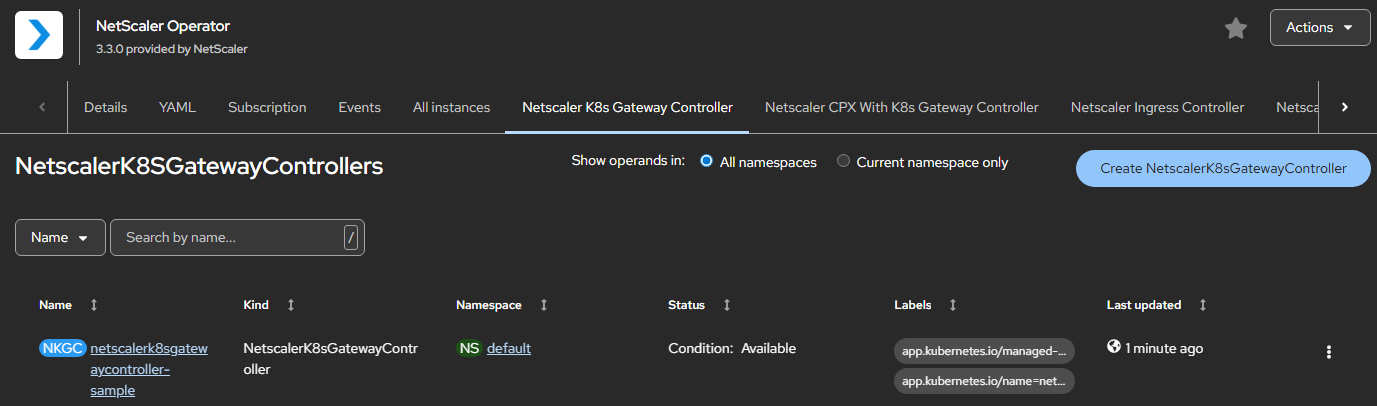
-
Navigate to Workloads > Pods section and verify whether the NetScaler Kubernetes Gateway Controller pod is up and running.
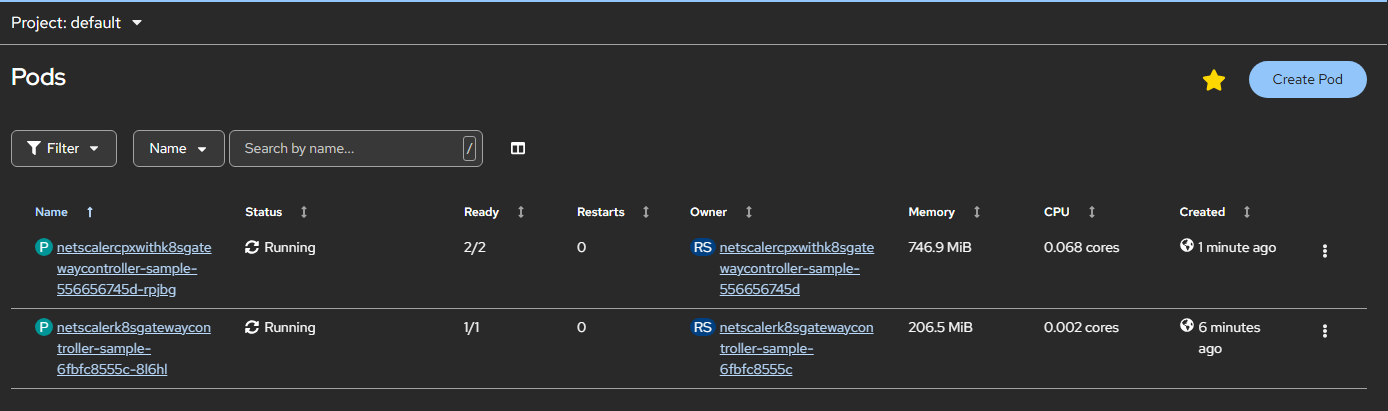
-
Verify the deployment by sending traffic:
curl –kv https://example.com --resolve example.com:443:<VIP>
<!--NeedCopy-->
Note:
Ensure that the pod network in OpenShift cluster is reachable from NetScaler VPX or NetScaler MPX or NetScaler BLX if you are using a service of type ClusterIP for your application. To configure static route automatically using NetScaler K8s Gateway Controller, see Configure static route.