Prepare Azure environment
Architecture
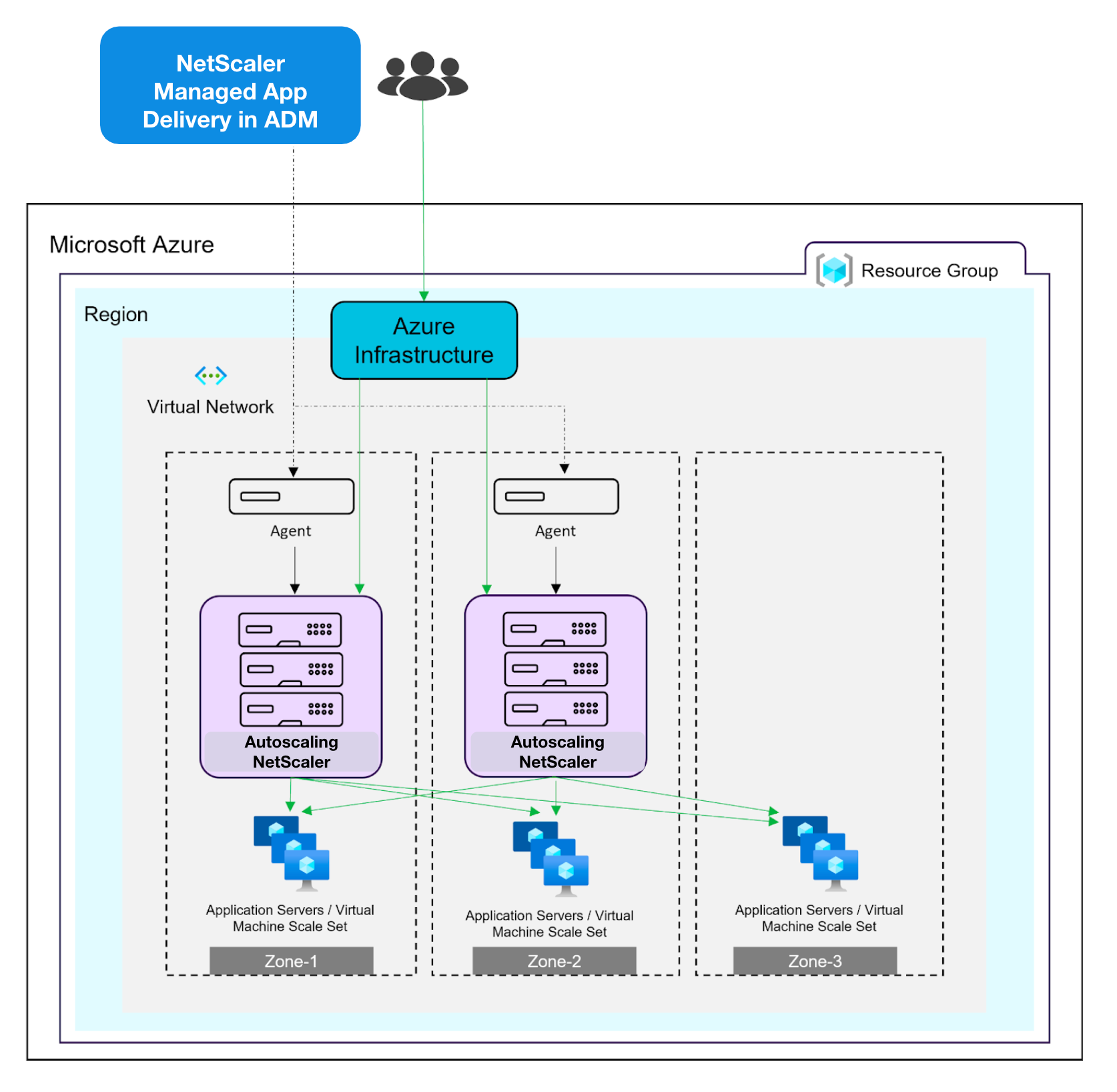
The following diagram illustrates the infrastructure of how NetScaler Console are provisioned during delivery of applications on Azure.
Important
Do not make manual changes to the infrastructure managed by the service. Doing so might interfere with the functioning of the service.
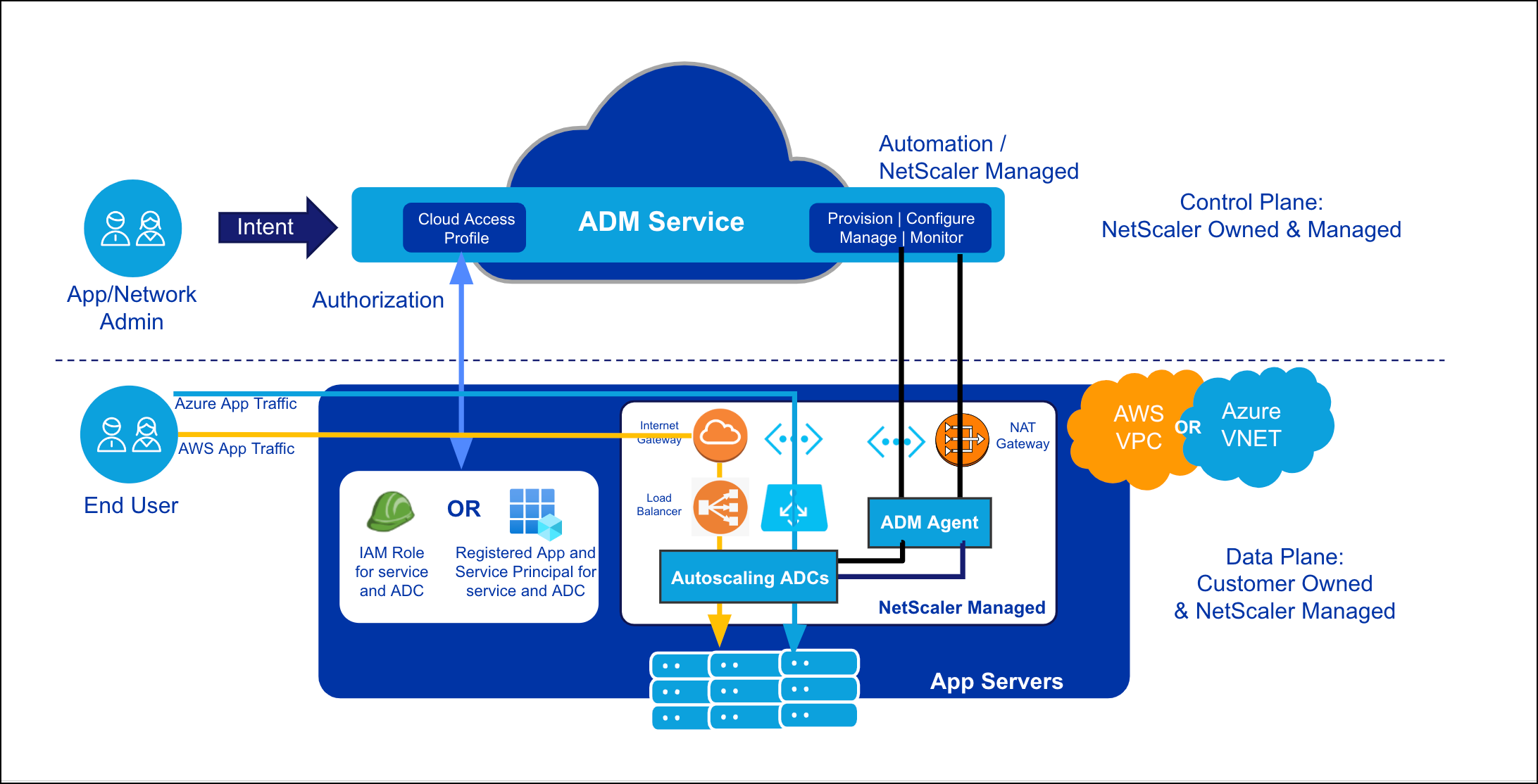
The service provisions the following elements in your Azure Virtual Network (VNet):
-
Three subnets, one each for management network, client network, and server network.
-
ADM agent instance that is a proxy for the service. An agent enables the service to communicate with one or multiple NetScalers deployed in your VPC.
-
Security groups that are associated with the NetScaler instances and the agent. Security groups control inbound and outbound traffic.NoteOnly port 80 and port 443 are open.
-
NetScaler Autoscale cluster (a set of NetScaler instances) that provide the ADC functionality. NetScaler instances receive traffic and distribute traffic to your application servers.
Note
The service does not make any changes to the resources created by you in your VNet. It only provisions all the necessary infrastructure to deliver your applications. Provisioning includes cloud native infrastructure, such as subnets, security groups, NetScaler instances, and NetScaler service-agent instances.
The following diagram illustrates the traffic flow in your environment. Application traffic is distributed across multiple availability zones depending on the deployment of your application servers. The ADC cluster processes the traffic and selects an origin application server to handle the request, based on the configured load balancing settings. The origin application server might be in the same or a different availability zone.