Enhanced Graphical User Interface
NetScaler Console Graphical User Interface (GUI) provides an enriching experience with several key features. These features provide:
-
Optimized screen space: Users can show or hide the sidebar based on their preference.
-
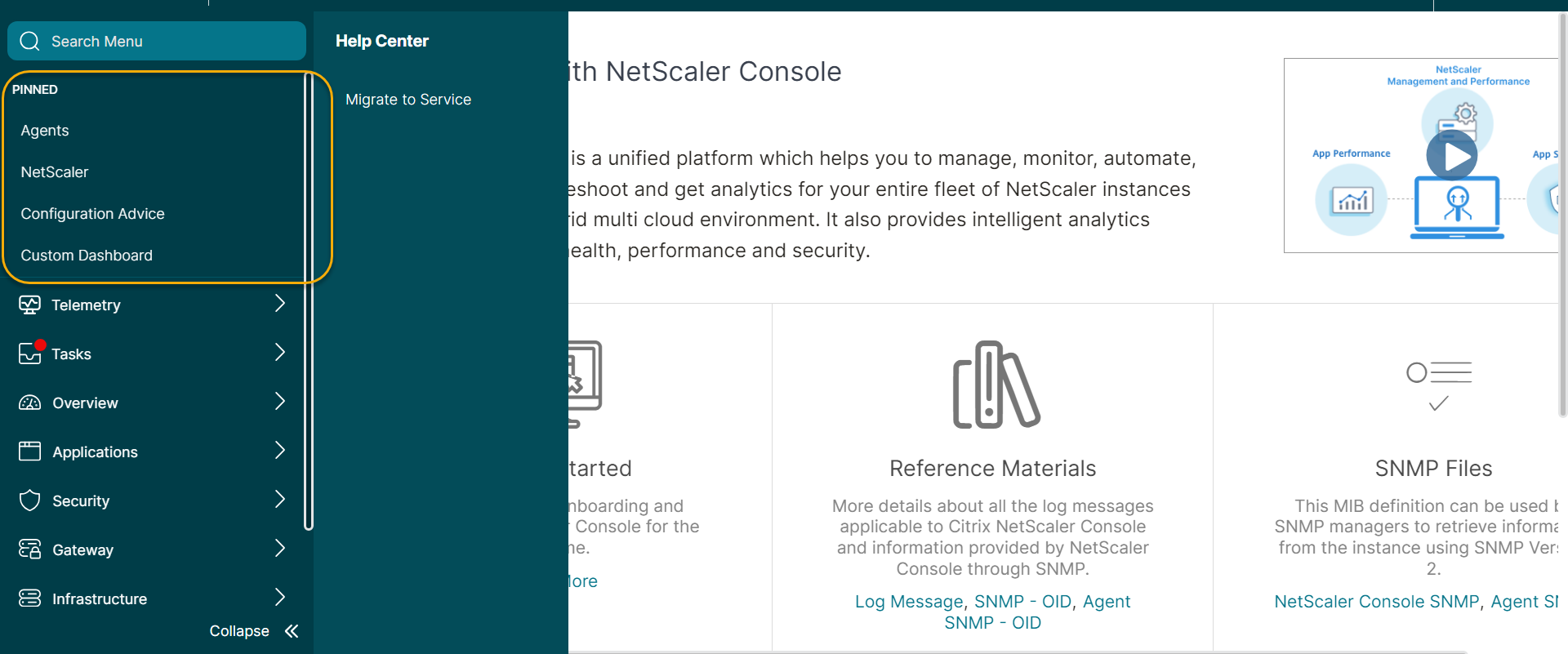
Quick access to favorites: Pin frequently used menu items for faster navigation.
-
Enhanced submenu visibility: Hover over menu items to reveal submenus, offering a clearer view of all available options.
-
Improved submenu structure: A consistent, three-level submenu system ensures seamless navigation across NetScaler Console, providing a uniform experience throughout.
This page walks you through the features of the NetScaler Console GUI providing an enriching user experience.
Hover-to-Display menu
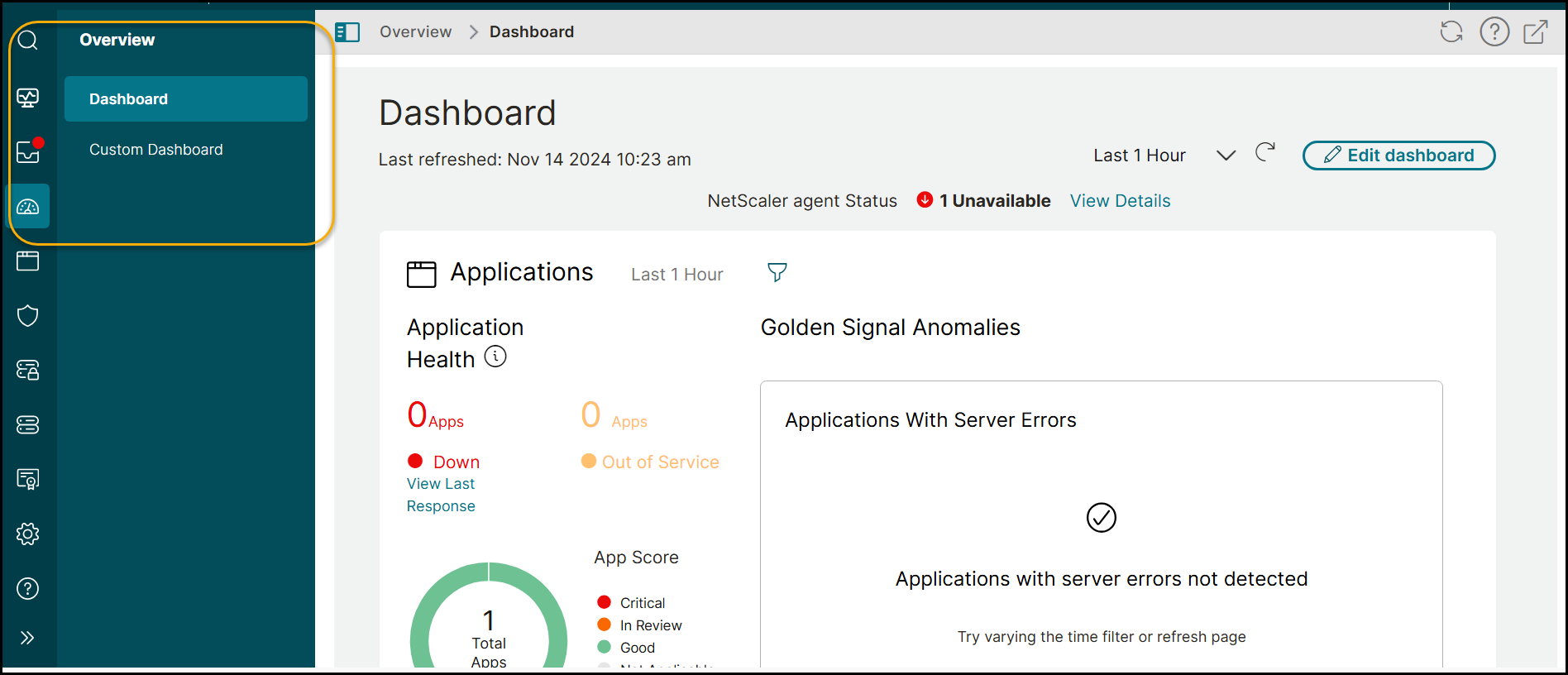
Previously, the secondary-level submenu was displayed in a tree structure. NetScaler Console GUI provides a seamless navigation where the secondary menu appears on hover, revealing the submenu. This navigation elevates the viewing experience by displaying all submenu options without the need for scrolling.
Streamlined menu hierarchy
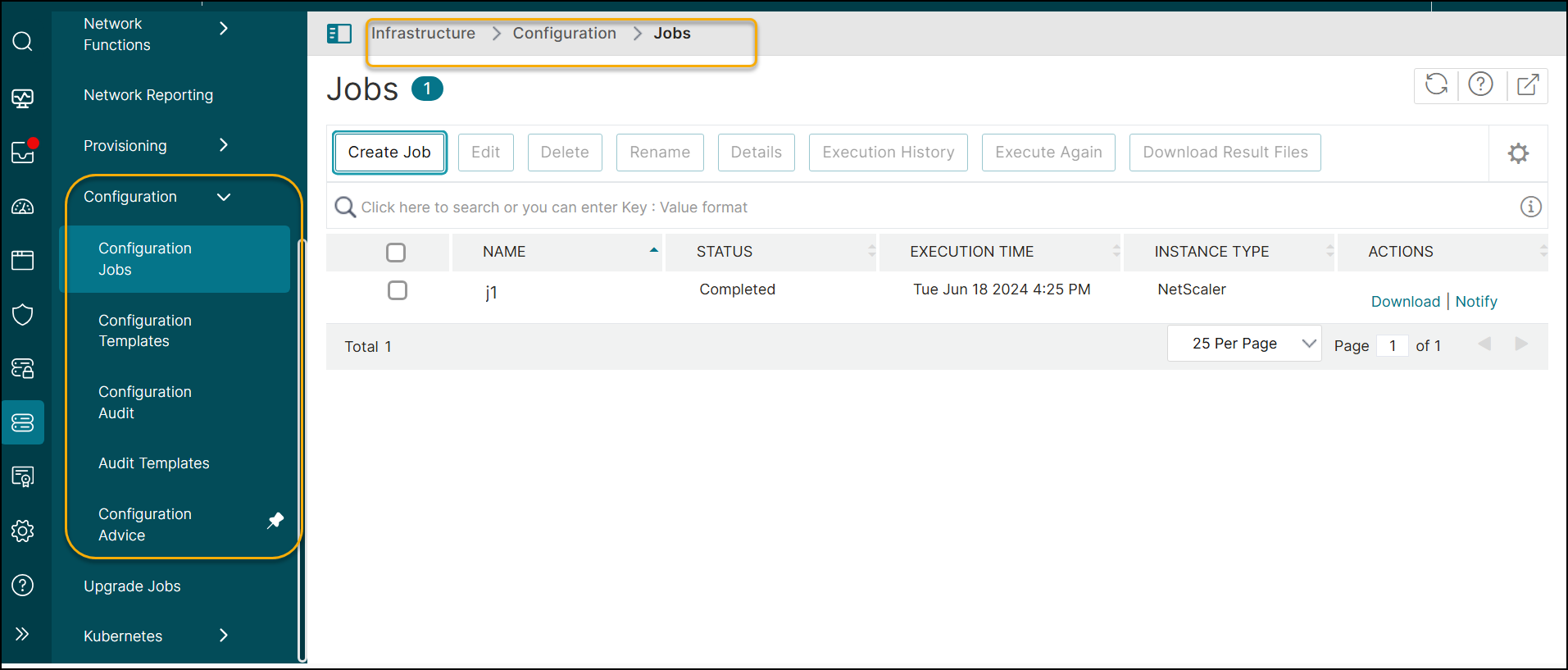
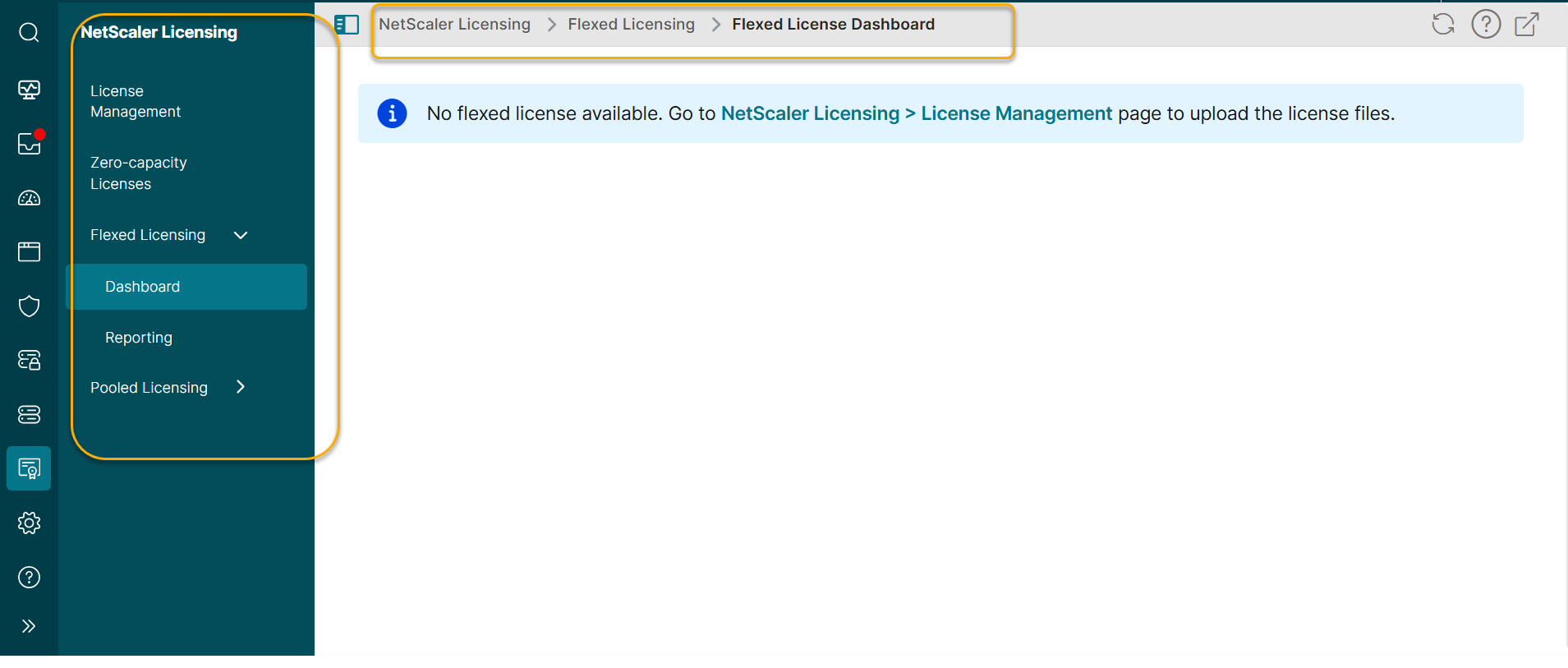
The menu hierarchy is streamlined to a maximum of three levels. Submenus that were previously displayed beyond the third level are now positioned at the third level. Navigation is updated for the following:
-
Infrastructure > Configuration
-
NetScaler® Licensing > Pooled Licensing
-
Gateway > HDX™ Insight
Updated submenu labels
The names of some submenus are changed to align with this navigation approach. Screen navigation changes and submenu label updates are:
Infrastructure > Configuration
| Previous screen navigation | Changed screen navigation | Is there a change in the submenu label? |
|---|---|---|
| Configuration > Configuration Jobs > Jobs | Configuration > Configuration Jobs | Yes |
| Configuration > Configuration Jobs > Configuration Templates | Configuration > Configuration Templates | No |
| Configuration > Configuration Audit > Overview | Configuration > Configuration Audit | Yes |
| Configuration > Configuration Audit > Audit Templates | Configuration > Audit Templates | No |
| Configuration > Configuration Audit > Configuration Advice | Configuration > Configuration Advice | No |
NetScaler Licensing > Pooled Licensing
| Previous screen navigation | Changed screen navigation | Is there a change in the submenu label? |
|---|---|---|
| Pooled Licensing > Throughput Capacity Licenses > Throughput Capacity | Pooled Licensing > Throughput Capacity | No |
| Pooled Licensing > Throughput Capacity Licenses > CPX Licenses | Pooled Licensing > CPX Licenses | No |
| Pooled Licensing > Throughput Capacity Licenses > CICO | Pooled Licensing > CICO | No |
| Pooled Licensing > Throughput Capacity Licenses > FIPS Instances | Pooled Licensing > FIPS Instances | No |
| Pooled Licensing > Self Managed > License Expiry Information | Pooled Licensing > Self Managed Expiry Information | Yes |
| Pooled Licensing > Self Managed > Throughput Capacity Licenses > Self Managed Pool | Pooled Licensing > Self Managed Throughtput | Yes |
| Pooled Licensing > Self Managed > Self Managed VCPU | Pooled Licensing > Self Managed VCPU | No |
Gateway > HDX Insight
| Previous screen navigation | Changed screen navigation | Is there a change in submenu label? |
|---|---|---|
| HDX Insight > Licenses > SSL VPN Licenses | HDX Insight > Licenses | Yes |
Settings
There are no other changes under Settings except for the modification of the submenu label or name.
| Previous screen navigation | Changed screen navigation | Is there a change in submenu label? |
|---|---|---|
| Settings > Data Storage Management | There is no change in screen navigation. | The submenu label is changed to Settings > Data Storage |
Collapsible menu
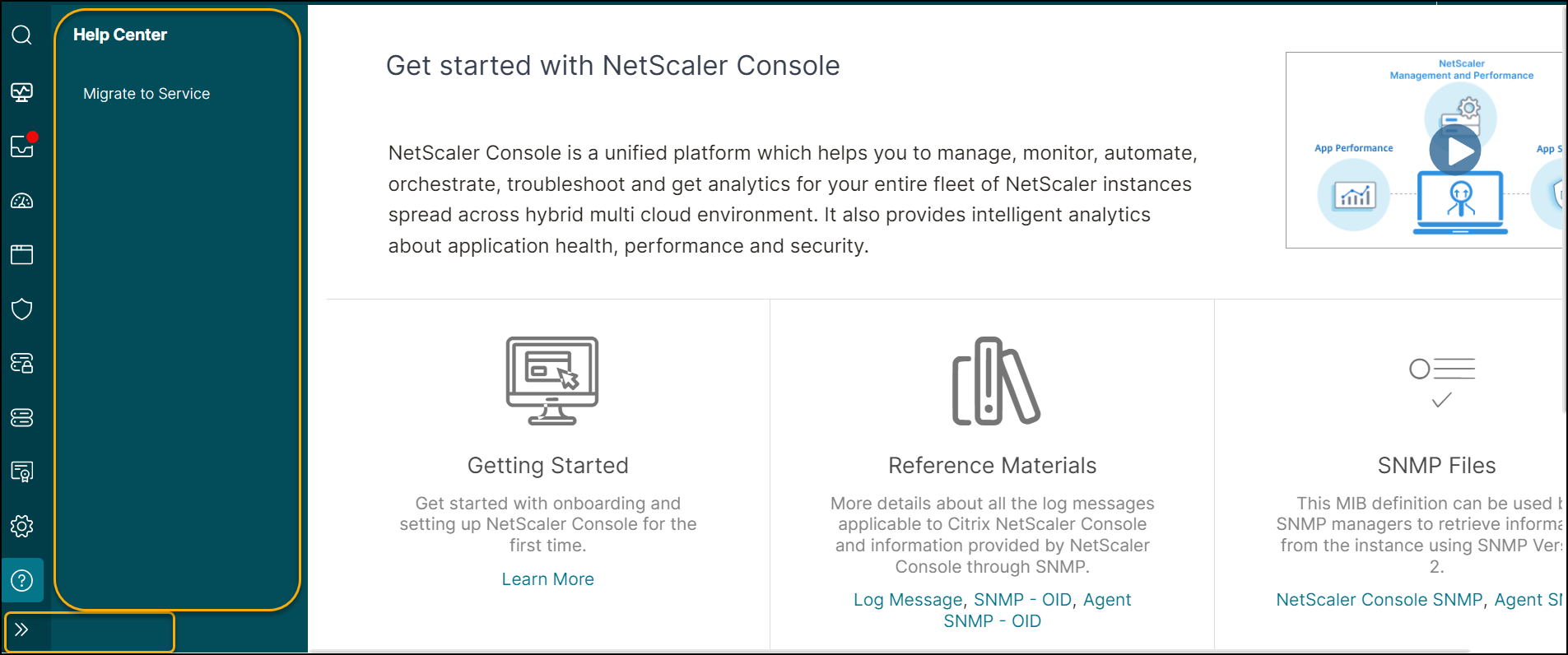
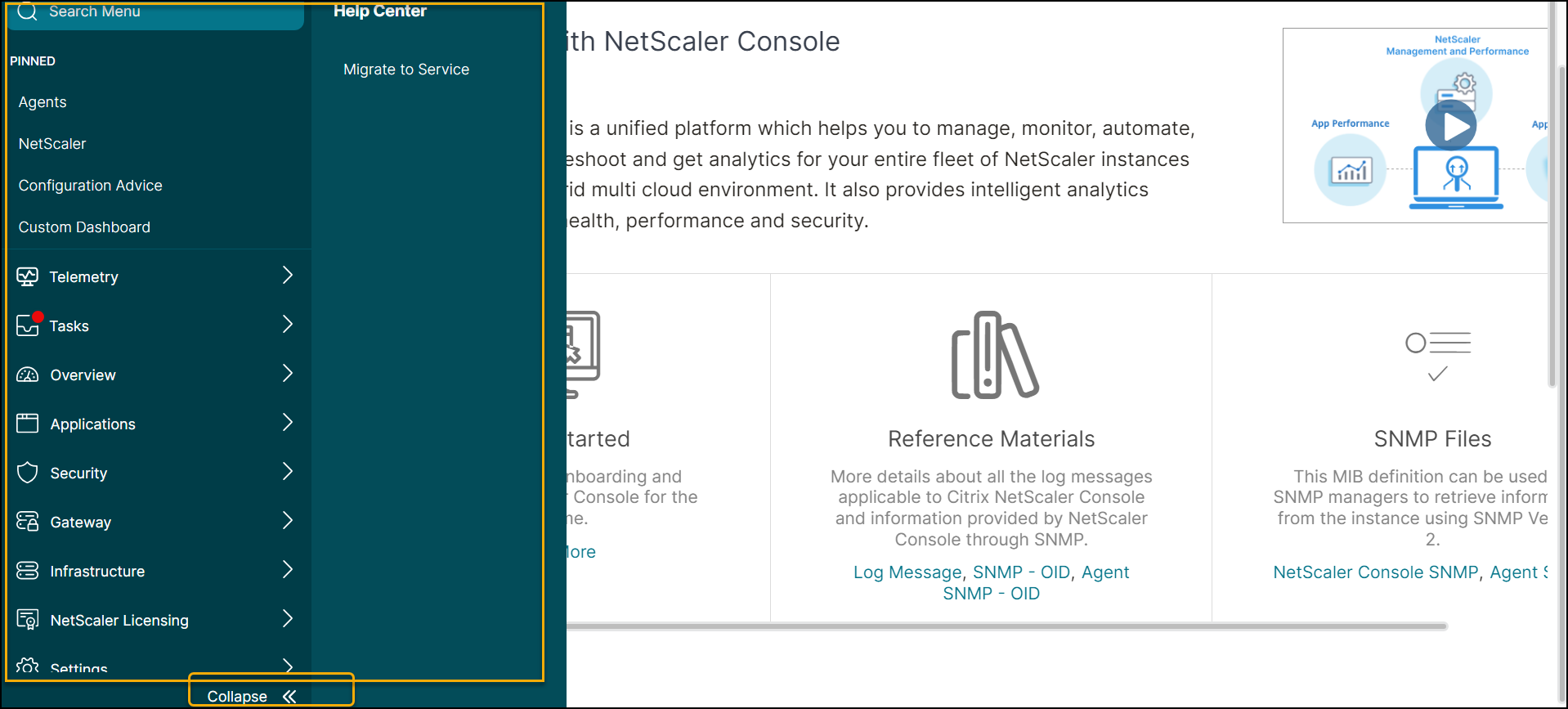
You can collapse or expand the entire menu by clicking an icon.
Expanded menu
Click the icon >> in the pane to expand the entire menu.
Collapsed menu
Click Collapse << in the pane to collapse the entire menu.
Sidebar Toggle
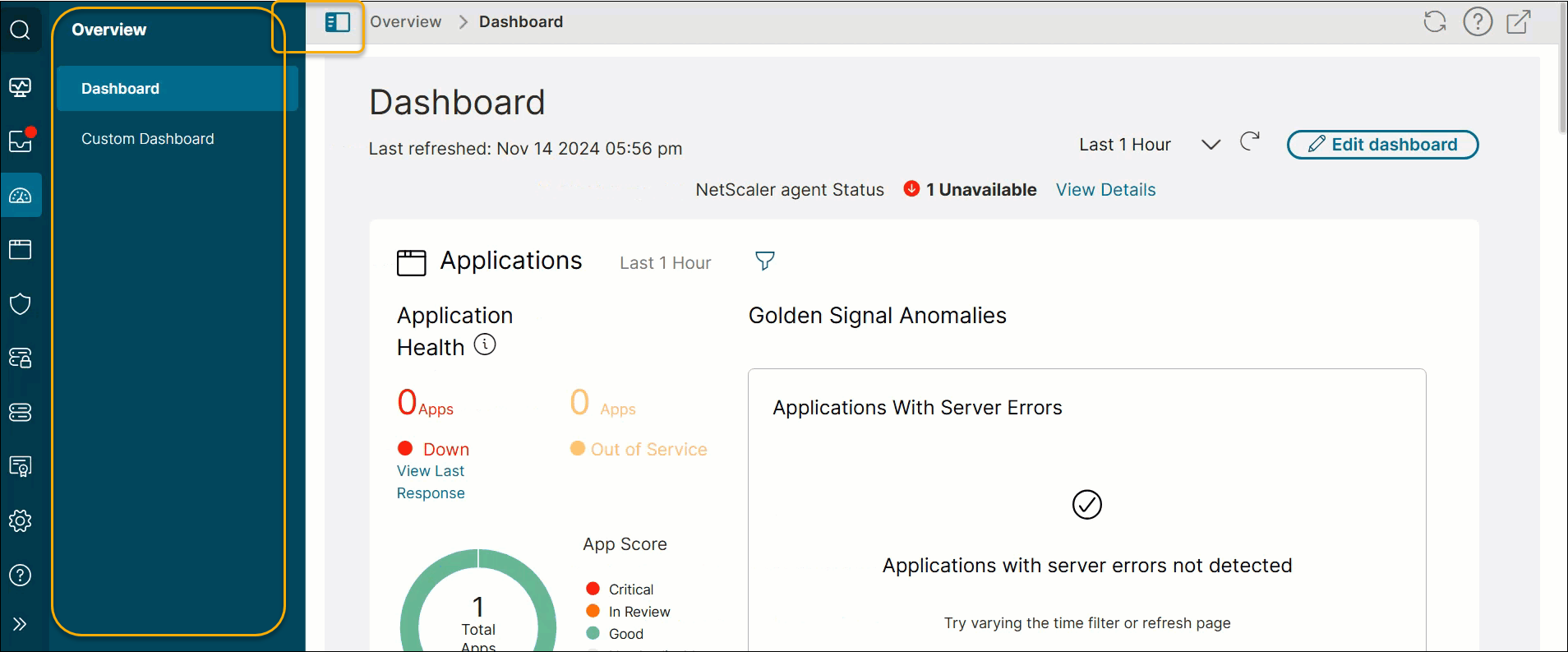
You can optimize screen space by toggling the sidebar visibility. Click the toggle button in the breadcrumb to hide or show the sidebar.
Show sidebar
Hide sidebar
This option optimizes the screen space by hiding the sidebar. 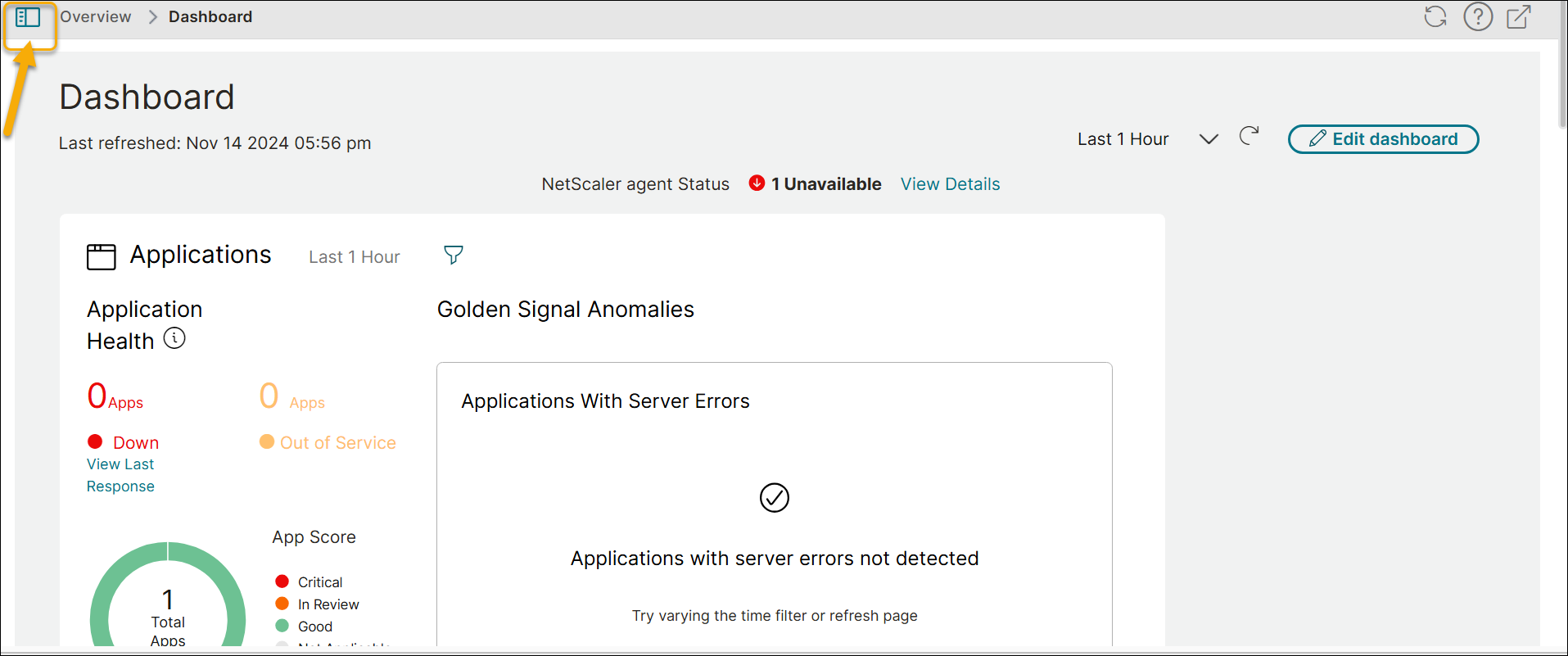
Set as home screen
NetScaler Console GUI features an icon next to the name of a submenu that is displayed as a page.The home screen icon allows you to set your landing page. It only appears when you are on that specific page. To remove the page from the home page, simply click the icon again. 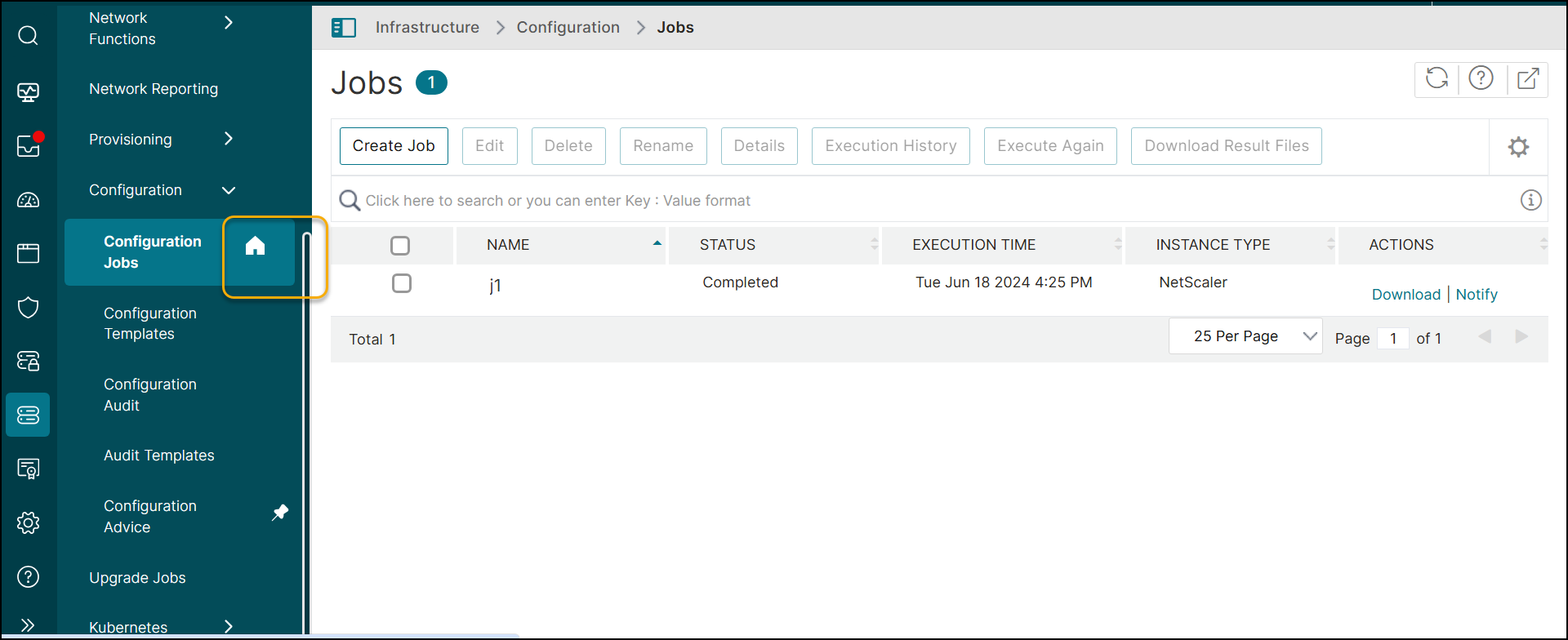
Pin favorite items
The Pin feature offers quicker access to your favorite items. To pin a menu or submenu, hover over it and click the pin icon that appears next to its name. 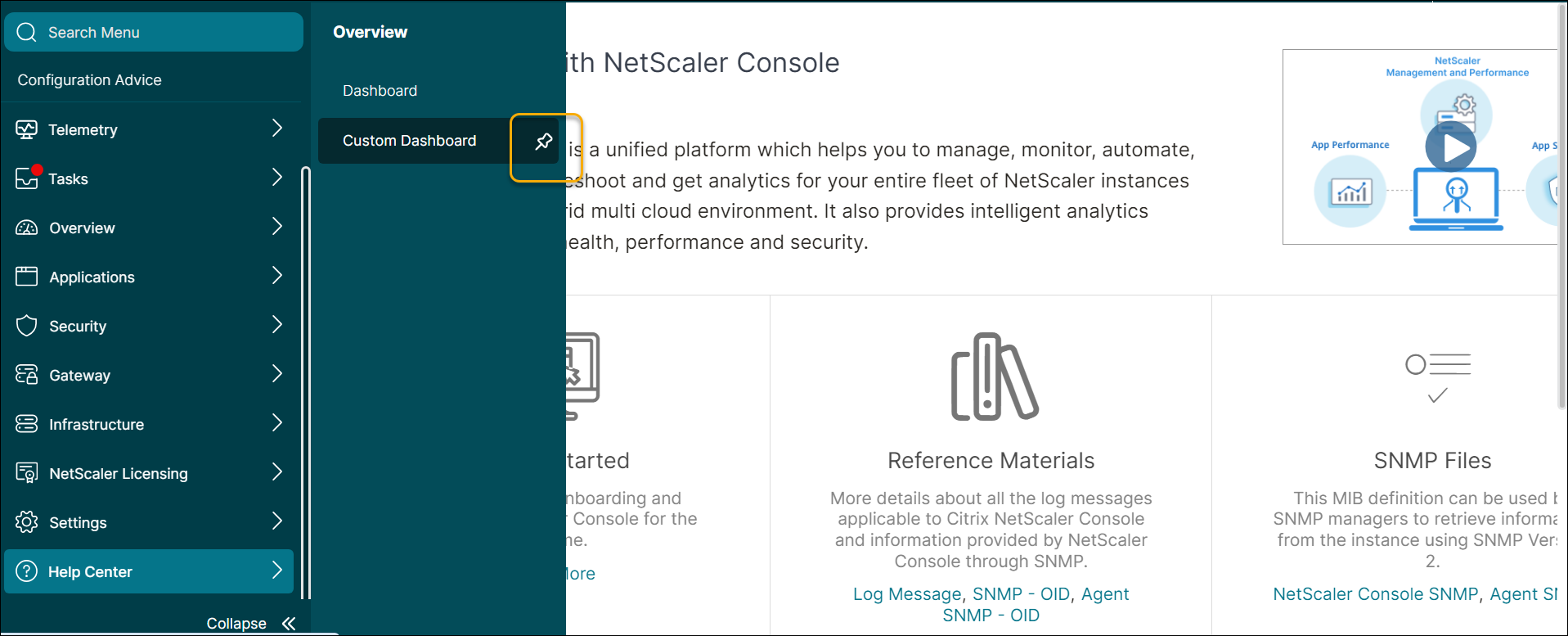
Pinned menus are displayed under PINNED in the sidebar, making them easily accessible.