Configuration support for SameSite cookie attribute
The
SameSite attribute indicates the browser whether the cookie can be used for cross-site context or only for same-site context. If an application intends to be accessed in the cross-site context then it can do so only via the HTTPS connection. For details, see RFC6265.
Until Feb 2020, the
SameSite attribute was not explicitly set in the NetScaler appliance. The browser took the default value (None). The non-setting of SameSite attribute did not impact the NetScaler Gateway and NetScaler AAA deployments.
With certain browsers upgrade, such as Google Chrome 80, there is a change in the default cross-domain behavior of cookies. The
SameSite attribute can be set to one of the following values. Default value for Google Chrome is set to Lax. For certain version of other browsers, the default value for SameSite attribute might still be set to None.
-
None: Indicates the browser to use the cookie in cross-site context only on secure connections.
-
Lax: Indicates the browser to use the cookie for requests on the same-site context. In the cross-site context, only safe HTTP methods like GET request can use the cookie.
-
Strict: Use the cookie only in the same site context.
If there is no
SameSite attribute in the cookie, the Google Chrome assumes the functionality of SameSite = Lax. As a result, for deployments within an iframe with cross-site context that require cookies to be inserted by the browser, Google Chrome does not share cross site cookies. As a result, the iframe within the website might not load.
Configure the SameSite cookie attribute
A new cookie attribute named
SameSite is added to the VPN and NetScaler AAA virtual servers. This attribute can be set at the global level and at the virtual server level.
To configure
SameSite attribute, you must perform the following:
-
Set the
SameSiteattribute for the virtual server -
Bind cookies to the
patset(if the browser drops cross-site cookies are dropped by the browser)
Setting the SameSite attribute by using the CLI
To set the
SameSite attribute at the virtual server level, use the following commands.
set vpn vserver VP1 -SameSite  [ STRICT | LAX | None ]
 set aaa vserver VP1 -SameSite  [ STRICT | LAX | None ]
To set the
SameSite attribute at the global level, use the following commands.
set vpn param VP1 -SameSite  [ STRICT | LAX | None ]
 set aaa param VP1 -SameSite  [ STRICT | LAX | None ]
Note: The virtual server level setting takes preference over the global level setting. Citrix recommends setting the
SameSite cookie attribute at the virtual server level.
Setting the SameSite attribute by using the GUI
To set the
SameSite attribute at the virtual server level:
-
Navigate to NetScaler Gateway > Virtual Servers.
-
Select a virtual server and click Edit.
-
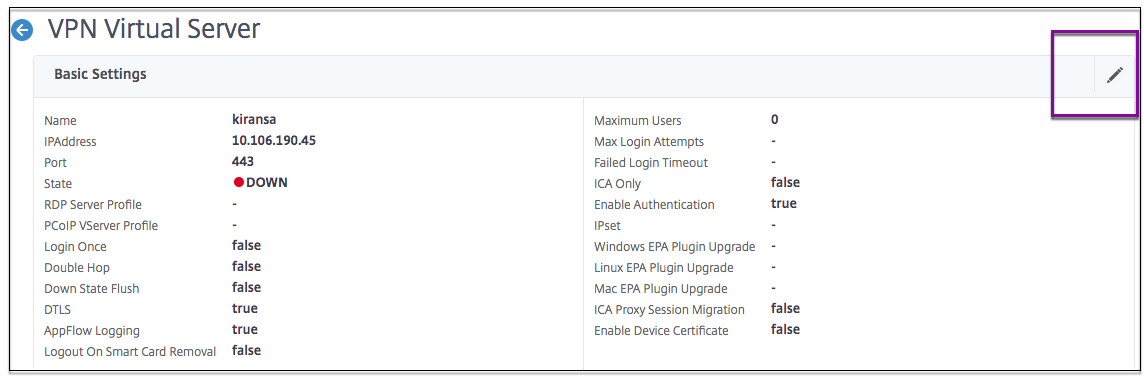
Select the edit icon in the Basic Settings section and click More.
-
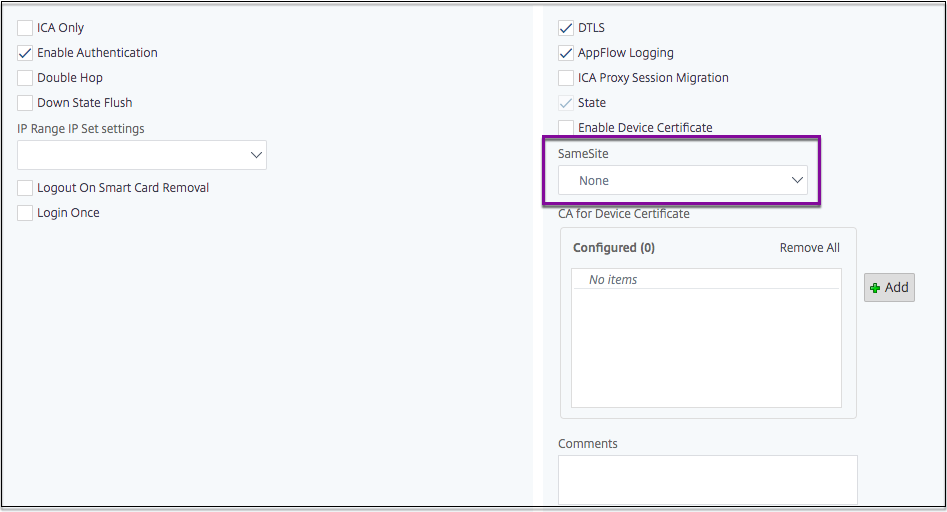
In SameSite, select the option as required.
To set the
SameSite attribute at the global level:
-
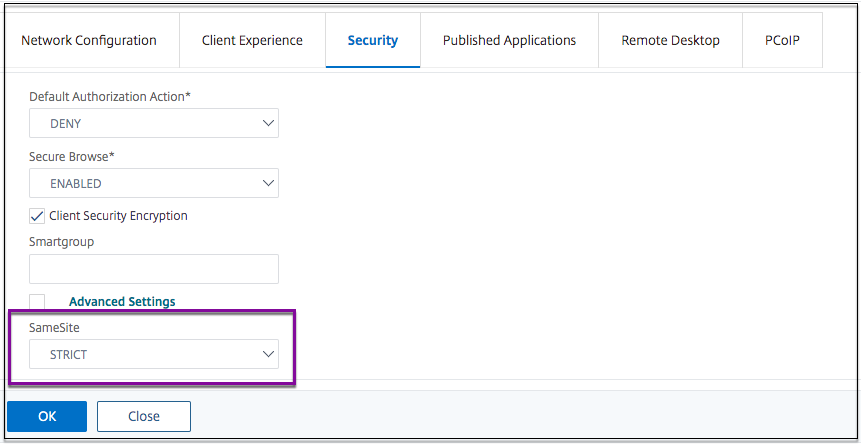
Navigate to NetScaler Gateway > Global Settings > Change Global Settings.
-
Click the Security tab.
-
In
SameSite, select the option as required.