
Configure NetScaler Gateway to support Enlightened Data Transport
EDT traffic through Gateway now has end-to-end visibility. Availability of both real-time and historical visibility data enables NetScaler ADM to support a wide variety of use cases.
The following scenarios are supported:
| Scenario | EDT support |
|---|---|
| NetScaler Gateway | Yes |
| NetScaler Gateway with High Availability (HA) | Yes |
| NetScaler Gateway with High Availability (HA) optimization | Yes |
| NetScaler with Unified Gateway | Yes |
| NetScaler Gateway with GSLB | Yes |
| NetScaler Gateway with Cluster | Yes |
| Citrix Workspace app to NetScaler Gateway DTLS encryption | Yes |
| Dual Secure Ticket Authority (STA) on NetScaler Gateway | Yes |
| NetScaler Gateway ICA session timeout | Yes |
| NetScaler Gateway Multi-Stream ICA | No |
| NetScaler Gateway session reliability (Port 2598) | Yes |
| NetScaler Gateway Double-Hop | Yes |
| NetScaler to VDA DTLS encryption | Yes |
| HDX Insight | Yes |
| NetScaler Gateway in IPv6 mode | No |
| NetScaler Gateway SOCKS (Port 1494) | No |
| NetScaler pure LAN proxy (see note) | No |
Note:
EDT is not supported if the NetScaler LAN proxy is configured in the LAN User mode or Transparent mode. However, TCP is supported. For more information, see Configuring outbound ICA Proxy.
Configure NetScaler Gateway to support Enlightened Data Transport
If you use Enlightened Data Transport (EDT), Datagram Transport Layer Security (DTLS) must be enabled to encrypt the UDP connection used by EDT. The DTLS parameter must be enabled at the Gateway VPN virtual-server level. Also, the Citrix Virtual Apps and Desktops components must be correctly upgraded and configured to achieve encrypted traffic between the Gateway VPN virtual server and the user device.
Note: UDP port (for example port 443) configured for the NetScaler Gateway front end virtual server must be opened in the DMZ for the virtual server to receive the DTLS connections. DTLS and CGP are prerequisites for EDT to be compatible with NetScaler Gateway.
To configure NetScaler Gateway to support EDT using GUI
-
Deploy and configure NetScaler Gateway to communicate with StoreFront and authenticate users for Citrix Virtual Apps and Desktops.
-
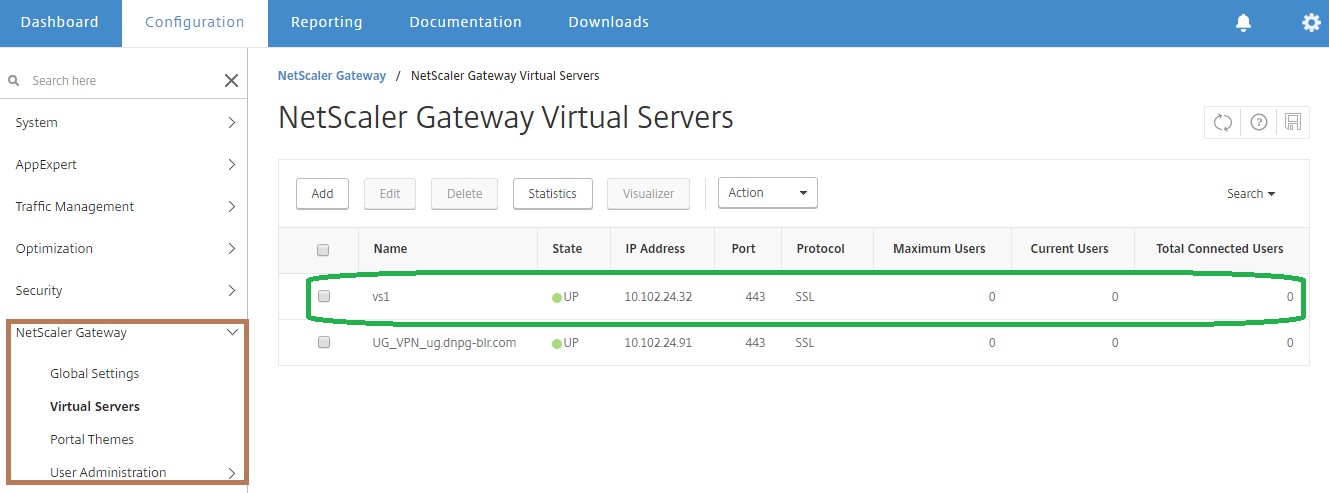
On the Configuration tab in the NetScaler GUI, expand NetScaler Gateway and select Virtual Servers.
-
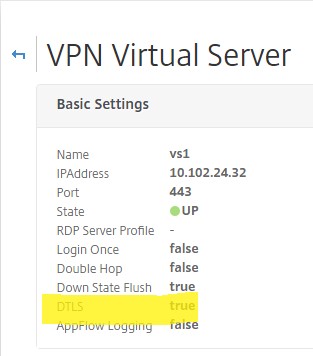
Click Edit to display Basic Settings for the VPN Virtual Server, and then verify the state of the DTLS setting.
-
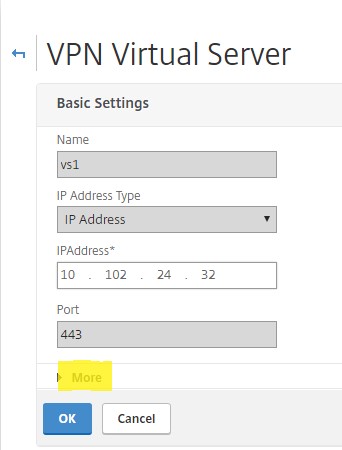
Click More to display other configuration options.
-
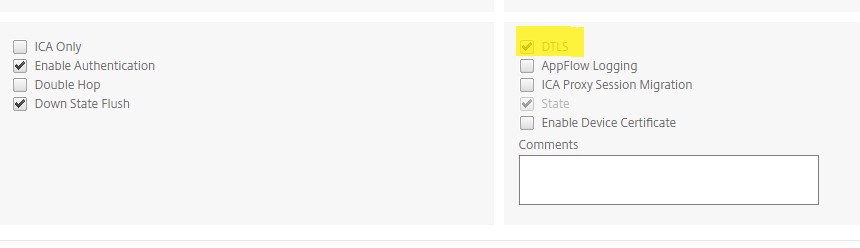
Select DTLS to provide communications security for datagram protocols. Click OK. The Basic Settings area for the VPN virtual server shows that the DTLS flag is set to True.
To configure NetScaler Gateway for EDT support using CLI
set vpn vserver vs1 -DTLS ON
Configure loss tolerant mode for audio
Starting from release 14.1 build 34.42, NetScaler Gateway supports the loss tolerant mode for audio in Citrix Virtual Apps and Desktops. This mode enhances the audio experience for users connecting to networks with high latency and packet loss. Users must use Citrix Virtual Apps and Desktops 7 2402 LTSR or later versions to use this functionality.
The loss tolerant mode for audio is based on the EDT loss tolerant transport protocol, which allows packet loss in transmission without resending multimedia content, resulting in a more real-time experience for users. It is the preferred mode for audio during lossy network conditions to ensure superior audio quality compared to EDT.
By default, the loss tolerant mode for audio is disabled on NetScaler Gateway.
Important:
Before upgrading NetScaler Gateway to version 14.1-43.50, you must disable the loss tolerant mode for audio to avoid losing ICA parameter configurations. After upgrading, configure the EDT Loss Tolerant parameter to enable the loss tolerant mode.
To configure NetScaler Gateway to enable loss tolerant mode using GUI
-
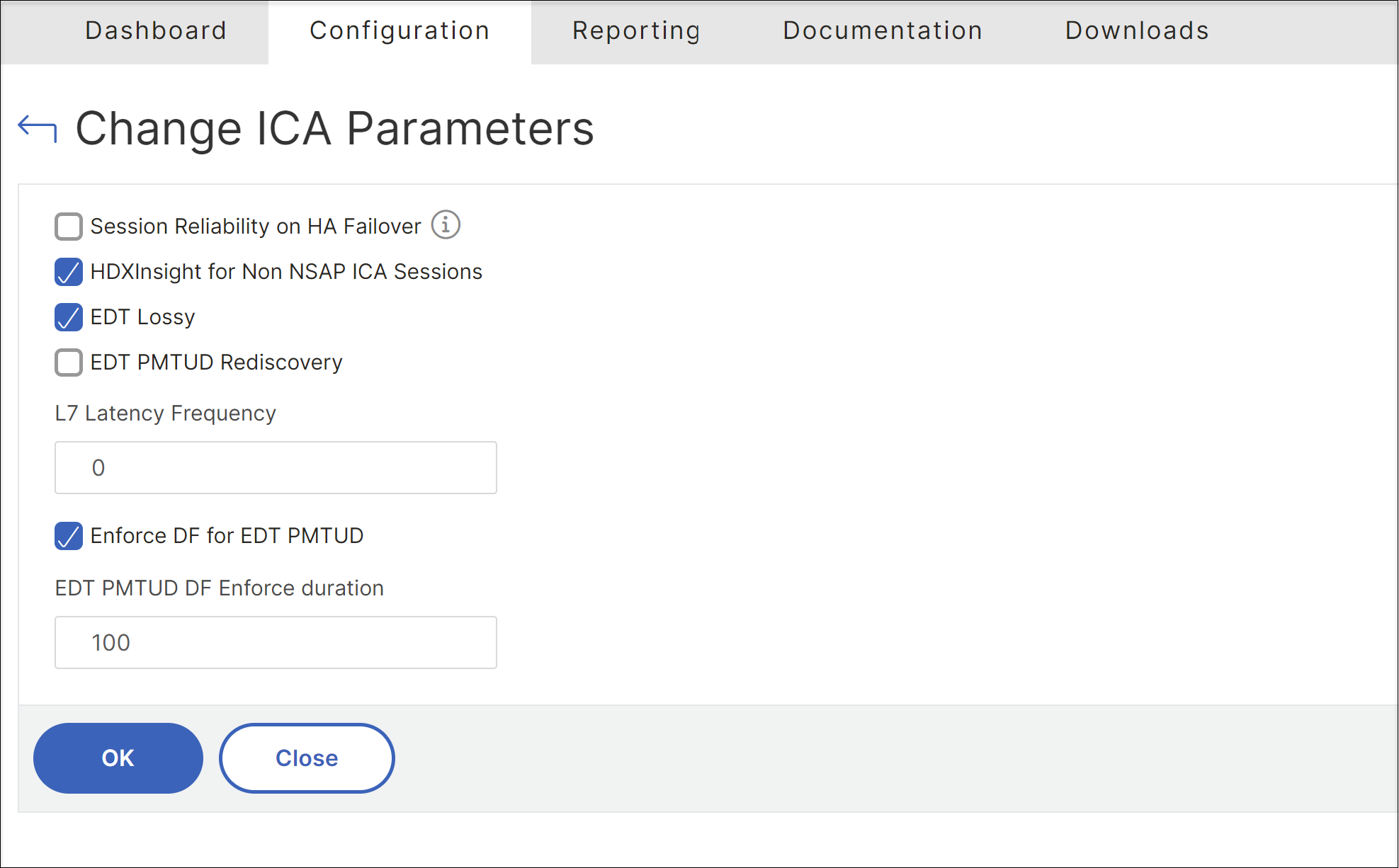
Navigate to System > Settings > Change ICA® Parameters.
-
Select EDT Lossy to enable the loss tolerant mode.Note:Starting from NetScaler Gateway release 14.1-43.50, the ICA parameter EDT Lossy is renamed to EDT Loss Tolerant.
To configure NetScaler Gateway to enable loss tolerant mode using CLI
At the command prompt, enter the following command to enable loss tolerant mode:
set ica parameter -EDTLossy ENABLED
Note:
Starting from NetScaler Gateway release 14.1-43.50, enter the following command to enable loss tolerant mode:
set ica parameter -edtlosstolerant ENABLED