
Deploy NetScaler® IPAM Controller as a standalone pod by using NetScaler Operator
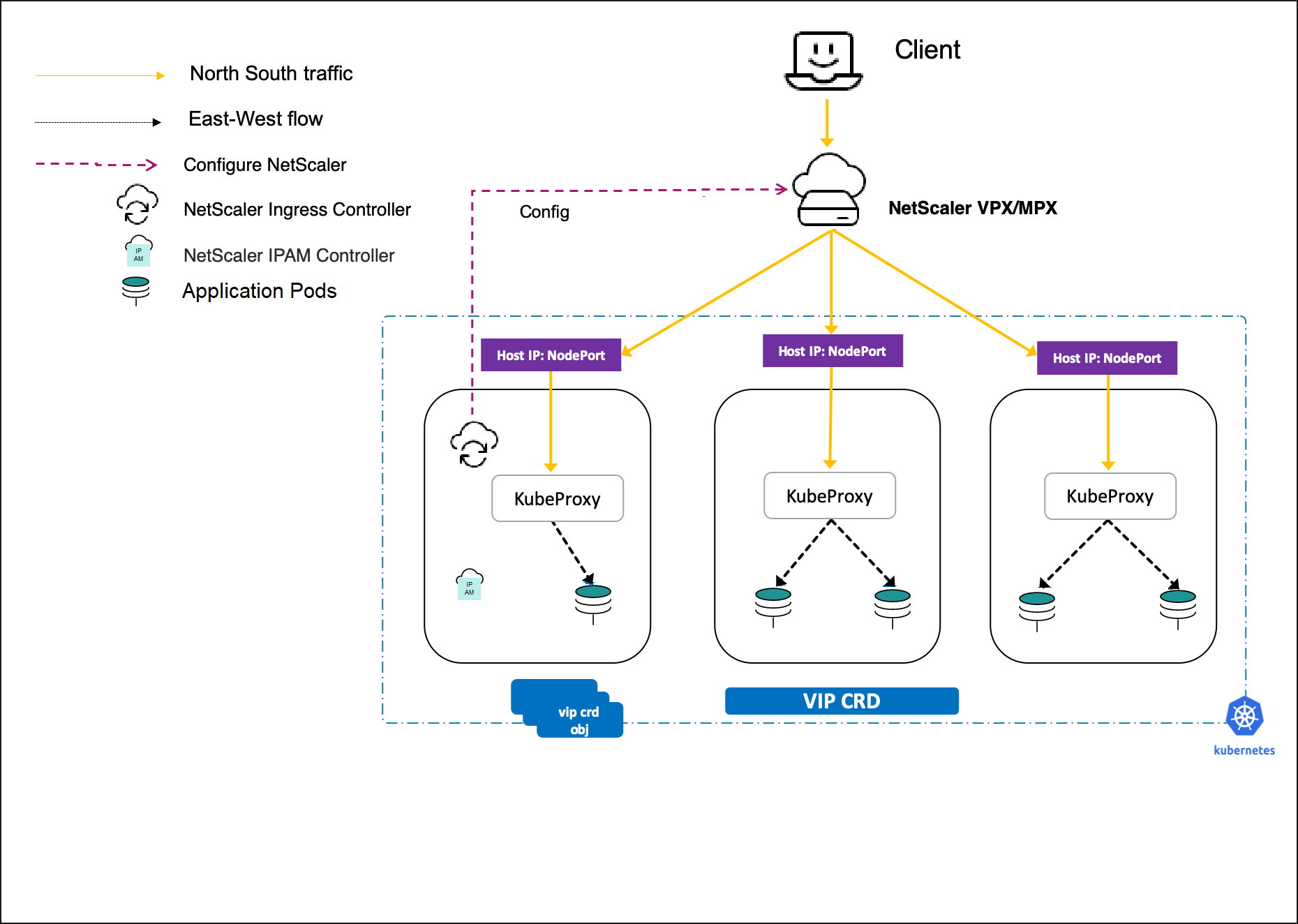
You can deploy NetScaler IPAM Controller as a standalone pod in an OpenShift cluster for IP address management by using NetScaler Operator. When you create a service of type LoadBalancer or Ingress, you can use the NetScaler IPAM controller to automatically allocate an IP address. Once the IPAM controller is deployed, it allocates IP address to services of type LoadBalancer or Ingress from predefined IP address ranges. The NetScaler ingress controller configures the IP address allocated to the service as virtual IP address (VIP) in NetScaler MPX or VPX that is deployed as an ingress device or router for an application running in the OpenShift cluster. The following diagram explains the topology:
Prerequisites
The following are the prerequisites for deploying NetScaler IPAM Controller as a standalone pod using NetScaler Operator:
-
Have Red Hat OpenShift Cluster (version 4.11 or later).
-
Deploy NetScaler Operator. For information on how to deploy NetScaler Operator, see Deploy NetScaler Operator.
-
Deploy NetScaler Ingress Controller with IPAM enabled. In the NetscalerIngressController resource, set
ingressController.ipamtotrueand addnsic-vpx, the ingress class used in the examples on this page, toingressController.ingressClass. If you setingressController.serviceClass, includensic-vpxthere as well. For information on how to deploy NetScaler Ingress Controller, see Deploy NetScaler Ingress Controller.
Deployment steps
-
Log in to the OpenShift 4.x Cluster Console.
-
Allocate IP for an Ingress for Apache application.
-
Navigate to Networking > Ingress > Create Ingress.
-
Use the YAML (like the following one) to create the ingress. Ensure that you have the required annotation for IPAM, which allocates an IP address for the ingress. This IP address gets configured as the VIP address on NetScaler VPX™ by the NetScaler Ingress Controller.
apiVersion: networking.k8s.io/v1
 kind: Ingress
 metadata:
   name: apache-ingress
   annotations:
     # IPAM uses this annotation to select the IP address range to allocate from
     ingress.citrix.com/ipam-range: ingress-range
 spec:
   ingressClassName: nsic-vpx
   rules:
   - host: citrix-ingress-operator.com
     http:
       paths:
       - path: /
         pathType: ImplementationSpecific
         backend:
           service:
             name: apache
             port:
               number: 80
-
-
Allocate IP to a Service of Type LoadBalancer.
-
Navigate to Networking > Services > Create Service.
-
Use the following YAML to create the service. Ensure that you have the required annotation for IPAM, which allocates an IP address for the service. This IP address gets configured as the VIP address of NetScaler VPX by the NetScaler Ingress Controller.
apiVersion: v1
 kind: Service
 metadata:
   name: apache-lb
   labels:
     app: apache
   annotations:
     # NetScaler Ingress Controller uses this annotation to select the services to configure on NetScaler VPX or MPX
     service.citrix.com/class: 'nsic-vpx'
     # IPAM uses this annotation to select the IP address range to allocate from
     service.citrix.com/ipam-range: 'service-range'
 spec:
   type: LoadBalancer
   ports:
   - name: http
     port: 80
     targetPort: http
   selector:
     app: apache
-
-
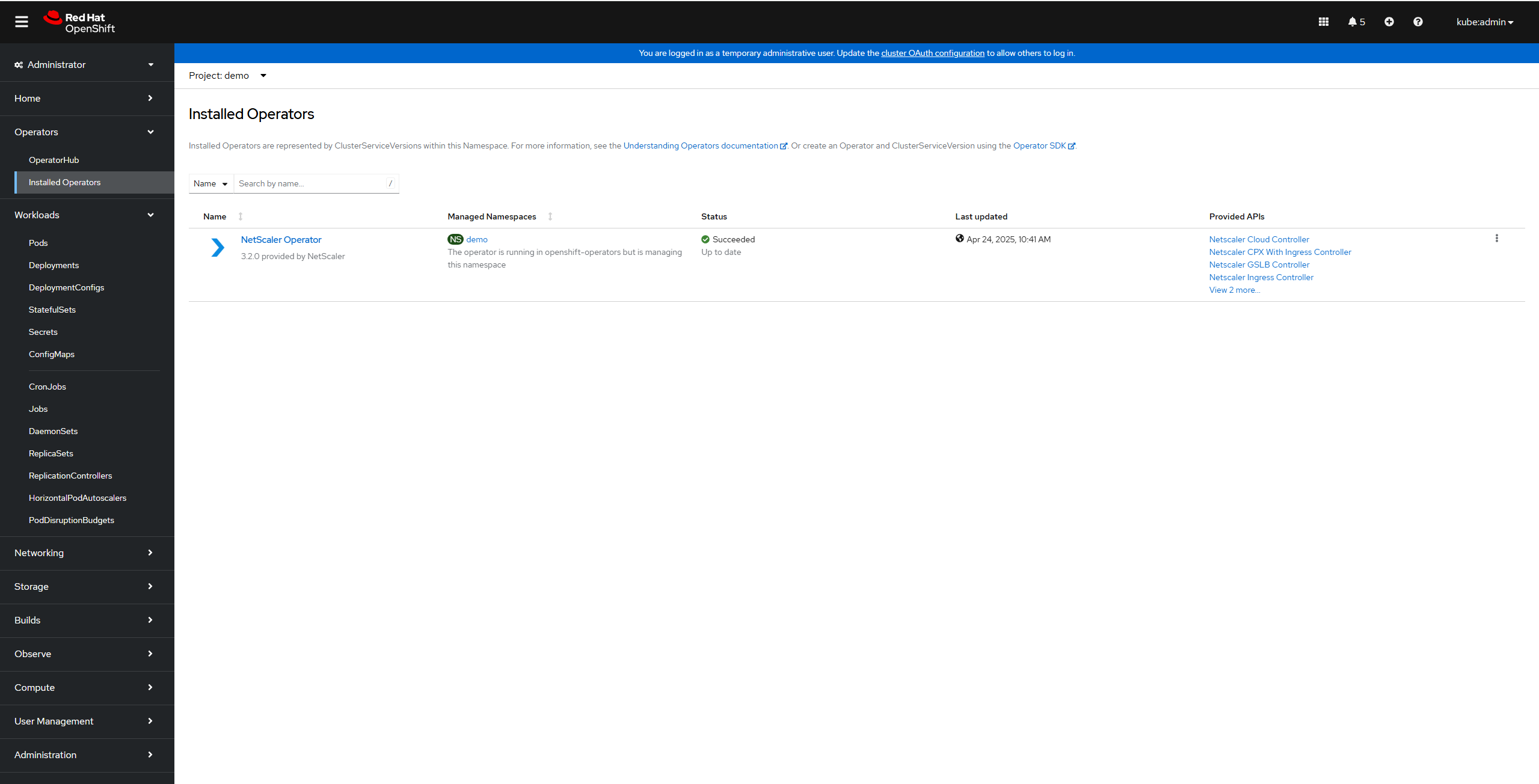
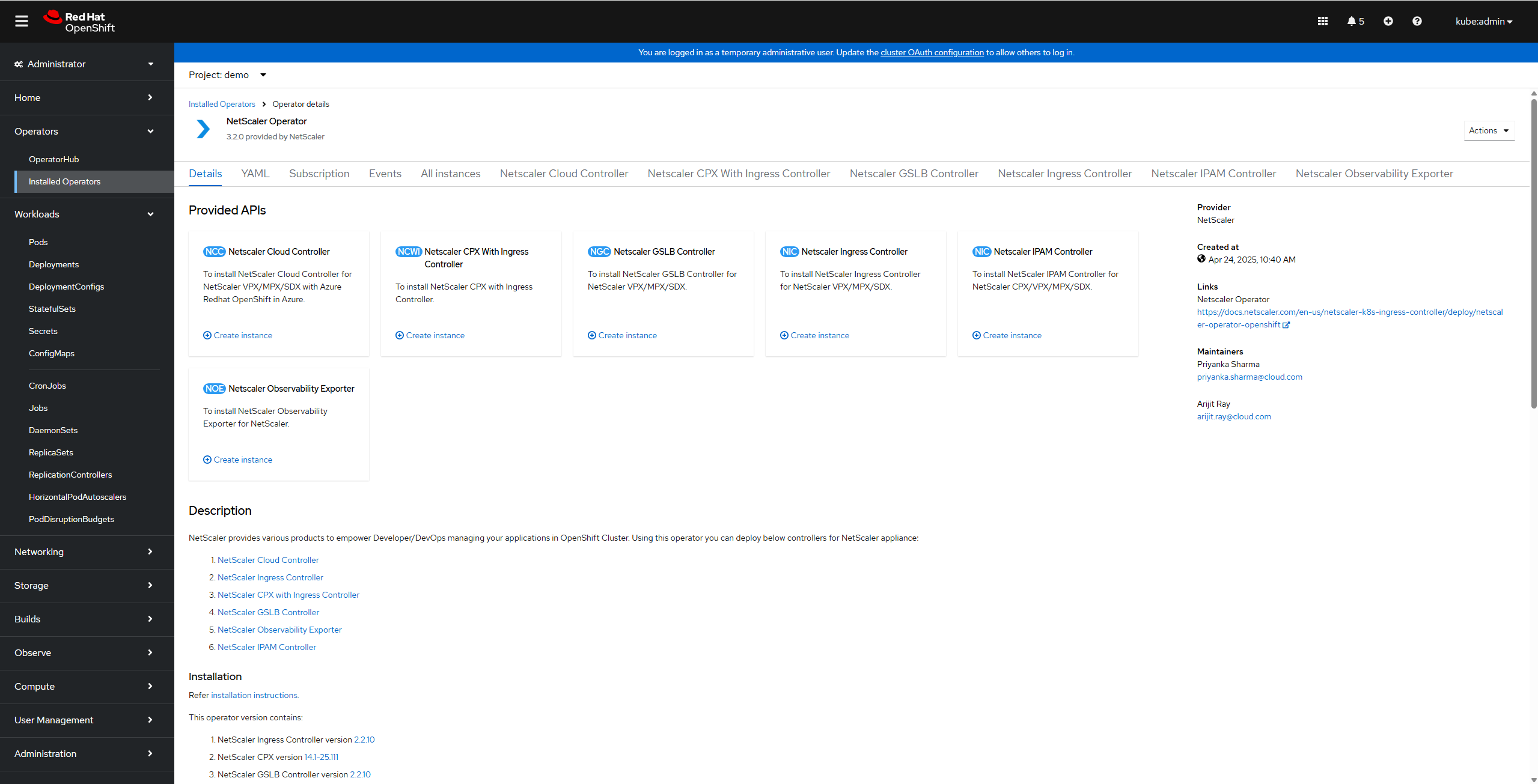
Navigate to Operators > Installed Operators and click NetScaler Operator.
-
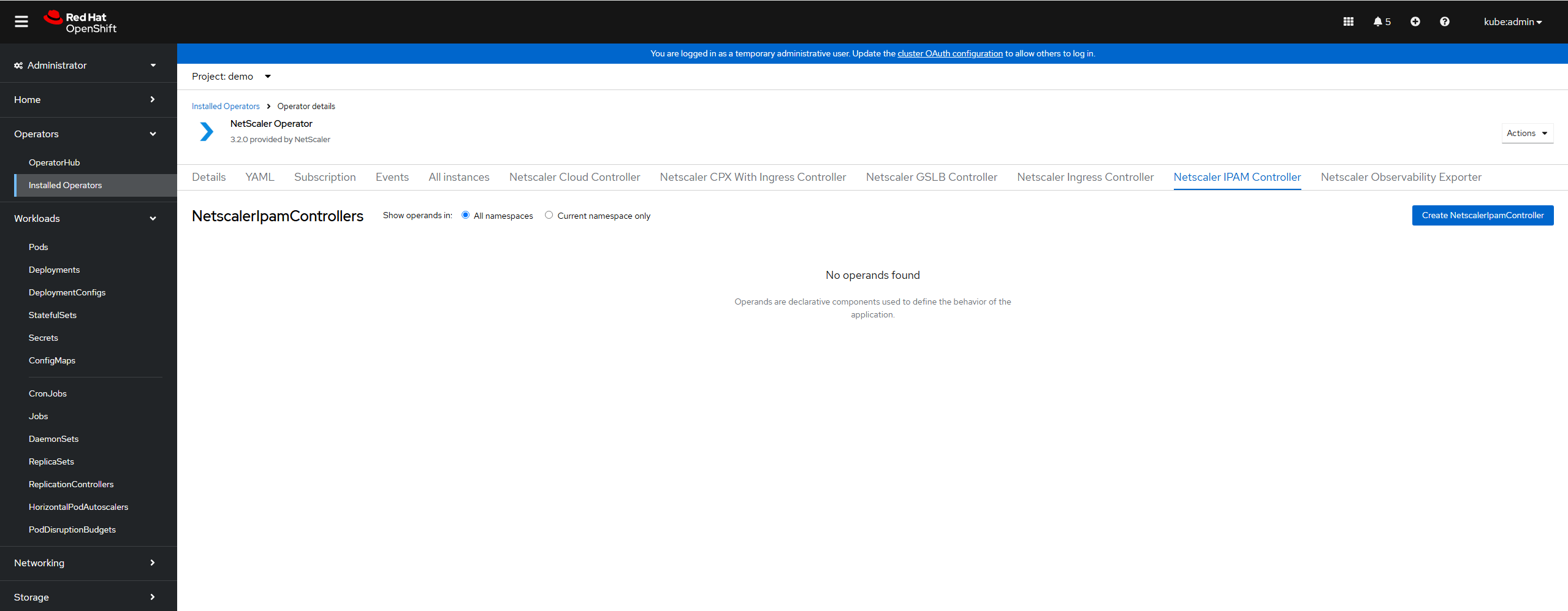
Click the NetScaler IPAM Controller tab and select Create NetScalerIPAMController. The NetScaler IPAM Controller YAML definition is displayed.Optionally, you can select the Form view button and update the parameters in a form. Refer to the Mandatory and Optional Parameters section that lists the mandatory and optional parameters that you can configure during installation. You can configure other available parameters depending on your use case.
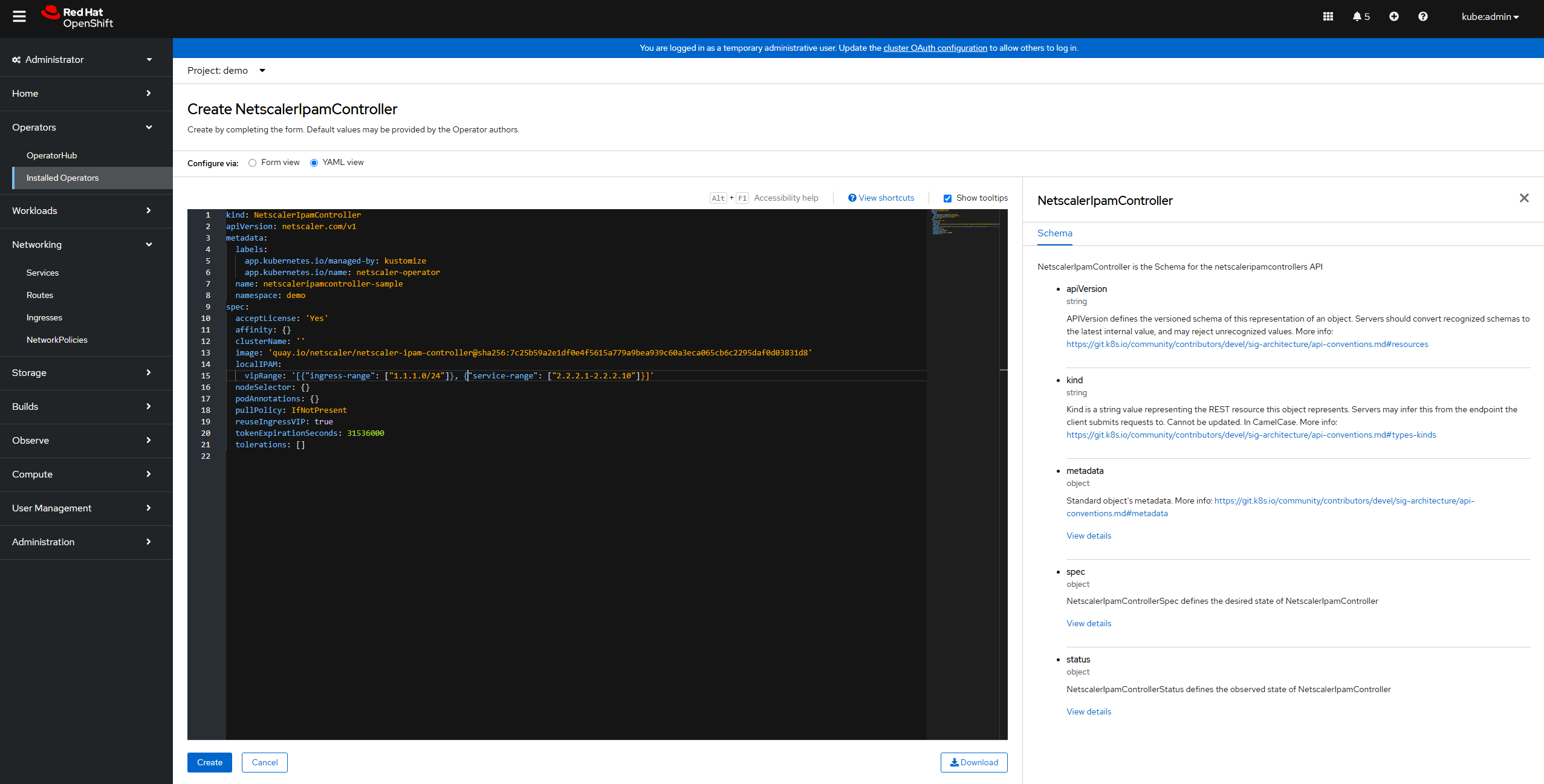 Notes:
-
Ensure that the
acceptLicenseparameter is set toYes. -
Provide
localIPAM,infoblox, or both. If you use only Infoblox, delete the pre-filledlocalIPAMblock, because an emptyvipRangeis rejected. -
Provide
clusterNameif you want to use Infoblox.
-
-
After updating the values for the required parameters, click Create
-
Ensure that NetScaler IPAM Controller is successfully deployed and initialized. Navigate to Workloads > Pods section and verify whether NetScaler IPAM Controller pod is up and running.
-
Verify the deployment by checking the logs. Also, for ingress, you can check the ingress status to confirm that the IP address is allocated to ingress by NetScaler IPAM Controller.Ingress Status
root@master:~/Citrix/openshift# oc get ing
 NAME             CLASS      HOSTS                         ADDRESS     PORTS   AGE
 apache-ingress   nsic-vpx   citrix-ingress-operator.com   1.1.1.166   80      5s
 root@master:~/Citrix/openshift# oc get vip
 NAME                     VIP         AGE   STATUS      MESSAGE
 ingress-apache-ingress   1.1.1.166   7s    Allocated   IPAMAllocated: 1.1.1.166
For service type LB, you can check the service External-IP field to confirm that IP is allocated to the service by NetScaler IPAM Controller.Service Statusroot@master:~/Citrix/openshift# oc get svc
NAME TYPE CLUSTER-IP EXTERNAL-IP PORT(S) AGE
apache-lb LoadBalancer 172.30.243.206 2.2.2.2 80:32498/TCP 7s
root@master:~/Citrix/openshift# oc get vip
NAME VIP AGE STATUS MESSAGE
service-apache-lb 2.2.2.2 16s Allocated IPAMAllocated: 2.2.2.2
Parameters for NetScaler IPAM Controller
Mandatory and Optional Parameters
| Parameter | Mandatory/Optional | Default Value | Description |
|---|---|---|---|
| image | Mandatory | quay.io/netscaler/netscaler-ipam-controller@sha256:2bfc1c6464dc0cafe4ea2a2d94e73a0826be28fff69e13e5ed62627c8ba509c7 | The NetScaler IPAM Controller image details. Used only when upgradeImageAlways is false. |
| pullPolicy | Mandatory | IfNotPresent | The NetScaler IPAM Controller image pull policy. |
| reuseIngressVIP | Optional | True | Allows using the same IP for all ingresses using the same vipRange. Set to false to allocate a different IP address to each ingress. |
| clusterName | Mandatory if infoblox is set |
N/A | Identifies the cluster in which the IPAM controller is deployed. |
| tokenExpirationSeconds | Optional | 31536000 | Expiration time, in seconds, of the service account token for the IPAM controller pod. Valid values: 600 to 31536000. |
| acceptLicense | Mandatory | No | Accept the terms of the NetScaler license agreement by setting this to Yes. |
| affinity | Optional | N/A | Affinity is a group of affinity scheduling rules for the controller pod. |
| apiPriorityAndFairness | Optional | enabled: False | Configures API Priority and Fairness for requests from the controller to the Kubernetes API server. Set apiPriorityAndFairness.enabled to true to enable it, and use the flowSchema and priorityLevelConfiguration fields to tune it. |
| createClusterRoleAndBinding | Optional | True | Creates the cluster role and cluster role binding required by the controller. If you set this to false, create them yourself. The role needs all verbs on vips and vips/status (citrix.com), create and patch on events, and all verbs on customresourcedefinitions (apiextensions.k8s.io). |
| dns | Optional | N/A | Registers DNS records for the allocated IP addresses in a BIND DNS server. Disabled by default. For more information, see DNS Parameters. |
| imagePullSecrets | Optional | N/A | Image pull secrets used to pull the controller image from a private registry. |
| nodeSelector | Optional | N/A | Node selector labels for scheduling the controller pod onto specific nodes. |
| podAnnotations | Optional | N/A | Annotations to add to the controller pod. |
| resources | Optional | requests: cpu: 32m, memory: 128Mi | ResourceRequirements describes the compute resource requirements. |
| serviceAccount | Optional | create: True | Service account configuration, including whether to create one and its name, for the controller pod. |
| tolerations | Optional | N/A | Tolerations for scheduling the controller pod onto tainted nodes. |
| upgradeImageAlways | Optional | True | When true (the default), the operator deploys the image that is built into this operator release and ignores the image value. Set it to false to deploy the image that you specify in image. |
| extraVolumes / extraVolumeMounts | Optional | N/A | Extra pod-spec hooks to add volumes and volume mounts to the pod. |
Local IPAM Parameters
| Parameter | Mandatory/Optional | Default Value | Description |
|---|---|---|---|
| vipRange | Mandatory | N/A | IP address ranges that the IPAM controller allocates from, as a JSON list of named ranges. For example, [{"ingress-range": ["1.1.1.0/24"]}, {"service-range": ["2.2.2.1-2.2.2.10"]}]. Use the range name in the ipam-range annotation of the ingress or service. |
Infoblox Parameters
Set these parameters under
infoblox. Adding the infoblox block enables Infoblox integration; there is no enabled parameter.
| Parameter | Mandatory/Optional | Default Value | Description |
|---|---|---|---|
| gridHost | Mandatory if infoblox is set |
N/A | Infoblox grid host IP or FQDN. |
| credentialSecret | Mandatory if infoblox is set |
N/A | Name of a secret, in the same namespace as the IPAM controller, with the Infoblox username and password keys. For example, oc create secret generic infobloxlogin --from-literal=username=<username> --from-literal=password=<password> -n <namespace>. |
| httpTimeout | Optional | 10 | Infoblox client HTTP timeout in seconds. |
| maxRetries | Optional | 3 | Infoblox client max retries on failure. |
| netView | Optional | default | Infoblox NetView. |
| vipRange | Mandatory if infoblox is set |
N/A | Infoblox-managed IP address ranges in CIDR format, as a JSON list of named ranges. For example, [{"infoblox-range": ["1.1.1.0/24"]}]. The range names must differ from the names in localIPAM.vipRange. |
| caBundleSecret | Optional | N/A | Name of a secret, in the same namespace as the IPAM controller, with a ca.crt key that holds the CA certificate of the Infoblox server. Required if the Infoblox certificate is self-signed or signed by a private CA. |
| sslVerify | Optional | True | Verifies the TLS certificate of the Infoblox server. Set to false only for testing. |
Note:
Starting with NetScaler Operator 3.7.5, the IPAM controller verifies the TLS certificate of the Infoblox server by default. If the certificate is self-signed or signed by a private CA, create a secret with the CA certificate in the namespace of the IPAM controller, for example,
oc create secret generic infoblox-ca --from-file=ca.crt=<ca-certificate-file> -n <namespace>, and set infoblox.caBundleSecret to the secret name.
Example: Verify an Infoblox server that uses a private CA. The following resource verifies the Infoblox certificate against the CA in the
infoblox-ca secret that you create as shown in the preceding note.
apiVersion: netscaler.com/v1
 kind: NetscalerIpamController
 metadata:
   name: ipam
 spec:
   acceptLicense: 'Yes'
   clusterName: cluster1
   infoblox:
     gridHost: infoblox.example.com
     credentialSecret: infobloxlogin
     vipRange: '[{"infoblox-range": ["10.10.10.0/24"]}]'
     # Verify the Infoblox server certificate (the default). Set to false only for testing.
     sslVerify: true
     # Secret with the Infoblox CA certificate under the key ca.crt
     caBundleSecret: infoblox-ca
DNS Parameters
Set these parameters under
dns.
| Parameter | Mandatory/Optional | Default Value | Description |
|---|---|---|---|
| enabled | Optional | False | Enables the DNS integration. |
| type | Mandatory if enabled is true |
N/A | DNS provider: binddns. |
| binddns.server | Mandatory if type is binddns |
N/A | IP address of the BIND DNS server. |
| binddns.zone | Mandatory if type is binddns |
N/A | DNS zone that the BIND DNS server manages. |
| binddns.tsigKeySecret | Mandatory if type is binddns |
N/A | Name of a secret with the tsigKey and tsigSecret keys. For more information, see BIND DNS integration. |
| binddns.fudge | Optional | 300 | TSIG clock-skew tolerance in seconds. |