
Integration with New Relic
You can now integrate NetScaler® ADM with New Relic to view analytics for WAF and Bot violations in your New Relic dashboard. With this integration, you can:
-
Combine all other external data sources in your New Relic dashboard.
-
Get visibility of analytics in a centralized place.
NetScaler ADM collects Bot and WAF events, and sends them to New Relic either in real time or periodically based on your choice. As an administrator, you can also view the Bot and WAF events in your New Relic dashboard.
Prerequisites
For a successful integration, you must:
-
Obtain a New Relic event endpoint in the following format:
https://insights-collector.newrelic.com/v1/accounts/<account_id>/eventsFor more information on configuring an event endpoint, see New Relic documentation.For more information on getting an account ID, see New Relic documentation. -
Obtain a New Relic key. For more information, see New Relic documentation.
-
Add the key details in NetScaler ADM
Add the key details in NetScaler ADM
After you generate a token, you must add details in NetScaler ADM to integrate with New Relic.
-
Log on to NetScaler ADM.
-
Navigate to Settings > Ecosystem Integration.
-
In the Subscriptions page, click Add.
-
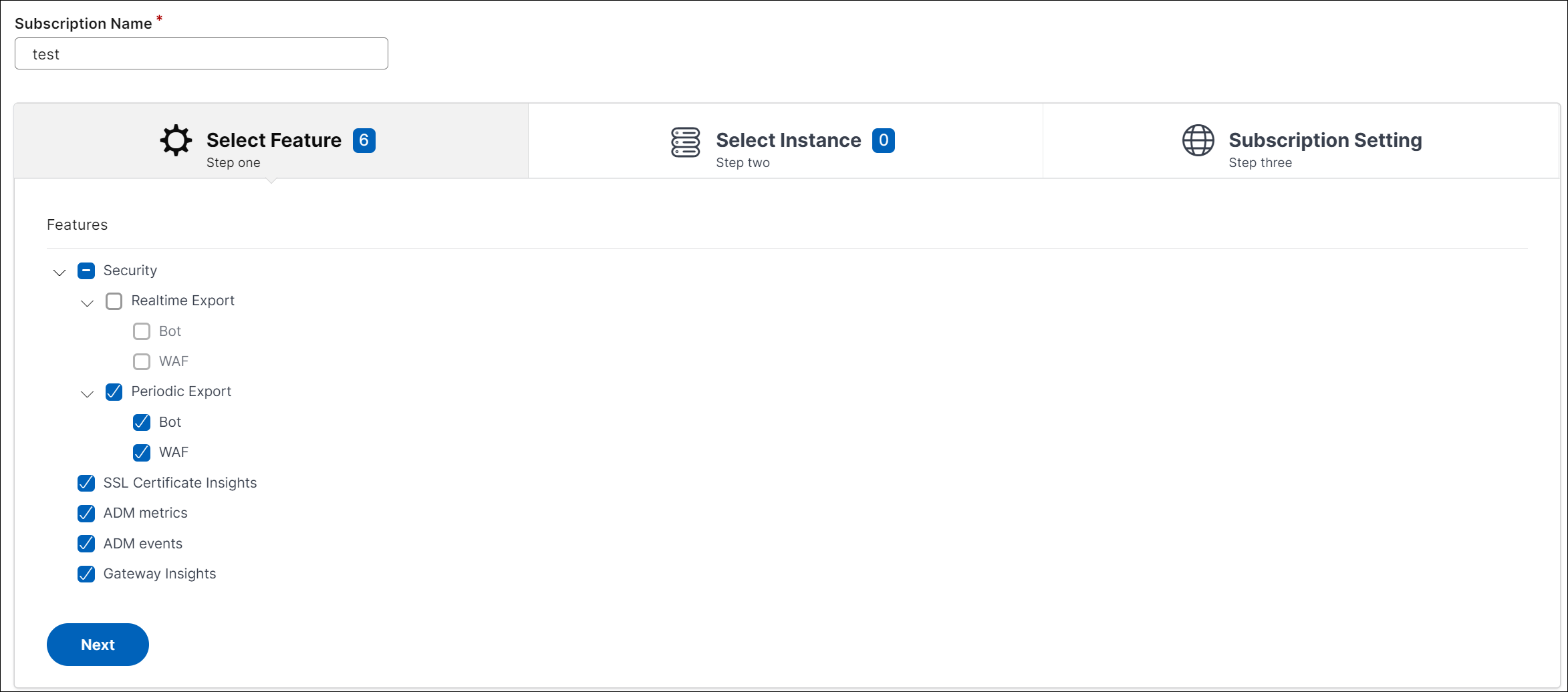
In the Select features to subscribe tab, select the features that you want to export and click Next.
-
Realtime Export - The selected violations are exported to New Relic immediately.
-
Periodic Export - The selected violations are exported to New Relic based on the duration you select.
-
-
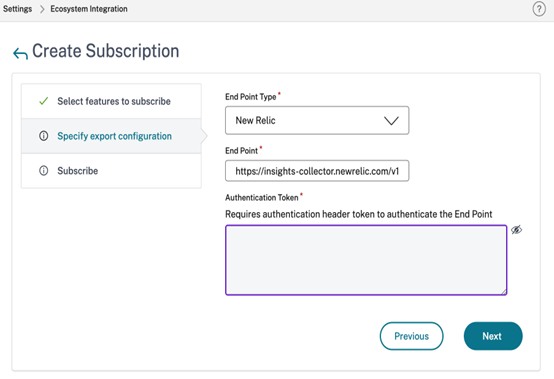
In the Specify export configuration tab:
-
End Point Type – Select New Relic from the list.
-
End Point – Specify the New Relic end point details. The end point must be in the
https://insights-collector.newrelic.com/v1/accounts/<account_id>/eventsformat.NoteIt is recommended to use HTTPS for security reasons. -
Authentication token – Copy and paste the authentication token from the New Relic page.
-
Click Next.
-
-
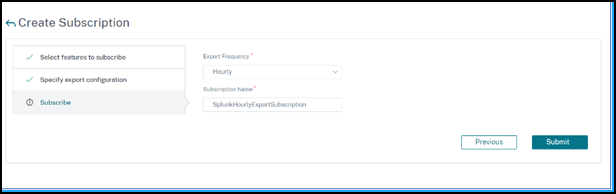
In the Subscribe page:
-
Export Frequency – Select Daily or Hourly from the list. Based on the selection, NetScaler ADM exports the details to New Relic.NoteApplicable only if you have selected violations in Periodic Export.
-
Subscription Name – Specify a name of your choice.
-
Select the Enable Notifications check box.
-
Click Submit.
 Note
Note-
When you configure with Periodic Export option for the first time, the selected features data get pushed to New Relic immediately. The next export frequency happens based on your selection (daily or hourly).
-
When you configure with Realtime Export option for the first time, the selected features data pushed to New Relic immediately as soon as the violations are detected in NetScaler ADM.
-
-
The configuration is complete. You can view details in the Subscriptions page.

New Relic dashboard
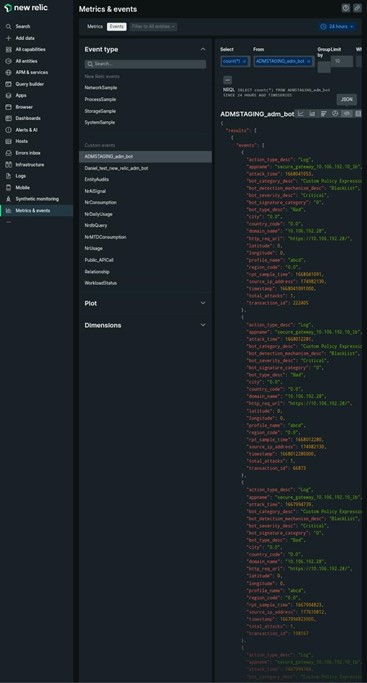
When the events are exported in New Relic, you can view event details under Metrics & events in the following JSON format:
<subsription_name>_adm_<event name> where event name can be Bot, WAF, and so on.
In the following example, ADMSTAGING is the
<subscription_name> and bot is the <event_name>.
Once you get the JSON data ingested into your New Relic dashboard, as an administrator, you can use the NRQL (New Relic Query Language) and create a custom dashboard with facets and widgets based on your choice by constructing queries around the ingested data. For more information, see
https://docs.newrelic.com/docs/query-your-data/nrql-new-relic-query-language/get-started/introduction-nrql-new-relics-query-language/
The following is an example dashboard created using the NRQL:
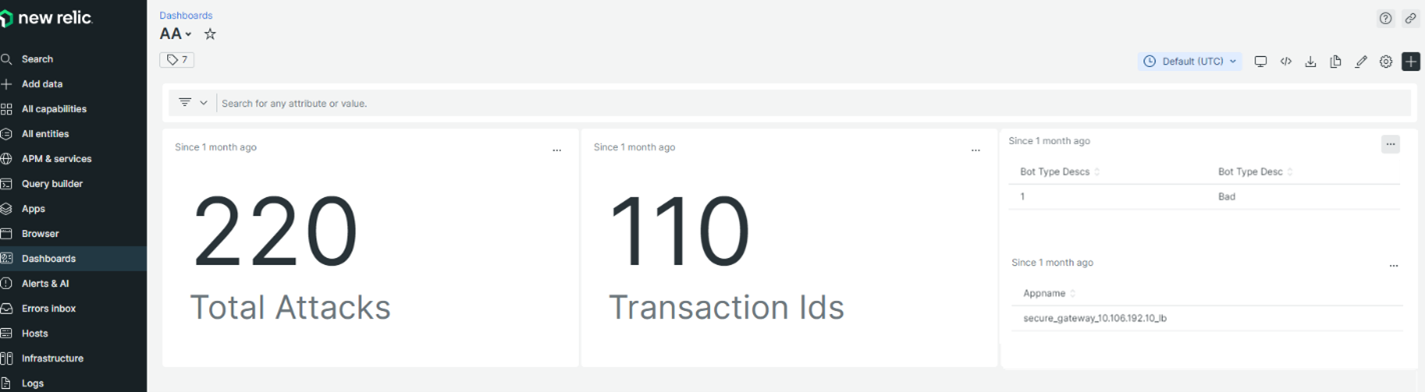
To create this dashboard, the following queries are required:
-
Widget 1: Total Unique Attacks in events table
SELECT count(total_attacks) from <event_name> since 30 days ago -
Widget 2: Unique Transaction IDs in event table
SELECT uniqueCount(transaction_id) from <event_name> since 30 days ago -
Widget 3: Total Unique Bot Types and their counts
SELECT uniqueCount(bot_type_desc), uniques(bot_type_desc) from <event_name> since 30 days ago -
Widget 4: Total unique App Names seeing Bot Violations
SELECT uniques(appname) from <event_name> since 30 days ago