
Application overview
The Application Overview page displays applications with full visibility into the threat details associated in both WAF Security Violations and Bot Security Violations. You can also view information such as total violations, total WAF and Bot violations, violation by country, and so on.
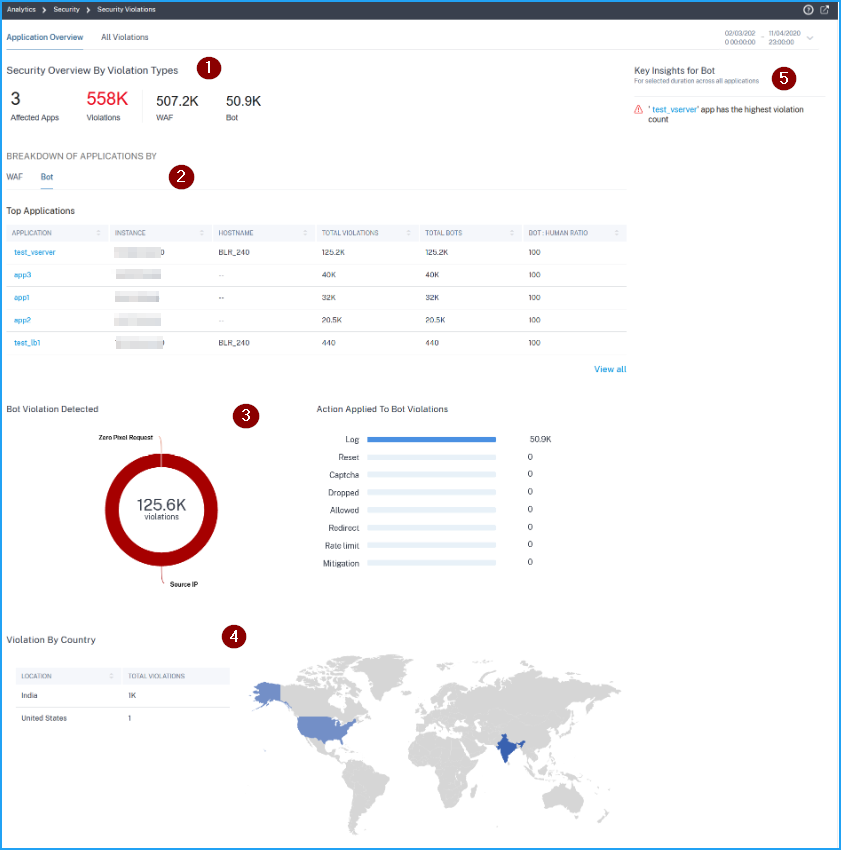
1 – Displays the total affected applications, total violations, total WAF violations, and total Bot violations for the selected duration.
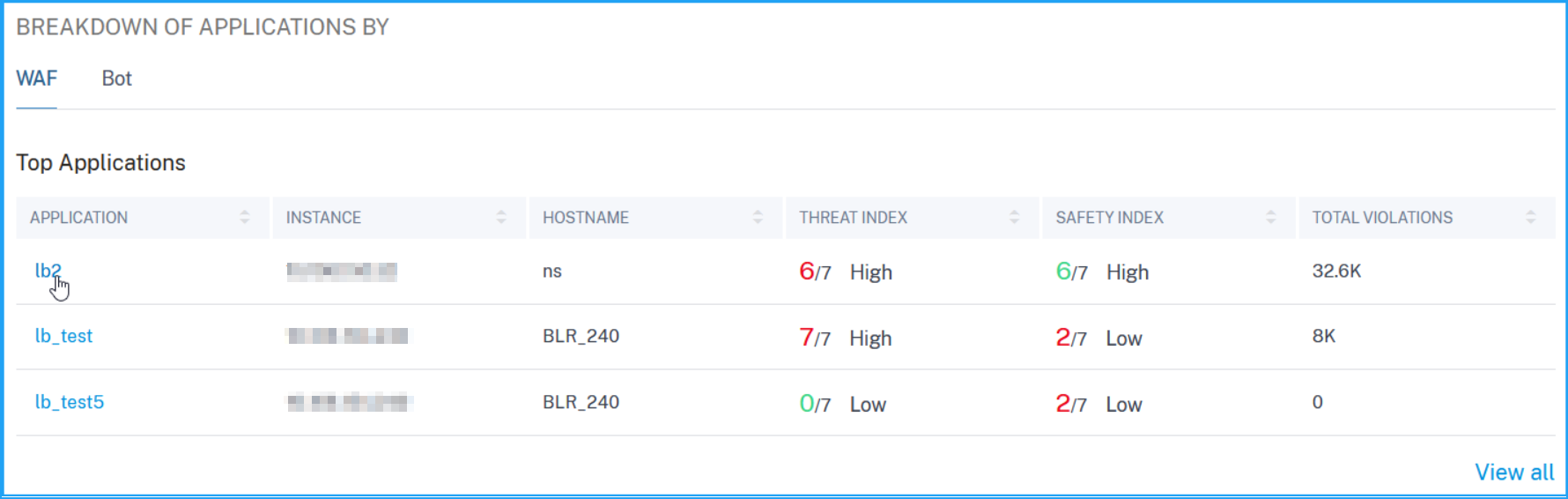
2 – Displays the WAF and Bot violation details. Click the WAF and Bot tab to view the top 5 applications based on the total violations occurred. Click View All to view all application details.
3 – Displays the top violations based on the occurrences and the actions applied.
4 – Displays a geo map view that provides visibility from which locations the violations have occurred.
5 – Provides information based on the violations.
Violation categories
| WAF | Bot |
|---|---|
| Cookie Hijack | Feed Fetcher |
| Infer Content Type XML | Link Checker |
| CSRF Form Tagging | Marketing |
| Deny URL | Scraper |
| Form Field Consistency | Screenshot Creator |
| Field Formats | Search Engine |
| Maximum Uploads | Service Agent |
| Referrer Header | Site Monitor |
| Safe Commerce | Speed Tester |
| Safe Object | Tool |
| HTML SQL Inject | Uncategorized |
| Start URL | Virus Scanner |
| Cross-site scripting | Vulnerability Scanner |
| XML DoS | DeviceFP Wait Exceeded |
| XML Format | Invalid DeviceFP |
| XML WSI | Invalid Captcha Response |
| XML SSL | Captcha Attempts Exceeded |
| XML Attachment | Valid Captcha Response |
| XML SOAP Fault | Captcha Client Muted |
| XML Validation | Captcha Wait Time Exceeded |
| Others | Request Size Limit Exceeded |
| IP Reputation | Rate Limit Exceeded |
| HTTP DOS | Block list (IP, subnet, policy expression) |
| TCP Small Window | Allow list (IP, subnet, policy expression) |
| Signature Violation | Zero Pixel Request |
| File Upload Type | Source IP |
| JSON cross-site scripting | Host |
| JSON SQL | Geo Location |
| JSON DOS | URL |
| Command Injection | Crawler |
| Buffer Overflow | |
| Content Type | |
| Cookie Consistency |
View WAF violation details
Click an application from the Top Applications or from the View All option to view the WAF details.
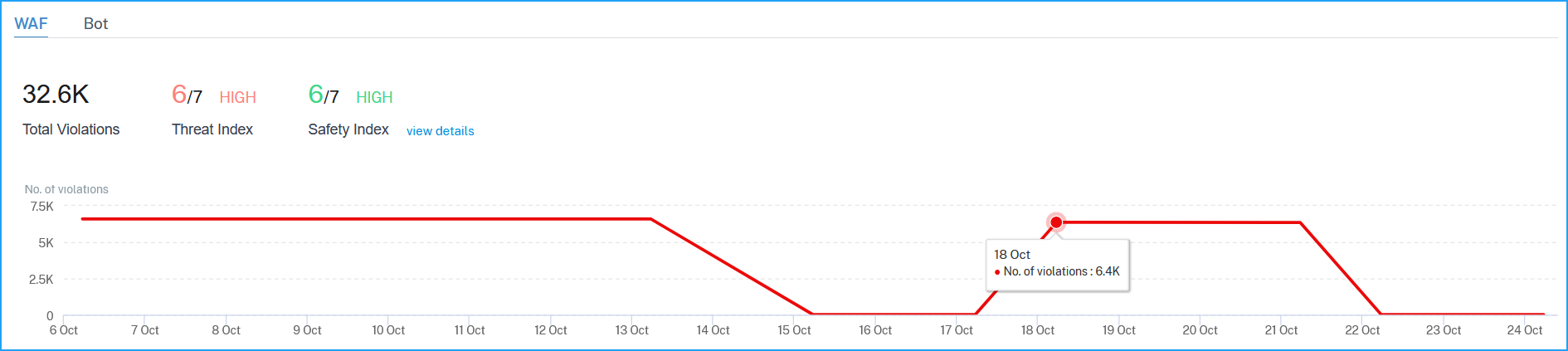
The Security Overview page for the selected application is displayed. Under WAF, you can view:
-
A graph view that indicates the total violations, threat index score, safety index score for the application.
 Click View Details to see the Application Firewall and NetScaler System Security configuration details.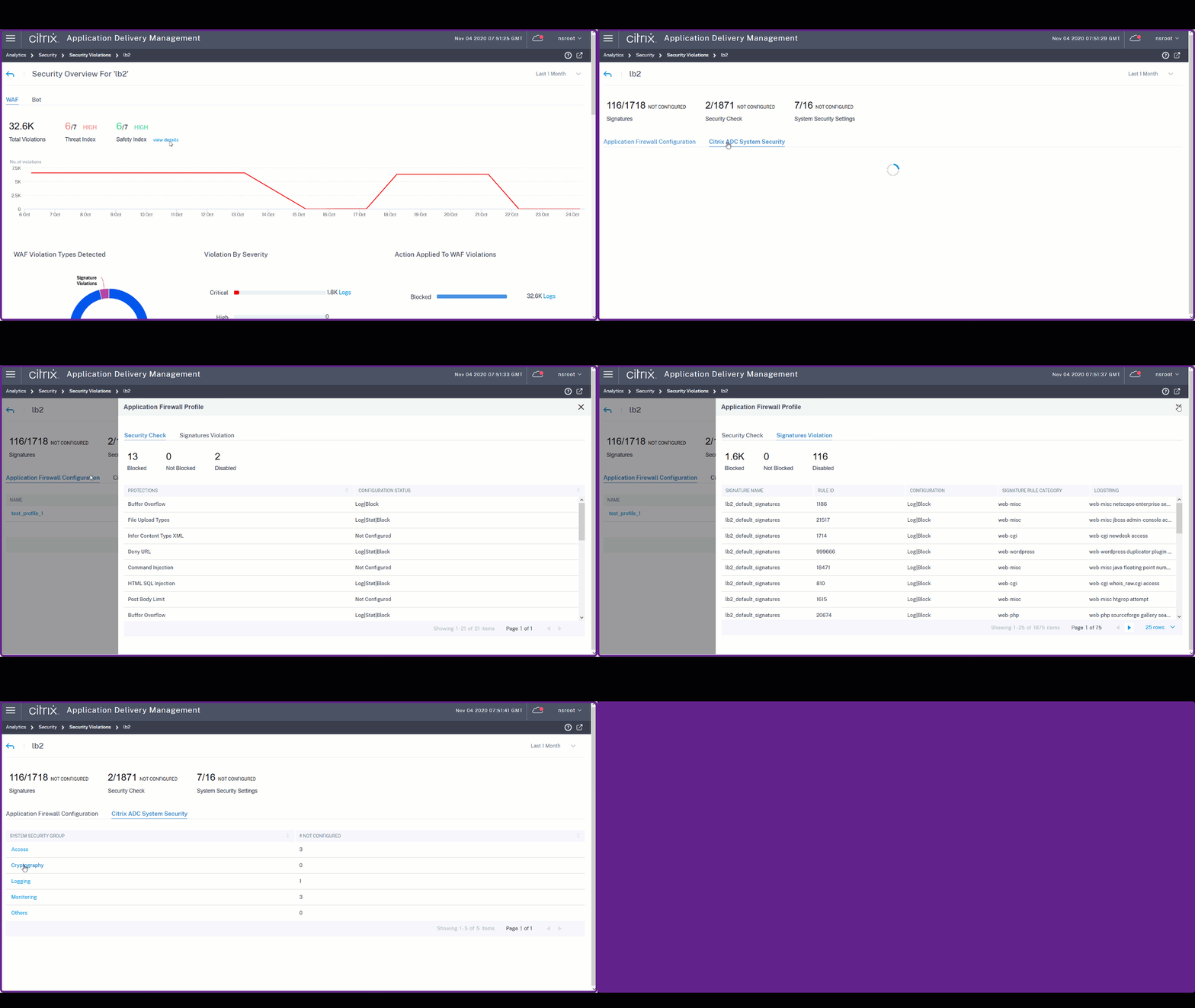
-
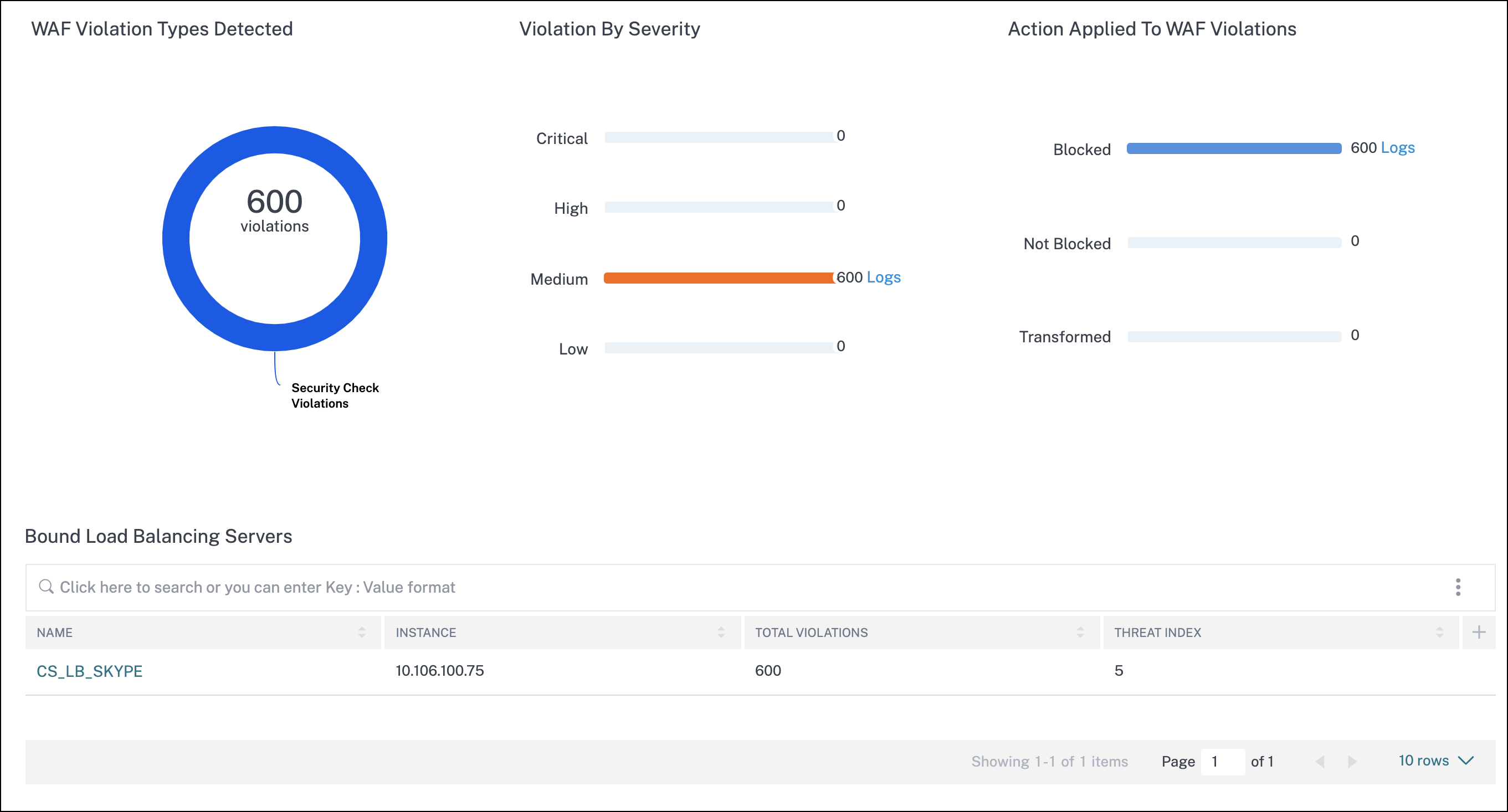
The violations based on types, severity, and actions applied.
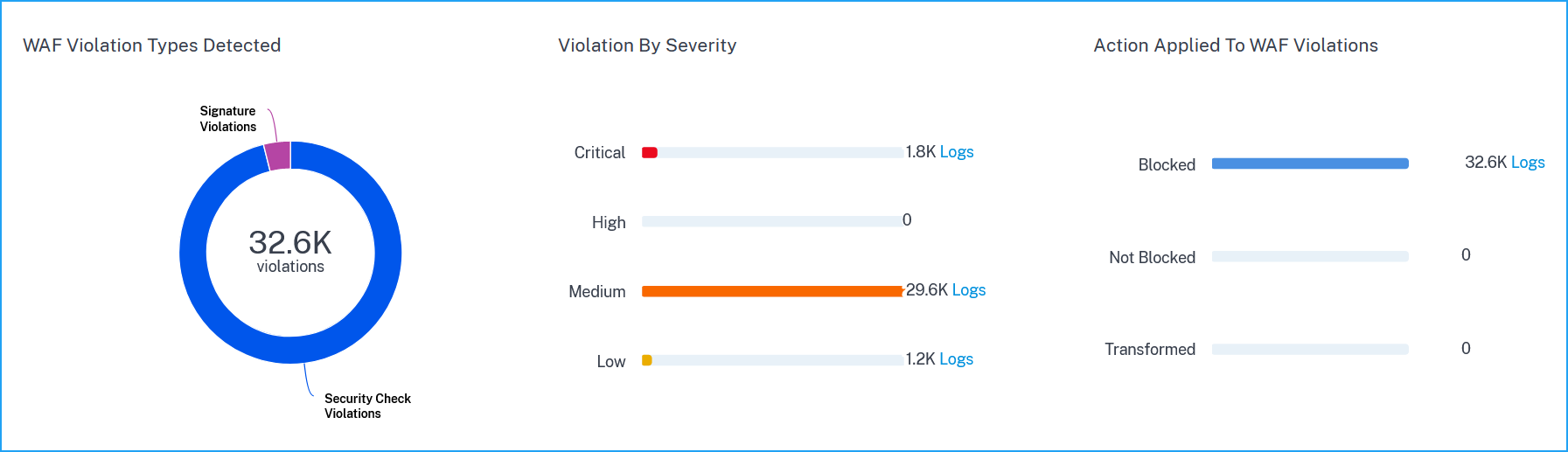 Click Logs to view details based on the severity or action taken.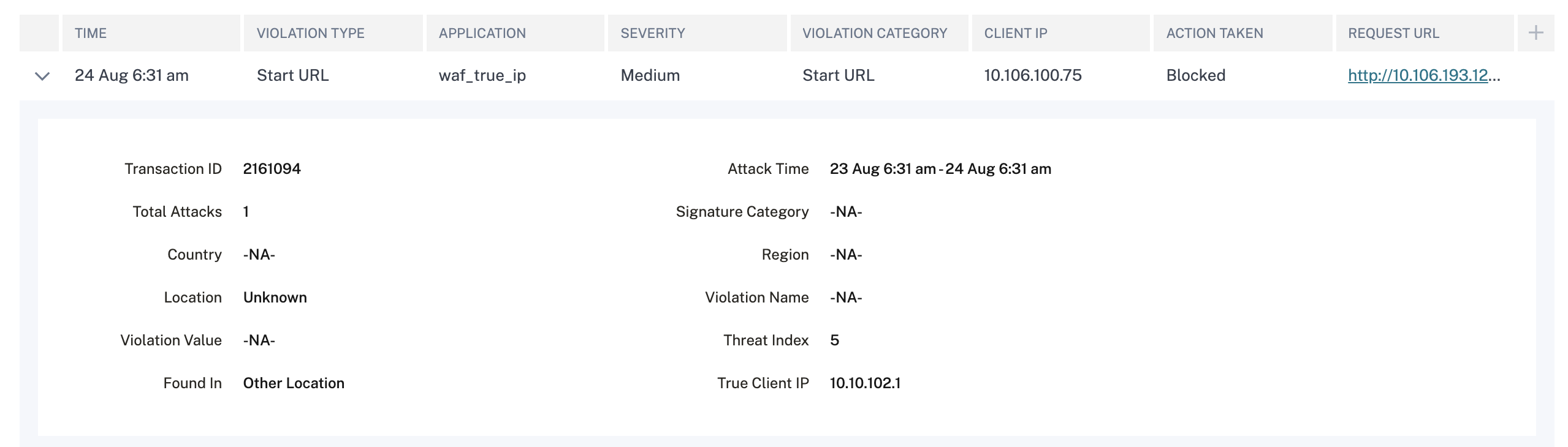
-
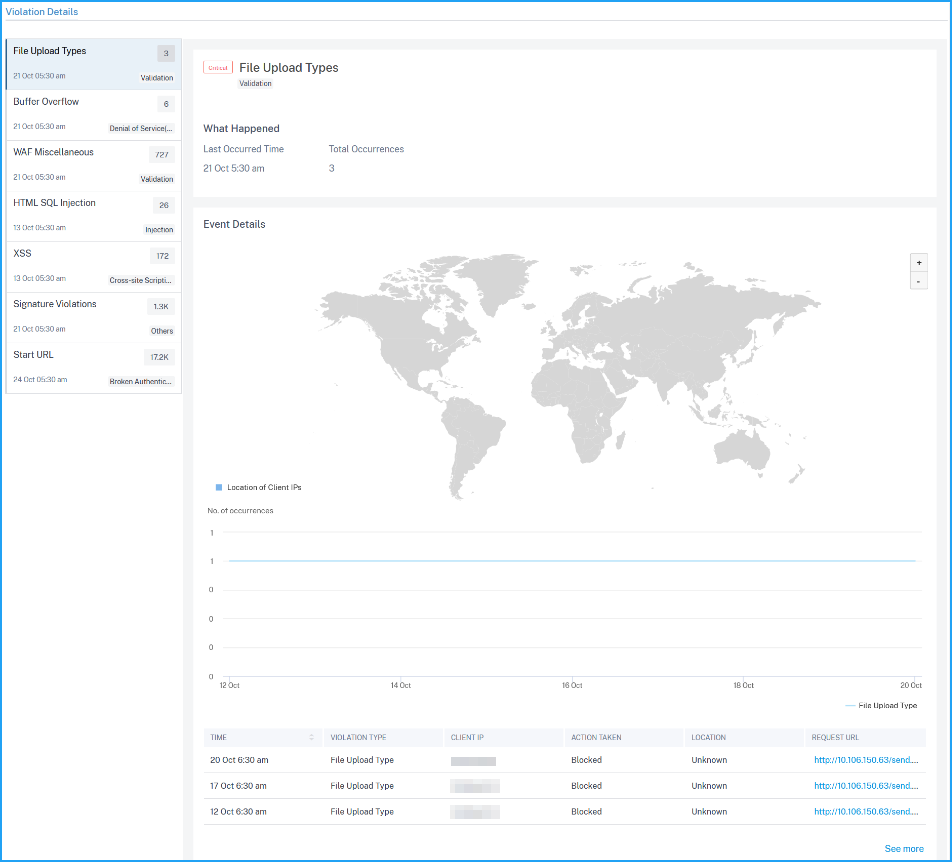
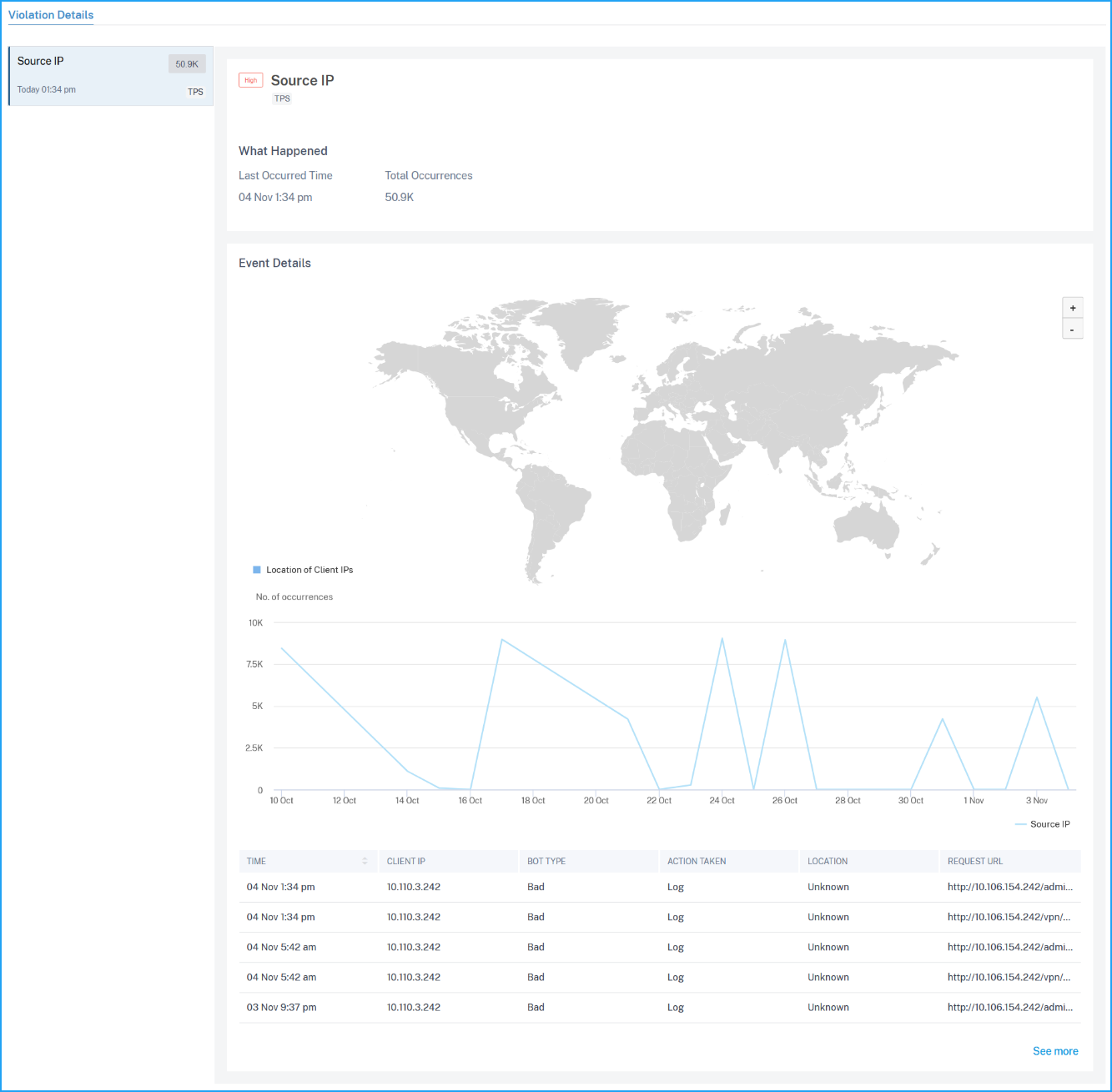
The violations affected on the application. Under Violation Details, you can view the affected violation details. Click each violation to view details such as:
-
What Happened – Indicates the total occurrences and the last occurred date and time.
-
Event Details – Displays a geo map that indicates the client IP and other violation details such as violation type, client IP, location, and so on.
-
View bot violation details
From the Bot tab, click an application from the Top Applications or from the View All option to view the bot details.
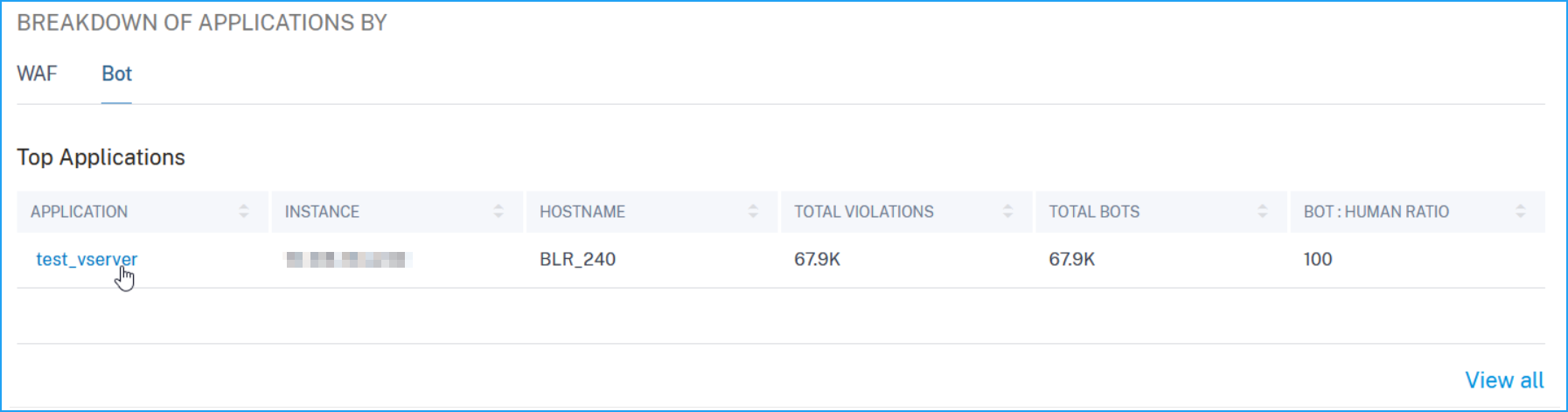
The Security Overview page for the selected application is displayed. Under Bot, you can view:
-
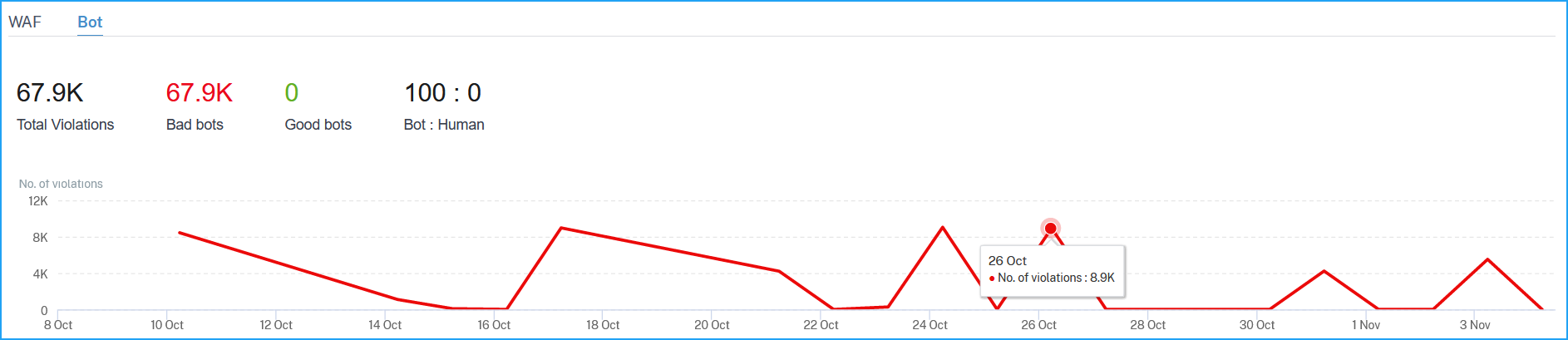
A graph indicating total bots, total bad bots, total good bots, and total ratio between human users and bots accessing the application.
-
The violations based on the bot types, severity, and actions applied.
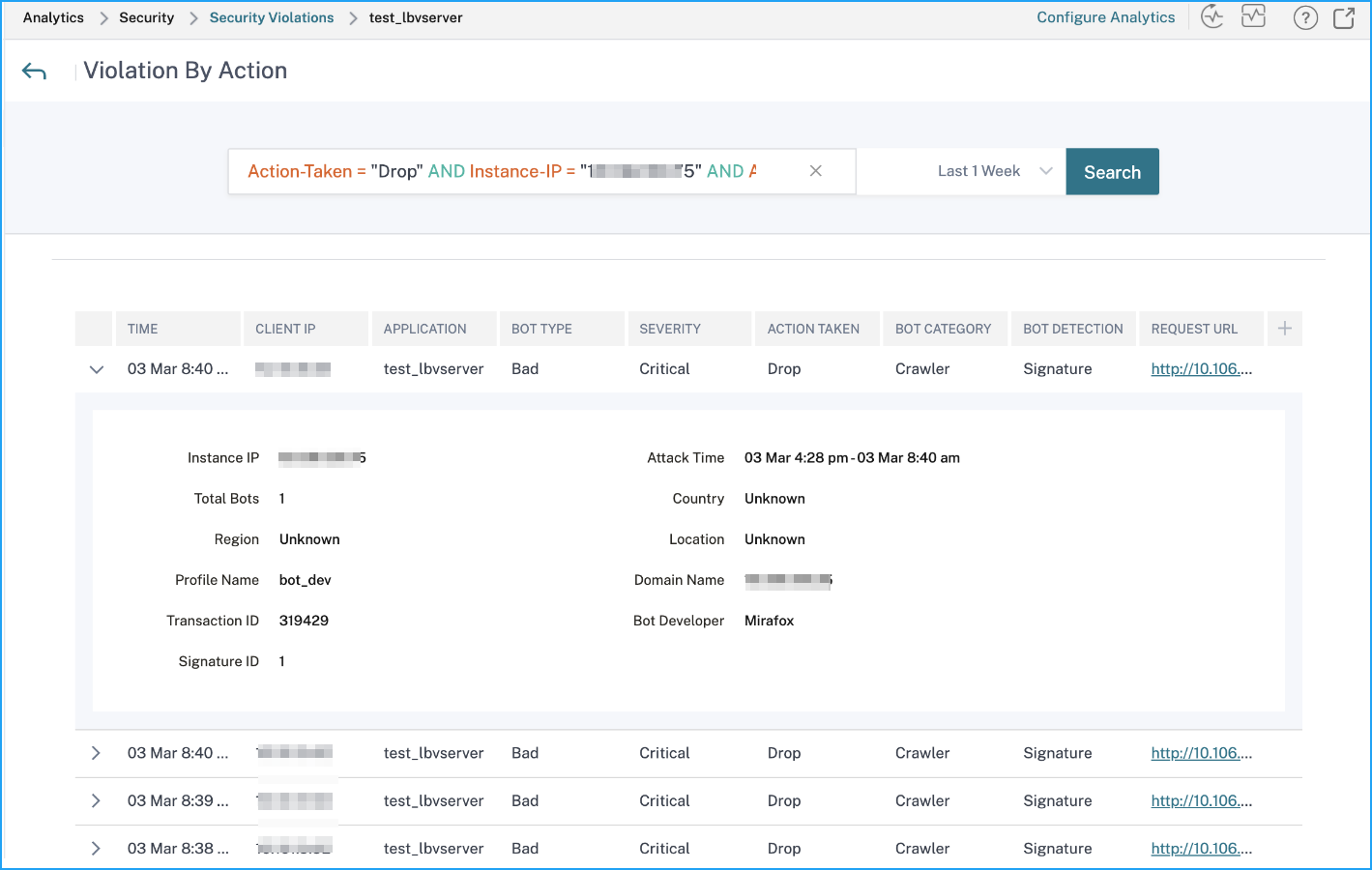
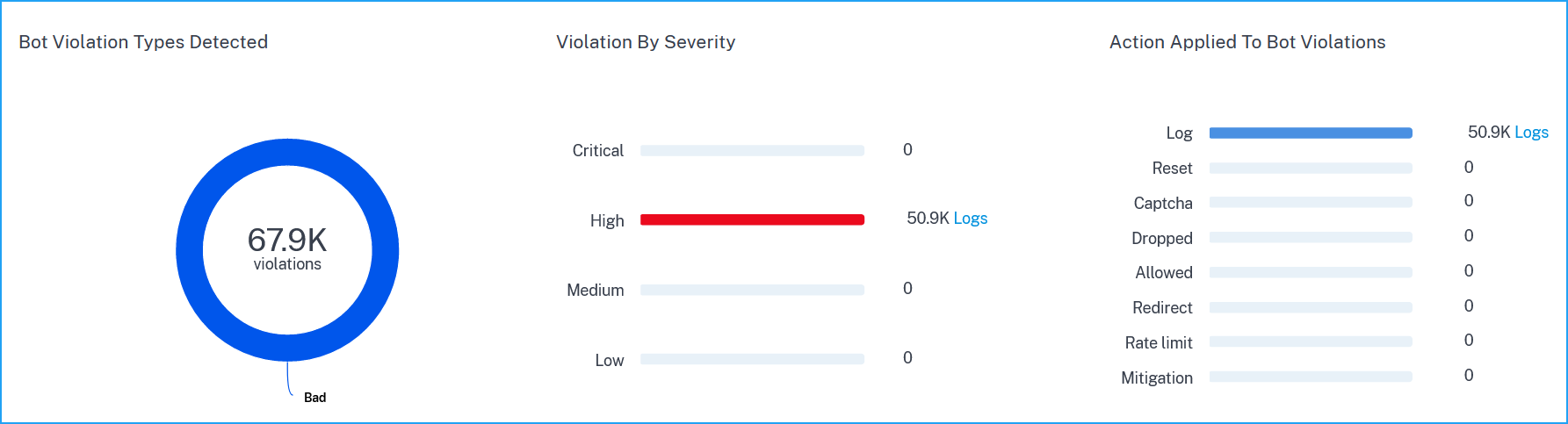 Click Logs to view details based on severity or actions taken. If a detected bot is a Signature type bot, you can view more details such as Bot developer and Signature ID. The Signature ID enables you to identify if the detected bot is a good bot or a bad bot.
 NoteIf a detected bot is any other bot type apart from Signature bot, the Signature ID and Bot developer are displayed as N/A.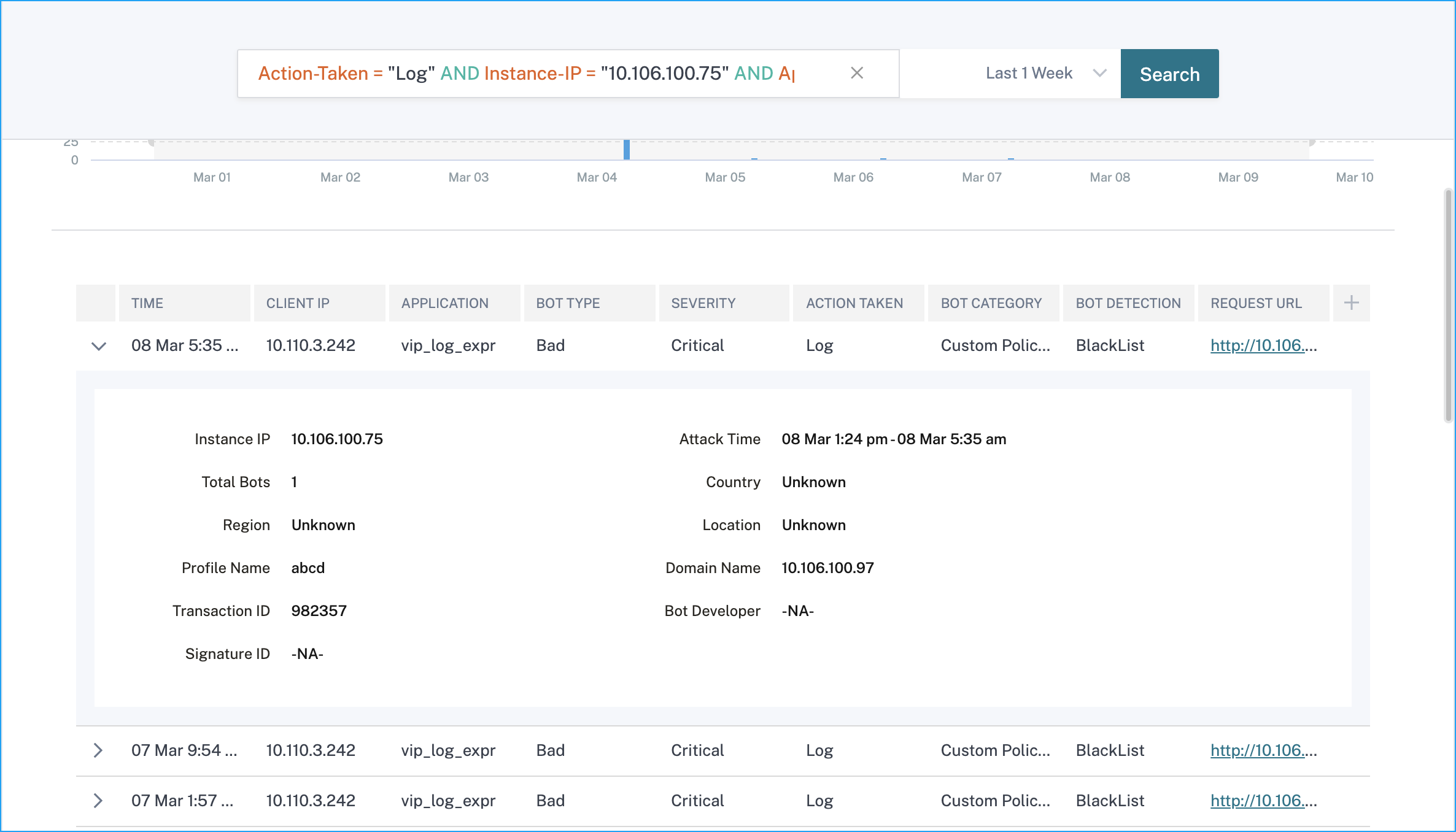
-
The violations affected on the application. Under Violation Details, you can view the affected violation details. Click each violation to view details such as:
-
What Happened – Indicates the total occurrences and the last occurred date and time.
-
Event Details – Displays a geo map that indicates the client IP and other violation details such as violation type, client IP, location, and so on.
-
Note
Under WAF and Bot, you can view analytics for content switching virtual server that is bound with load balancing virtual servers. Click the content switching virtual server and under Bound Load Balancing Server, you can view the list of load balancing servers bound to the content switching virtual server.
View events history
Click the Events tab to view the bot and WAF events.