
Add TACACS authentication server
-
Navigate to Settings > Authentication.
-
Select the TACACS tab and then click Add.
-
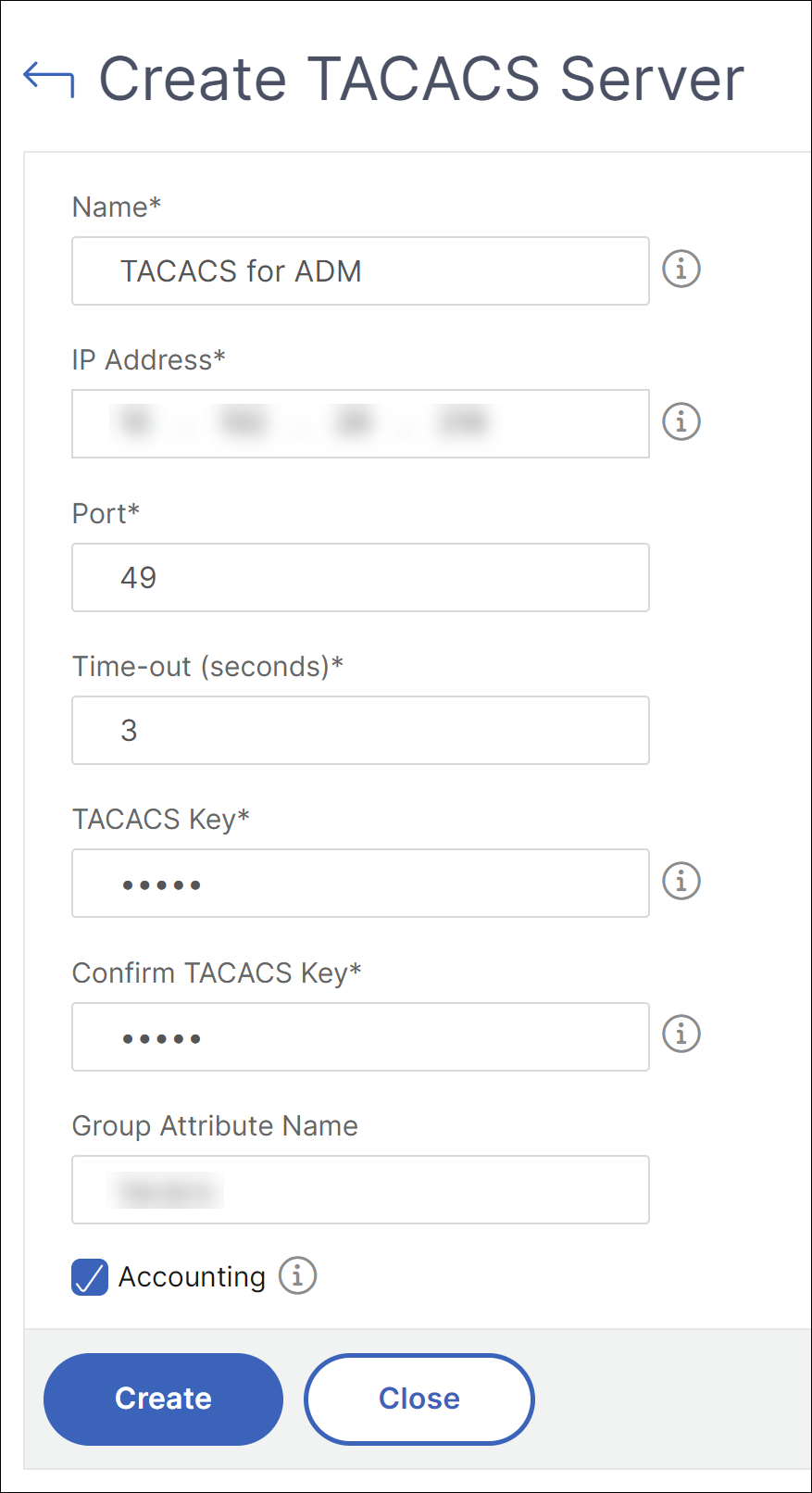
On the Create TACACS page, specify the following parameters:
-
Name – Specify a TACACS server name
-
IP address – Specify the TACACS IP address
-
Port – Specify the port number on which the TACACS server is hosted. The default port is 49
-
Time-out (seconds) – Time in seconds for which the NetScaler Console system waits for a response from the LDAP server
-
TACACS Key – Specify the TACACS key for authentication
-
Confirm TACACS Key – Specify the TACACS key again for confirmation
-
Group Attribute Name – Specify the group nameSelect Accounting if you want the appliance to log audit information with TACACS server.
-
-
Click Create.
-
Enable the external authentication servers.For more information about enabling external authentication servers, see Enable external authentication servers and fallback options.