
Behavior of NetScaler MPX™ HA pair after encryption
Both primary and secondary nodes must have the same encryption status. If there is any mismatch between the primary and secondary node encryption status, the synchronization between the two nodes is disabled. Log on to the primary NetScaler® MPX instance using an SSH client and use the following command to validate if both nodes show the same encryption status:
sh ha node
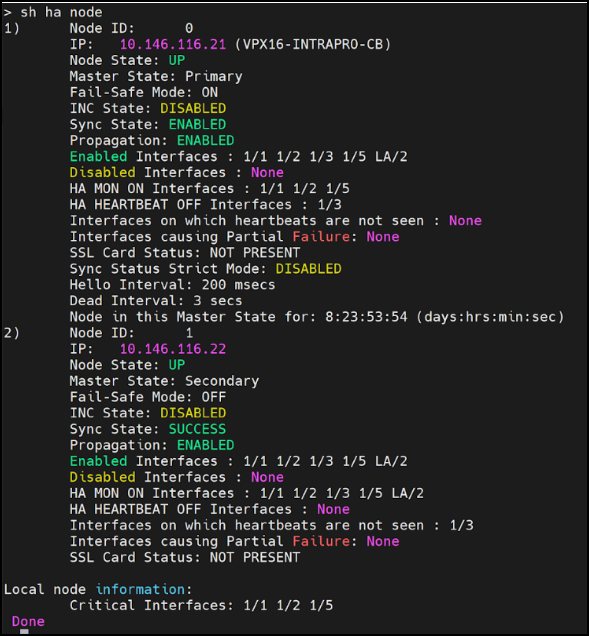
If the encryption status of the two nodes is different:
-
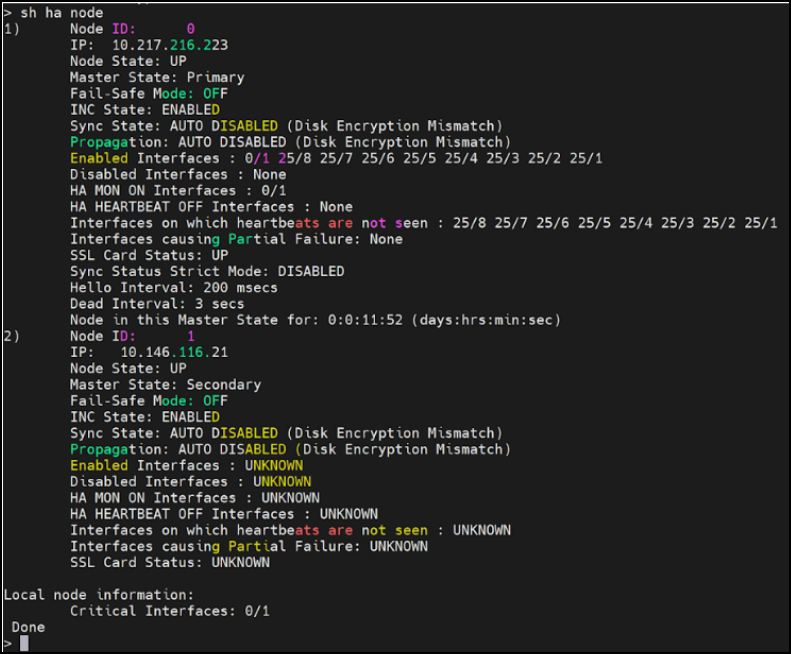
The following output appears when there is a disk encryption mismatch:
-
A disk encryption mismatch error appears for enable HA sync, enable HA prop, and force HA sync:
-
set ha node -haprop enabled
-
set ha node -hasync enabled
-
force ha sync
-