
Create monitors
The NetScaler appliance provides a set of built-in monitors. It also allows you to create custom monitors, either based on the built-in monitors or from scratch.
To create a monitor by using the CLI
At the command prompt, type:
add lb monitor <monitorName> <monitorType> [<interval>]

 add lb mon monitor-HTTP-1 HTTP

 add lb mon monitor-HTTP-2 TCP 2
To create a monitor by using the GUI
-
Navigate to Traffic Management> Load Balancing> Monitors.
-
Click Add and create a monitor type that meets your requirement.
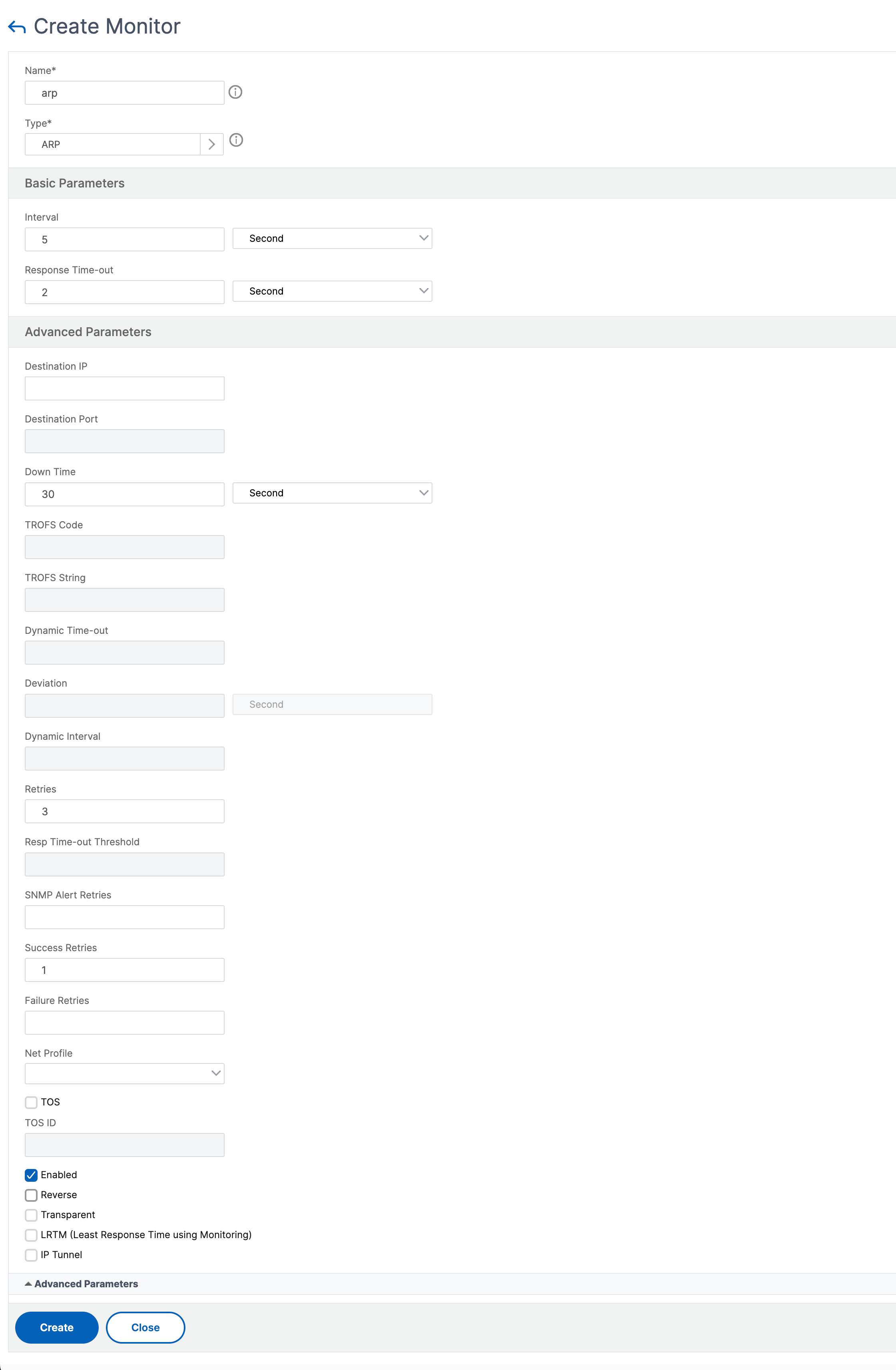
The Create Monitor screen contains two sections, Basic Parameters and Advanced Parameters.
Depending on the monitor type, the Basic Parameters section contains the parameters that must be set for each monitor. The Advanced Parameters section contains the parameters that can be used in advanced use cases.
The following figure is a sample of a Create Monitor page of the ARP monitor type.
Note
Prior to NetScaler release 12.0 build 56.20, Basic Parameters and Advanced Parameters are named Standard Parameters and Special Parameters respectively.