Unmanage an instance
If you want to stop the exchange of information between NetScaler Console and the instances in your network, you can unmanage the instances.
Unmanaging a NetScaler instance makes the NetScaler instance unmanaged or de-registered from NetScaler Console. NetScaler Console can no longer reach out to or communicate with the NetScaler instance to perform any NetScaler Console based functionality.
With reference to LAS based licensing, unmanaging a NetScaler instance makes the NetScaler instance lose its LAS based licensing.
To unmanage an instance:
Navigate to Infrastructure > Instances > NetScaler \> VPX tab. In the list of instances, either right-click an instance and then select Unmanage, or select the instance and from the Select Action list, select Unmanage.
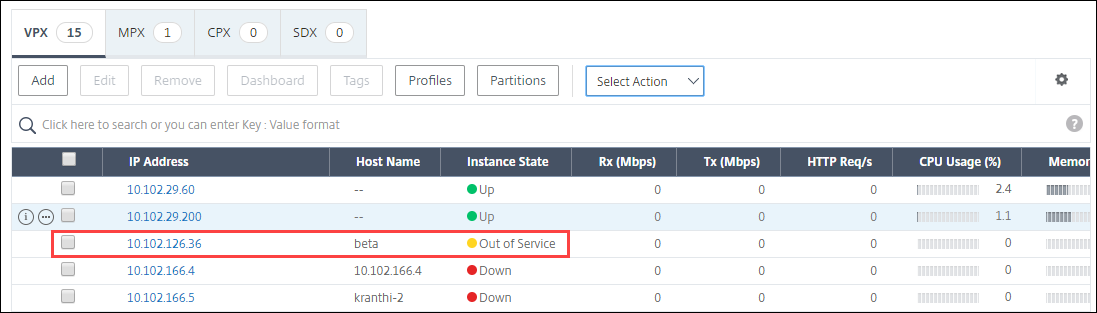
The status of the selected instance changes to Out of Service as shown in the following figure.