-
-
Install a NetScaler Console agent OpenShift operator for NetScaler Console on-prem deployment
-
Migrate NetScaler Console single-server deployment to a high availability deployment
-
Integrate NetScaler Console with Citrix Virtual Desktop Director
-
-
-
-
Scenarios for Flexed or Pooled license expiry and connectivity issues behavior
-
Configure NetScaler Console as the Flexed or Pooled license server
This content has been machine translated dynamically.
Dieser Inhalt ist eine maschinelle Übersetzung, die dynamisch erstellt wurde. (Haftungsausschluss)
Cet article a été traduit automatiquement de manière dynamique. (Clause de non responsabilité)
Este artículo lo ha traducido una máquina de forma dinámica. (Aviso legal)
此内容已经过机器动态翻译。 放弃
このコンテンツは動的に機械翻訳されています。免責事項
이 콘텐츠는 동적으로 기계 번역되었습니다. 책임 부인
Este texto foi traduzido automaticamente. (Aviso legal)
Questo contenuto è stato tradotto dinamicamente con traduzione automatica.(Esclusione di responsabilità))
This article has been machine translated.
Dieser Artikel wurde maschinell übersetzt. (Haftungsausschluss)
Ce article a été traduit automatiquement. (Clause de non responsabilité)
Este artículo ha sido traducido automáticamente. (Aviso legal)
この記事は機械翻訳されています.免責事項
이 기사는 기계 번역되었습니다.책임 부인
Este artigo foi traduzido automaticamente.(Aviso legal)
这篇文章已经过机器翻译.放弃
Questo articolo è stato tradotto automaticamente.(Esclusione di responsabilità))
Translation failed!
Install a NetScaler Console agent OpenShift operator for NetScaler Console on-prem deployment
If you are using NetScaler Console on-premises, the container agent is used for several specific strategic and technical reasons. Some of the important reasons are:
- Seamless Management of Cloud-Native Workloads - The primary reason for using the container agent is to manage NetScaler CPX (the containerized version of NetScaler).
- Localized Control - The agent acts as a licensing proxy between your NetScaler Console on-prem and NetScaler CPX instances running inside a Kubernetes cluster.
- Simplified Connectivity (Microservices Architecture) - If your NetScaler Console and your Kubernetes cluster are on different networks, the container agent acts as a secure “in-cluster” gateway.
Note:
NetScaler Console agent is supported for NetScaler Console on-prem deployments from NetScaler Console on-prem 14.1.60.x.
An operator is an open-source toolkit that enables you to deploy and manage the Kubernetes applications in an effective, automated, and scalable way. As an administrator, you can deploy an agent in the OpenShift cluster using the NetScaler® ADM Agent Operator.
Note:
An agent configured in the OpenShift cluster is not automatically upgraded by default.
Prerequisites
Before you deploy, ensure that:
-
You have the privileged security context constraints to control permissions for pods. For the agent, run the following command to get the privilege security context constraints to the service account:
oc adm policy add-scc-to-user privileged -z adm-agent-serviceaccount <!--NeedCopy--> -
Run the following command to create an agent login secret (
loginsecret):oc create secret generic admlogin --from-literal=username=nsroot --from-literal=password=<NetScaler Console-agent-password> -n <namespace> <!--NeedCopy--> -
Run the following command to create a secret for NetScaler Console Server (
accessSecret) secret:oc create secret generic testonprem--from-literal=username=nsroot --from-literal=password=< NetScaler Console password> -n <namespace> <!--NeedCopy-->
Install the agent operator
-
Log on to the OpenShift cluster console.
-
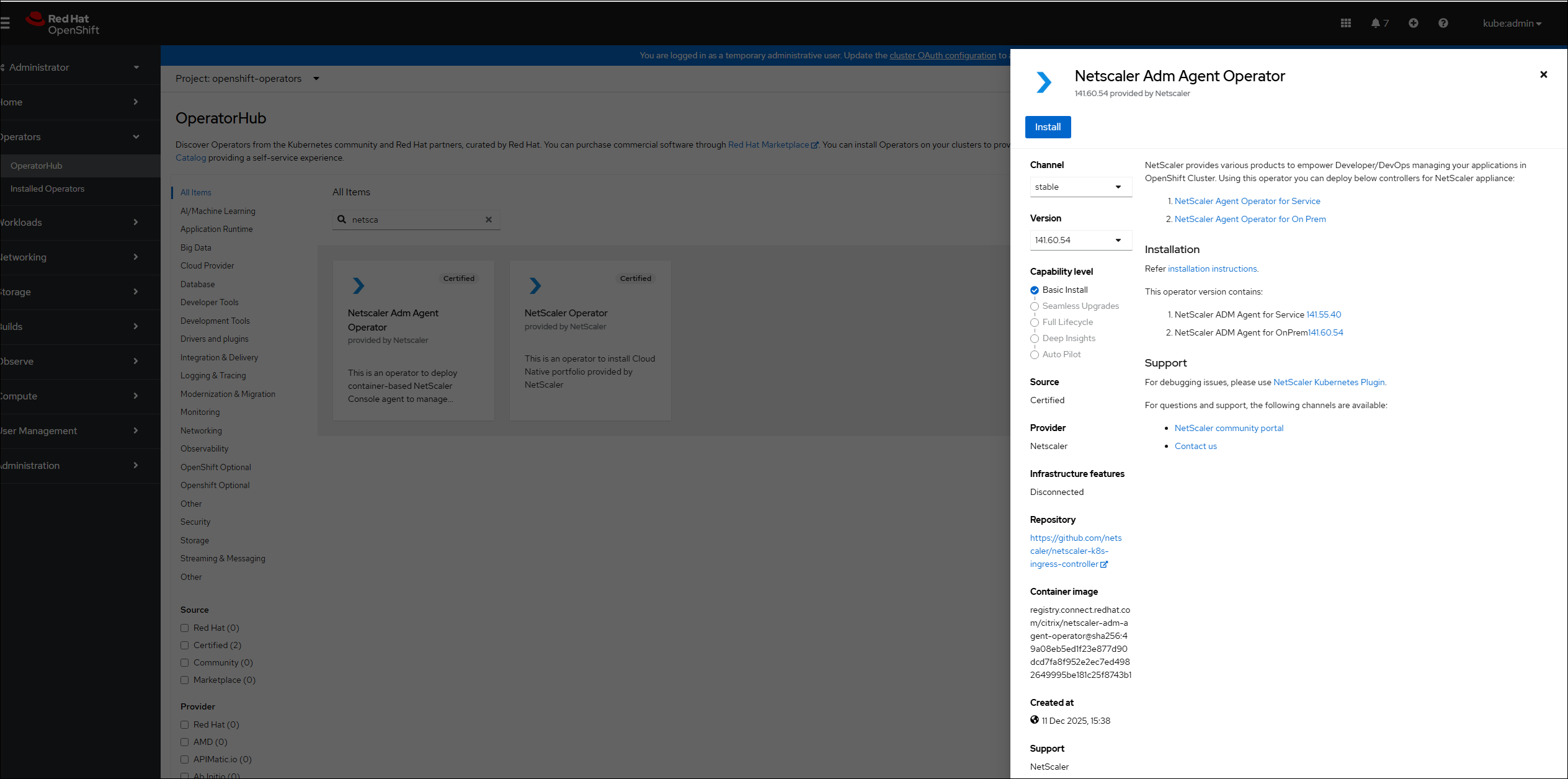
Navigate to Operators > OperatorHub.
-
In the search bar, provide the agent name and select the NetScaler ADM Agent Operator and then click Install.
-
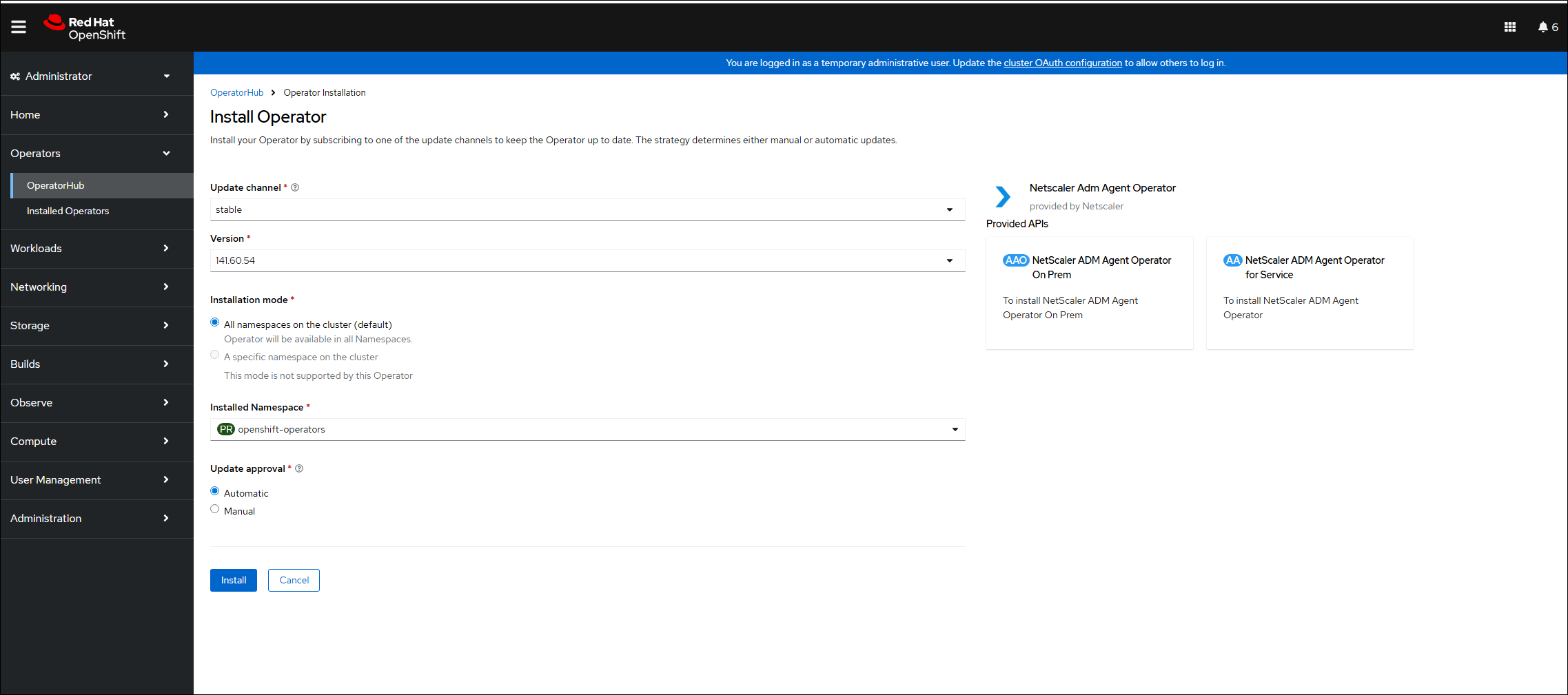
In the Install Operator page, you have two options:
-
All namespaces on the cluster (default) - Enables the agent operator to subscribe to all the namespaces available in the cluster and allows you to initiate the instance of agent operator from any namespace on the cluster.
-
A specific namespace on the cluster - Enables the agent operator to subscribe to a selected namespace on the cluster and you can initiate the instance of agent operator only from the selected namespace.
In this example, the agent operator is assigned to a namespace called Default. Select Automatic under Update approval, and click Install.
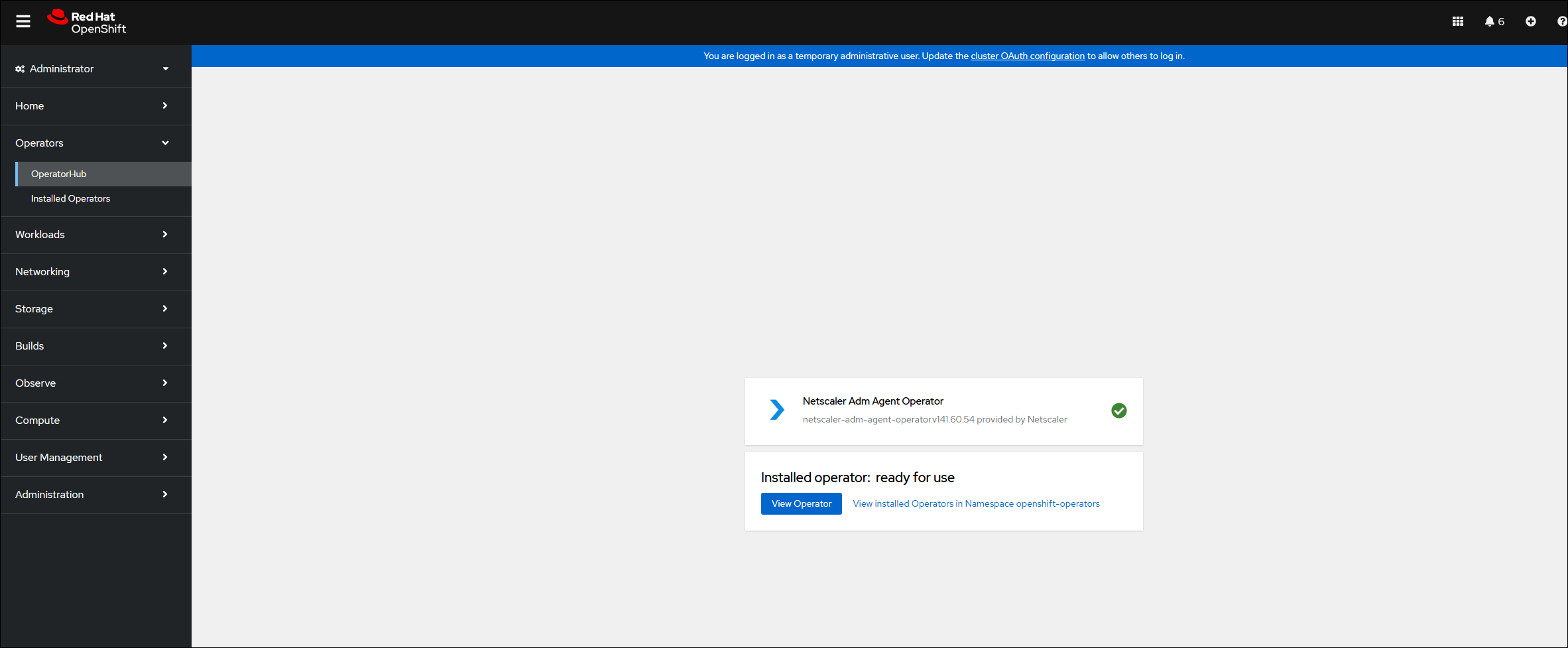
Wait until the agent operator is successfully subscribed.
-
-
Navigate to Workloads > Pods and verify that the
netscaler-adm-agent-operator-controllerpod is up and running. -
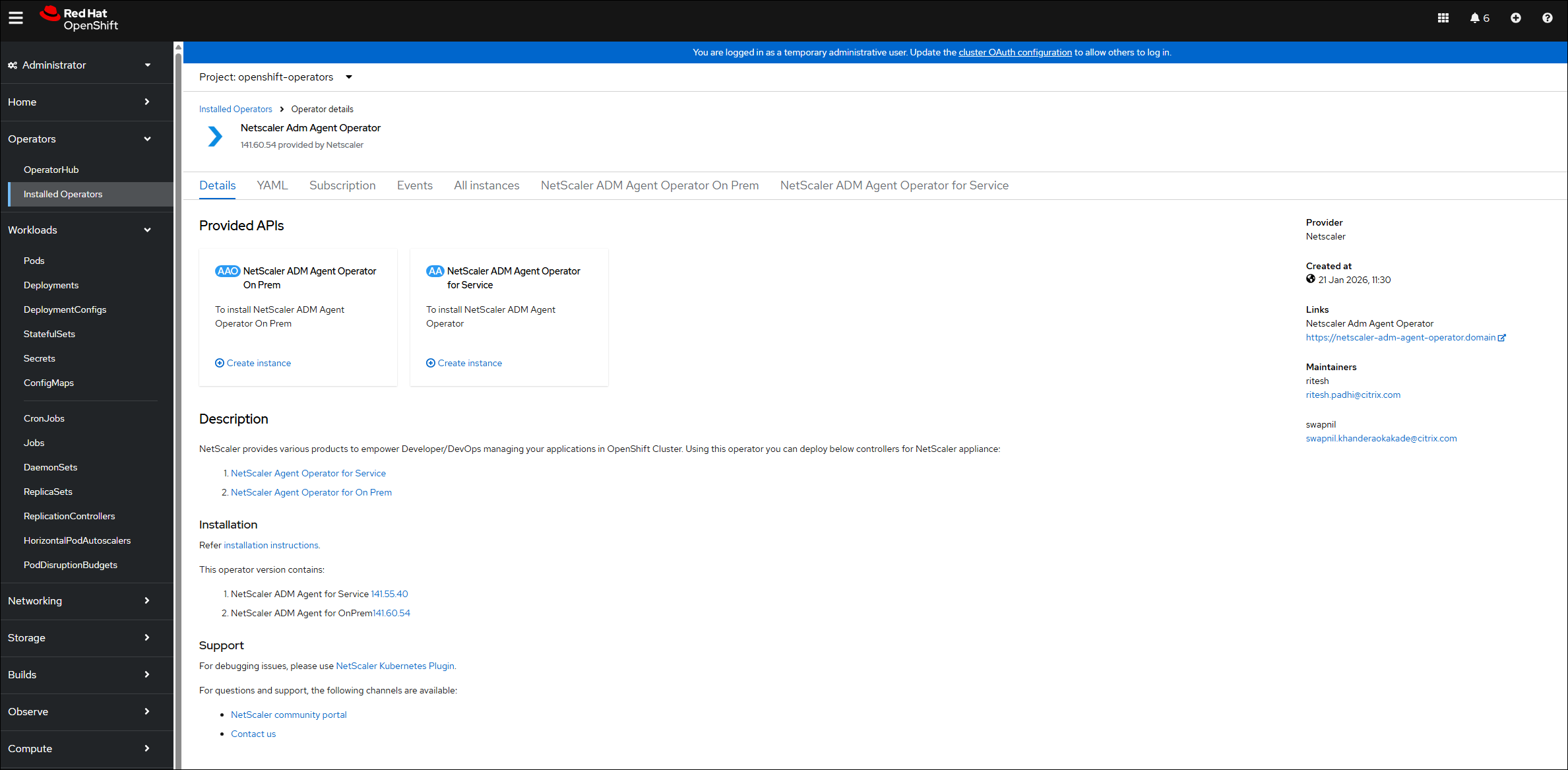
After the pod is up and running, you must see two instances for Console agent in the NetScaler ADM Agent Operator. Click NetScaler ADM Agent Operator On Prem to deploy agent.
-
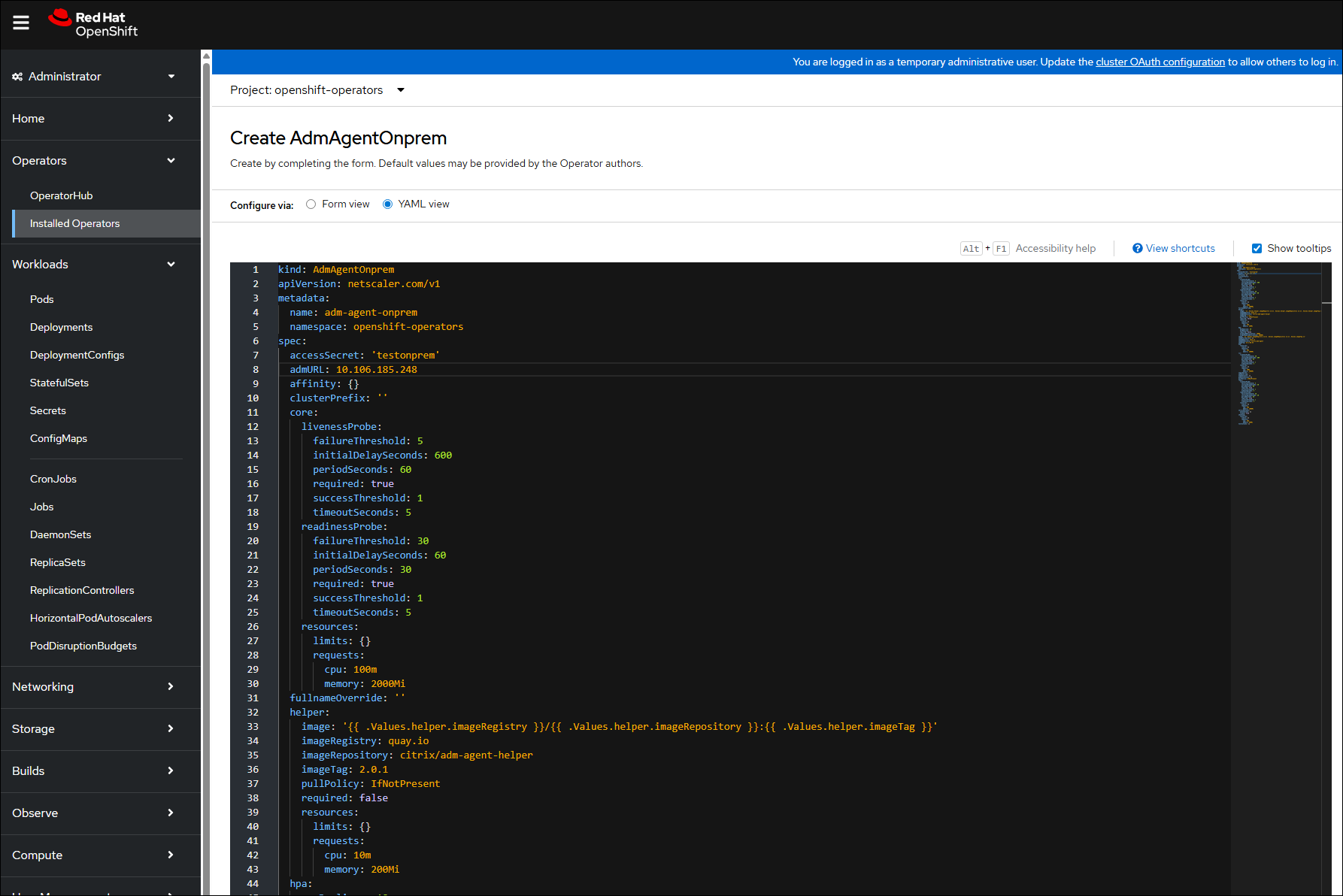
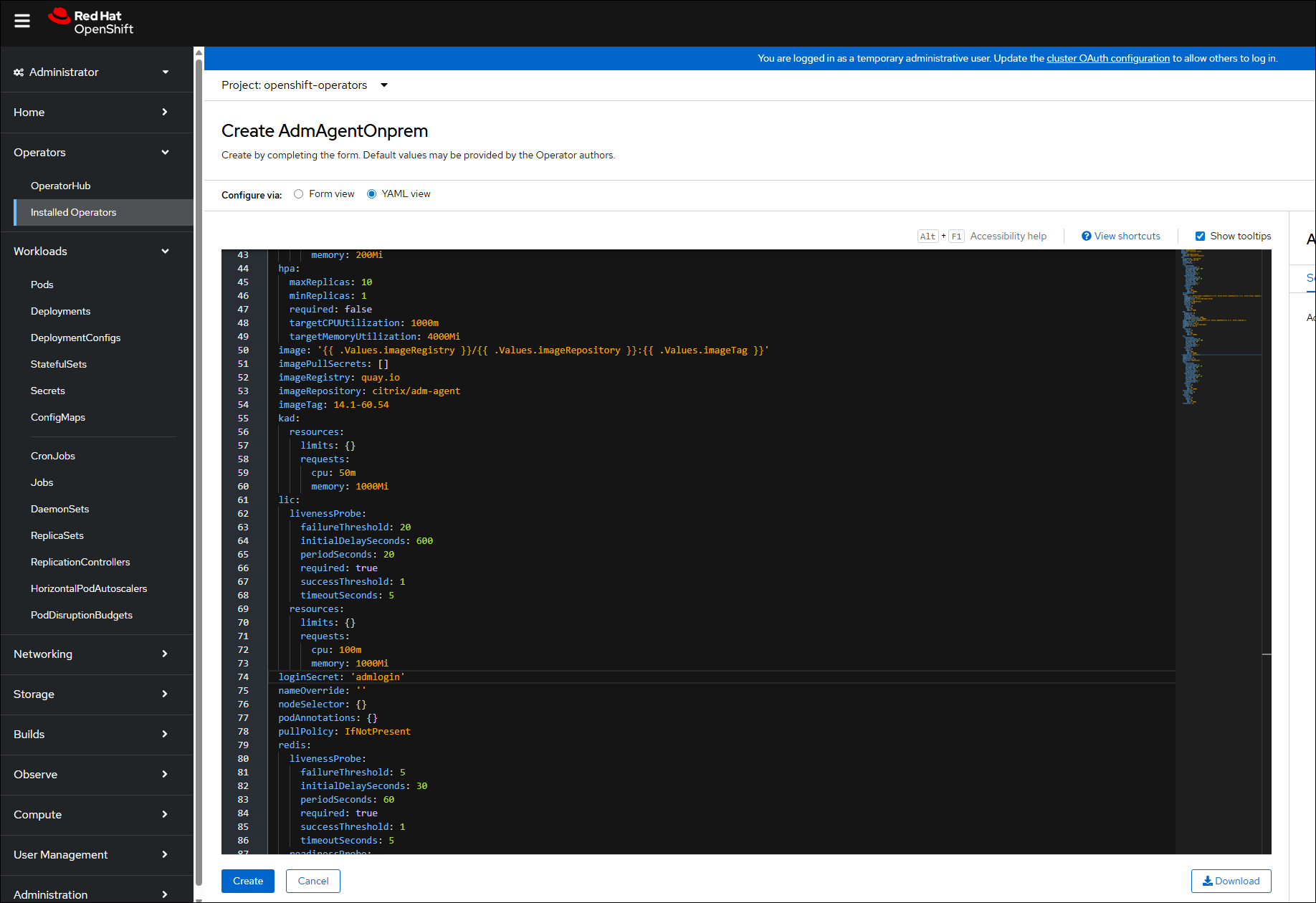
Select the YAML view to update any parameters and then click Create.
Note:
Ensure that there is only one instance of agent per OpenShift cluster.
The following three parameters are mandatory:
-
accessSecret: The secret named astestonpremis created. -
AdmURL: The NetScaler Console IP address. -
loginsecret: The secret named asadmloginis created.
-
-
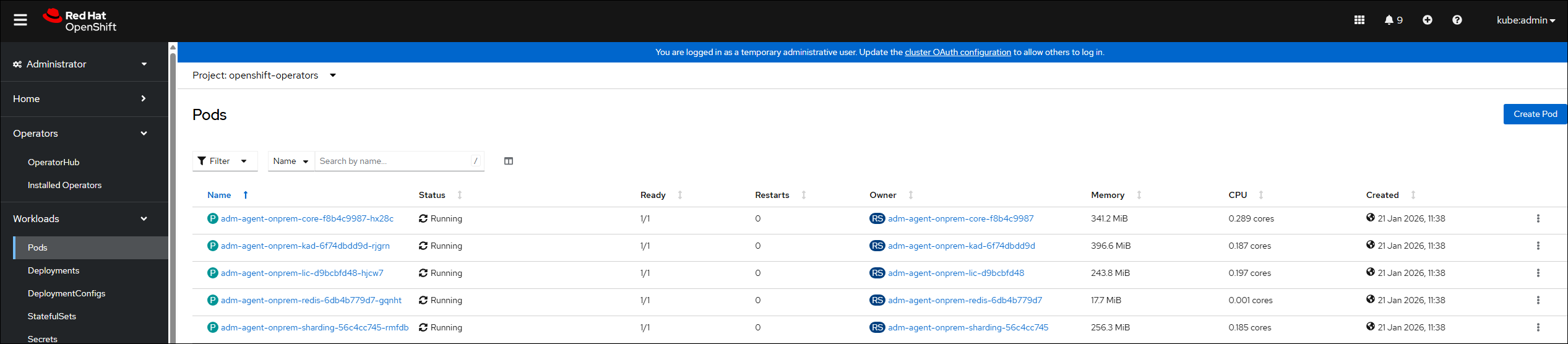
Navigate to Workloads > Pods and ensure that the agent pods are up and running.
Delete an agent instance
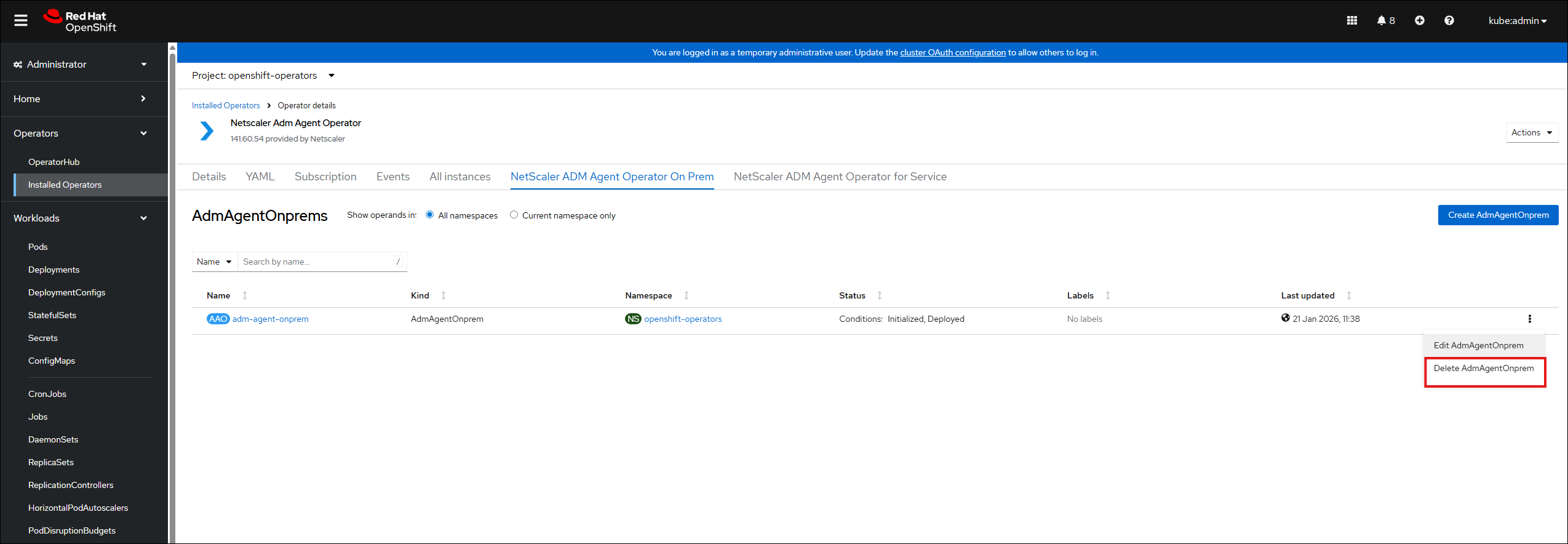
You can delete the instance of agent from the cluster by navigating to Operators > Installed Operators. In the NetScaler ADM Agent Operator tab, select the instance, and select Delete AdmAgentOnPrems from the list.
Uninstall the agent operator
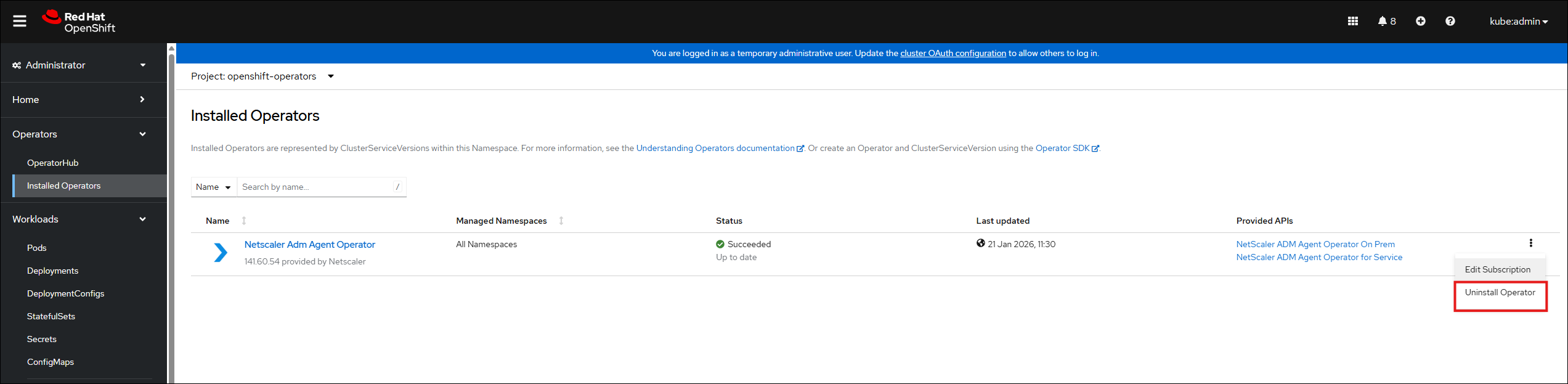
If you want to uninstall the agent operator pod from the cluster, navigate to Operators > Installed Operators, and then select Uninstall Operator from the list.
Share
Share
This Preview product documentation is Cloud Software Group Confidential.
You agree to hold this documentation confidential pursuant to the terms of your Cloud Software Group Beta/Tech Preview Agreement.
The development, release and timing of any features or functionality described in the Preview documentation remains at our sole discretion and are subject to change without notice or consultation.
The documentation is for informational purposes only and is not a commitment, promise or legal obligation to deliver any material, code or functionality and should not be relied upon in making Cloud Software Group product purchase decisions.
If you do not agree, select I DO NOT AGREE to exit.