Install a NetScaler Console agent OpenShift operator for NetScaler Console on-prem deployment
If you are using NetScaler Console on-premises, the container agent is used for several specific strategic and technical reasons. Some of the important reasons are:
-
Seamless Management of Cloud-Native Workloads - The primary reason for using the container agent is to manage NetScaler CPX (the containerized version of NetScaler).
-
Localized Control - The agent acts as a licensing proxy between your NetScaler Console on-prem and NetScaler CPX instances running inside a Kubernetes cluster.
-
Simplified Connectivity (Microservices Architecture) - If your NetScaler Console and your Kubernetes cluster are on different networks, the container agent acts as a secure "in-cluster" gateway.
Note:
NetScaler Console agent is supported for NetScaler Console on-prem deployments from NetScaler Console on-prem 14.1.60.x.
An operator is an open-source toolkit that enables you to deploy and manage the Kubernetes applications in an effective, automated, and scalable way. As an administrator, you can deploy an agent in the OpenShift cluster using the NetScaler® ADM Agent Operator.
Note:
An agent configured in the OpenShift cluster is not automatically upgraded by default.
Prerequisites
Before you deploy, ensure that:
-
You have the privileged security context constraints to control permissions for pods. For the agent, run the following command to get the privilege security context constraints to the service account:
oc adm policy add-scc-to-user privileged -z adm-agent-serviceaccount -
Run the following command to create an agent login secret (
loginsecret):oc create secret generic admlogin --from-literal=username=nsroot --from-literal=password=<NetScaler Console-agent-password> -n <namespace> -
Run the following command to create a secret for NetScaler Console Server (
accessSecret) secret:oc create secret generic testonprem--from-literal=username=nsroot --from-literal=password=< NetScaler Console password> -n <namespace>
Install the agent operator
-
Log on to the OpenShift cluster console.
-
Navigate to Operators > OperatorHub.
-
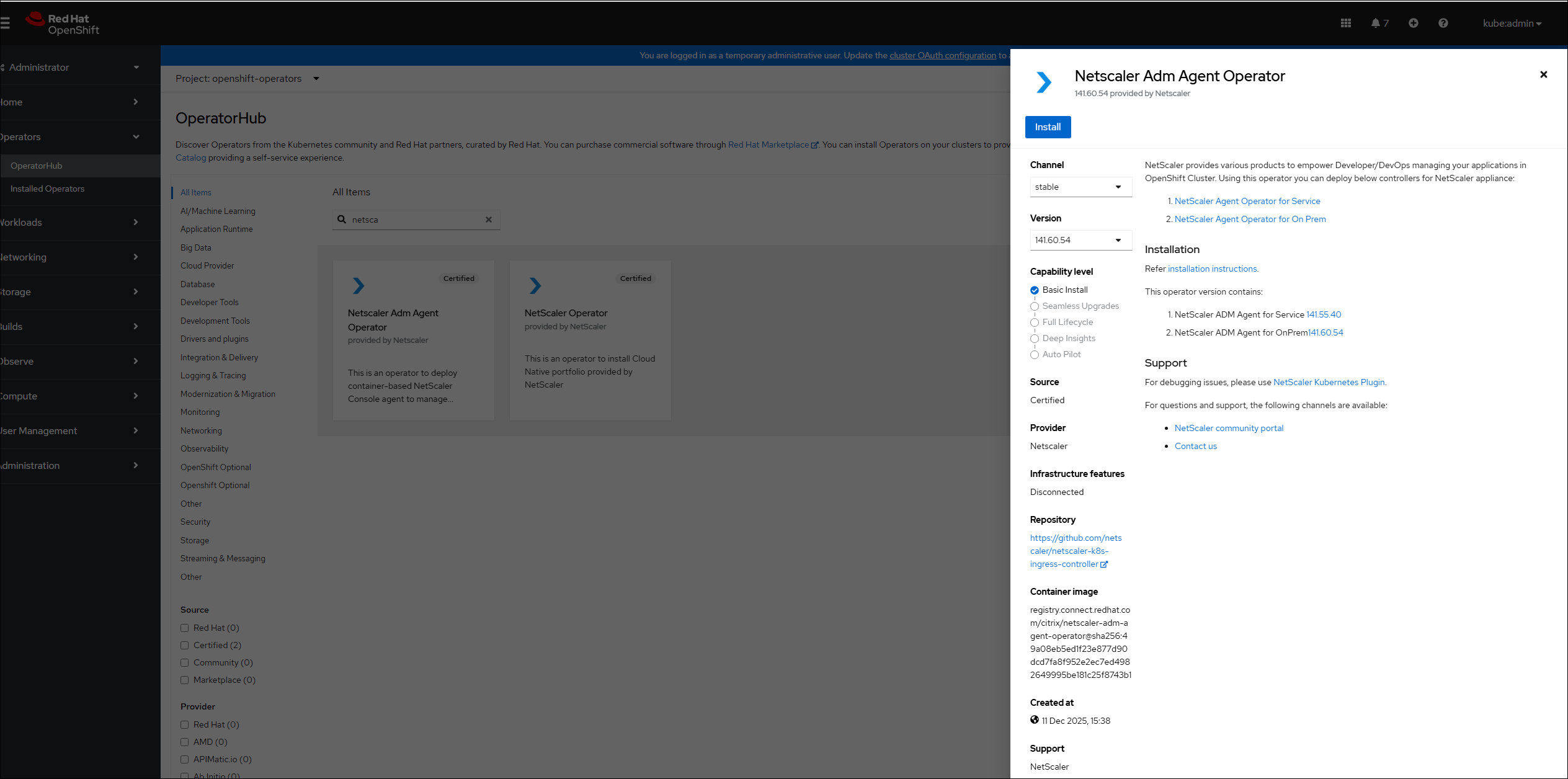
In the search bar, provide the agent name and select the NetScaler ADM Agent Operator and then click Install.
-
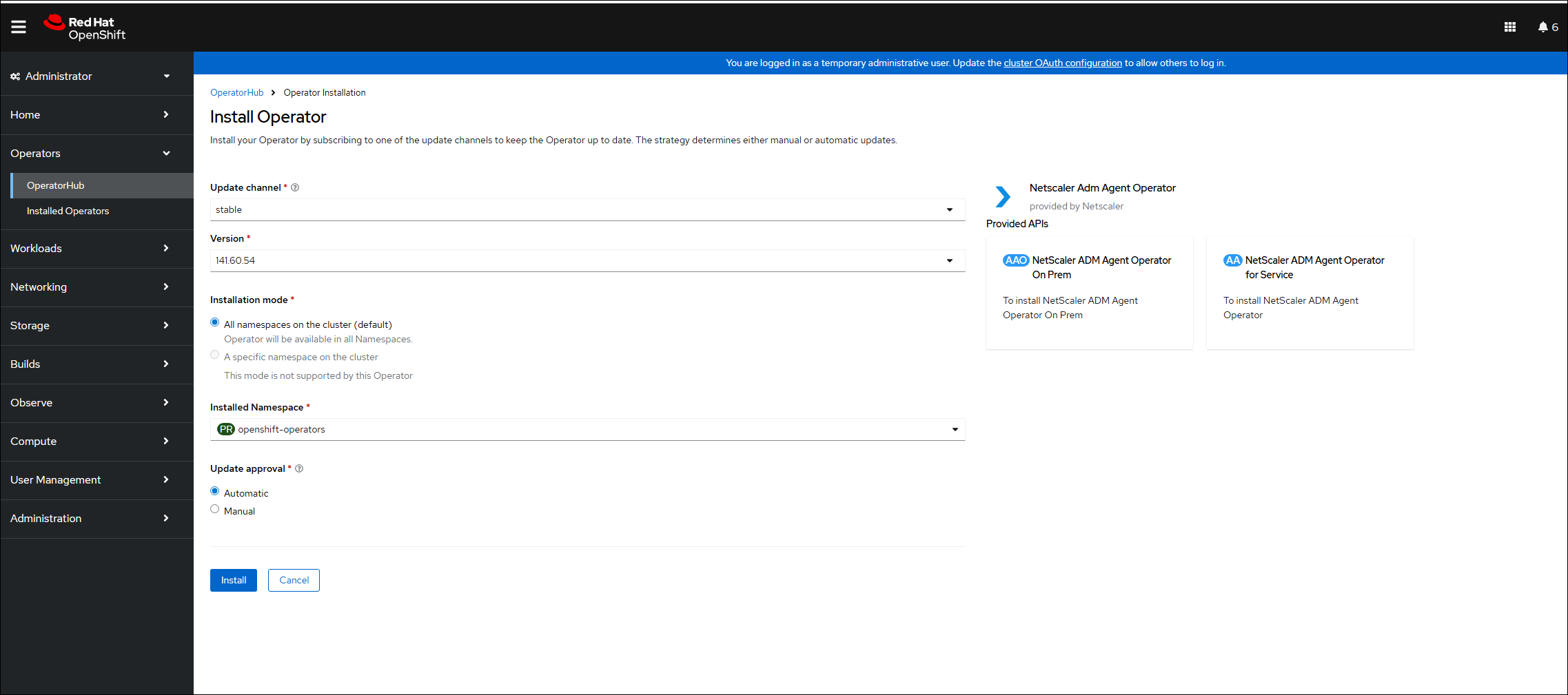
In the Install Operator page, you have two options:
-
All namespaces on the cluster (default) - Enables the agent operator to subscribe to all the namespaces available in the cluster and allows you to initiate the instance of agent operator from any namespace on the cluster.
-
A specific namespace on the cluster - Enables the agent operator to subscribe to a selected namespace on the cluster and you can initiate the instance of agent operator only from the selected namespace.In this example, the agent operator is assigned to a namespace called Default. Select Automatic under Update approval, and click Install.
 Wait until the agent operator is successfully subscribed.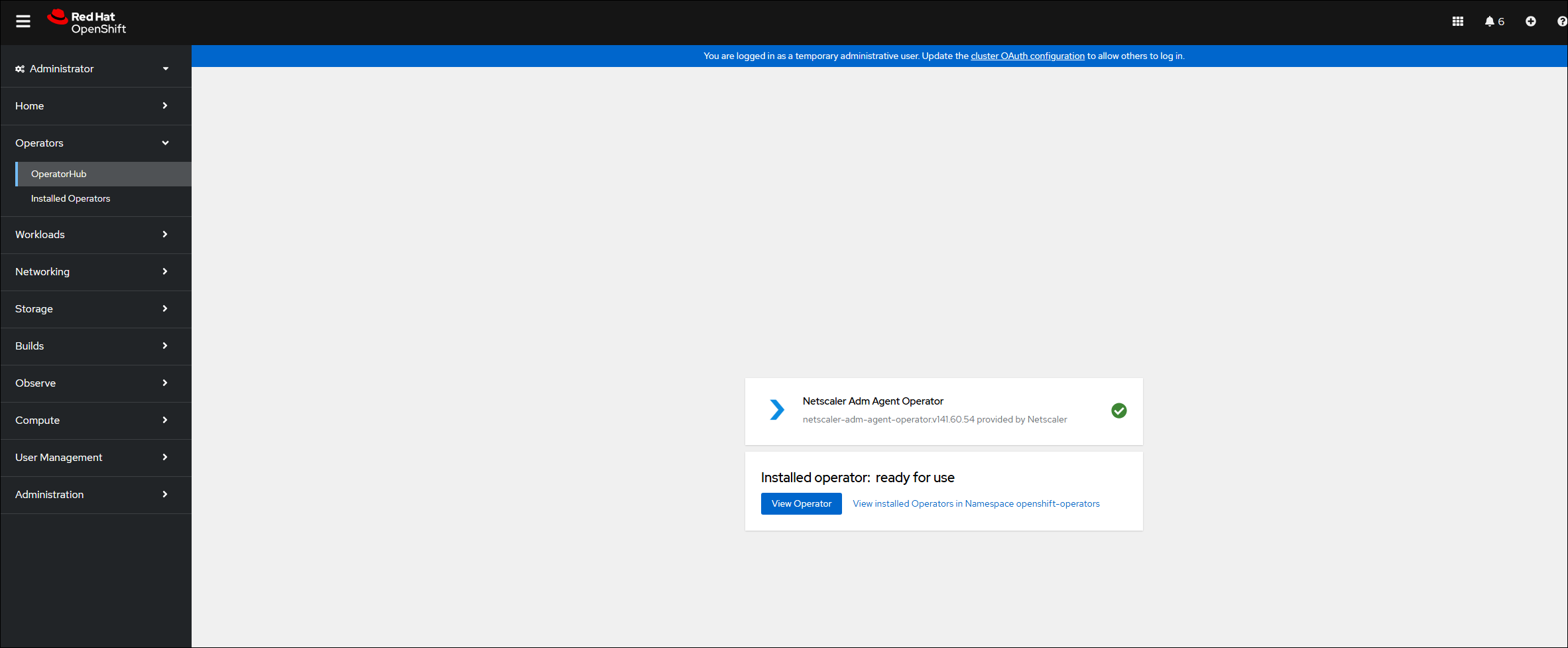
-
-
Navigate to Workloads > Pods and verify that the
netscaler-adm-agent-operator-controllerpod is up and running. -
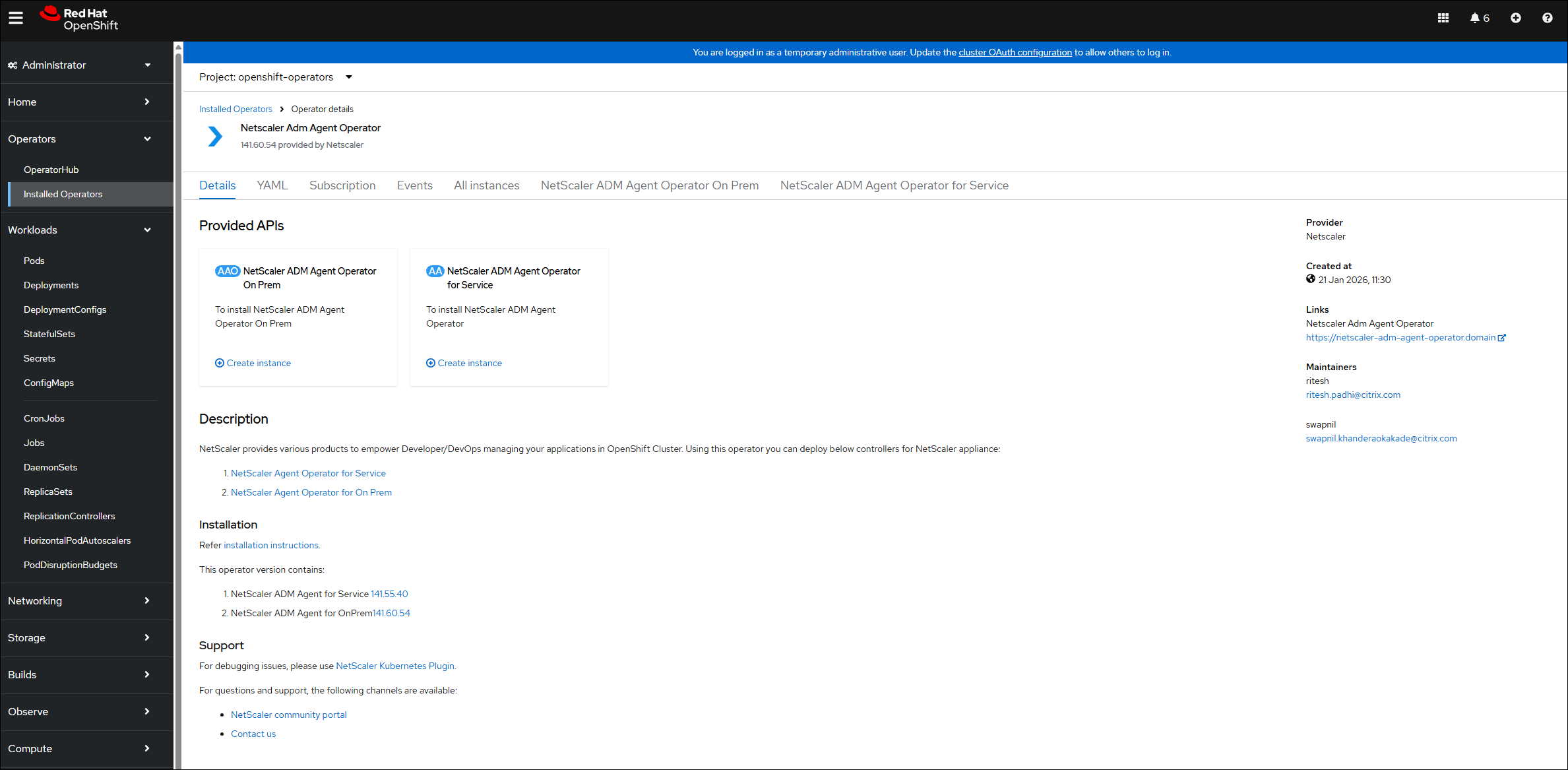
After the pod is up and running, you must see two instances for Console agent in the NetScaler ADM Agent Operator. Click NetScaler ADM Agent Operator On Prem to deploy agent.
-
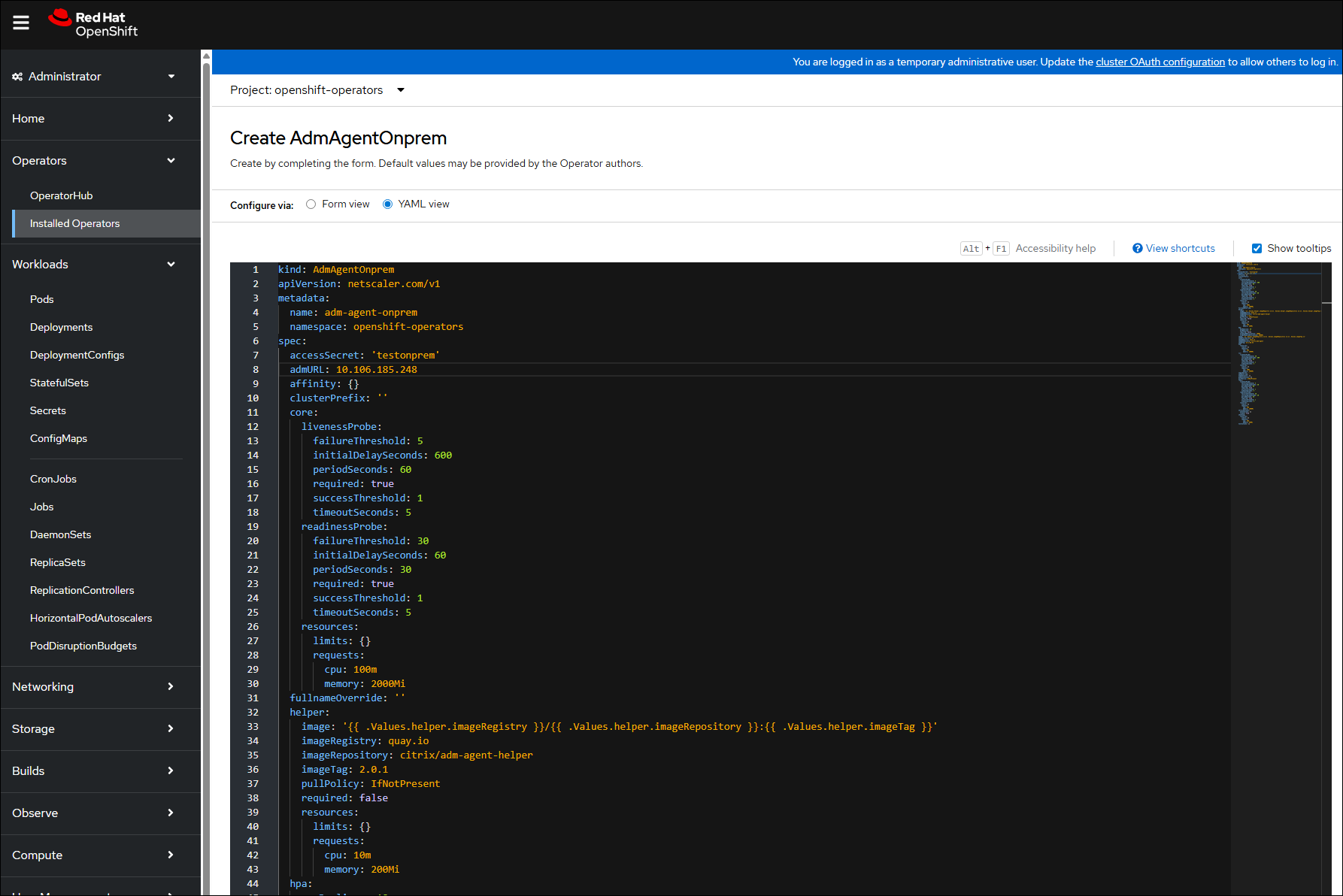
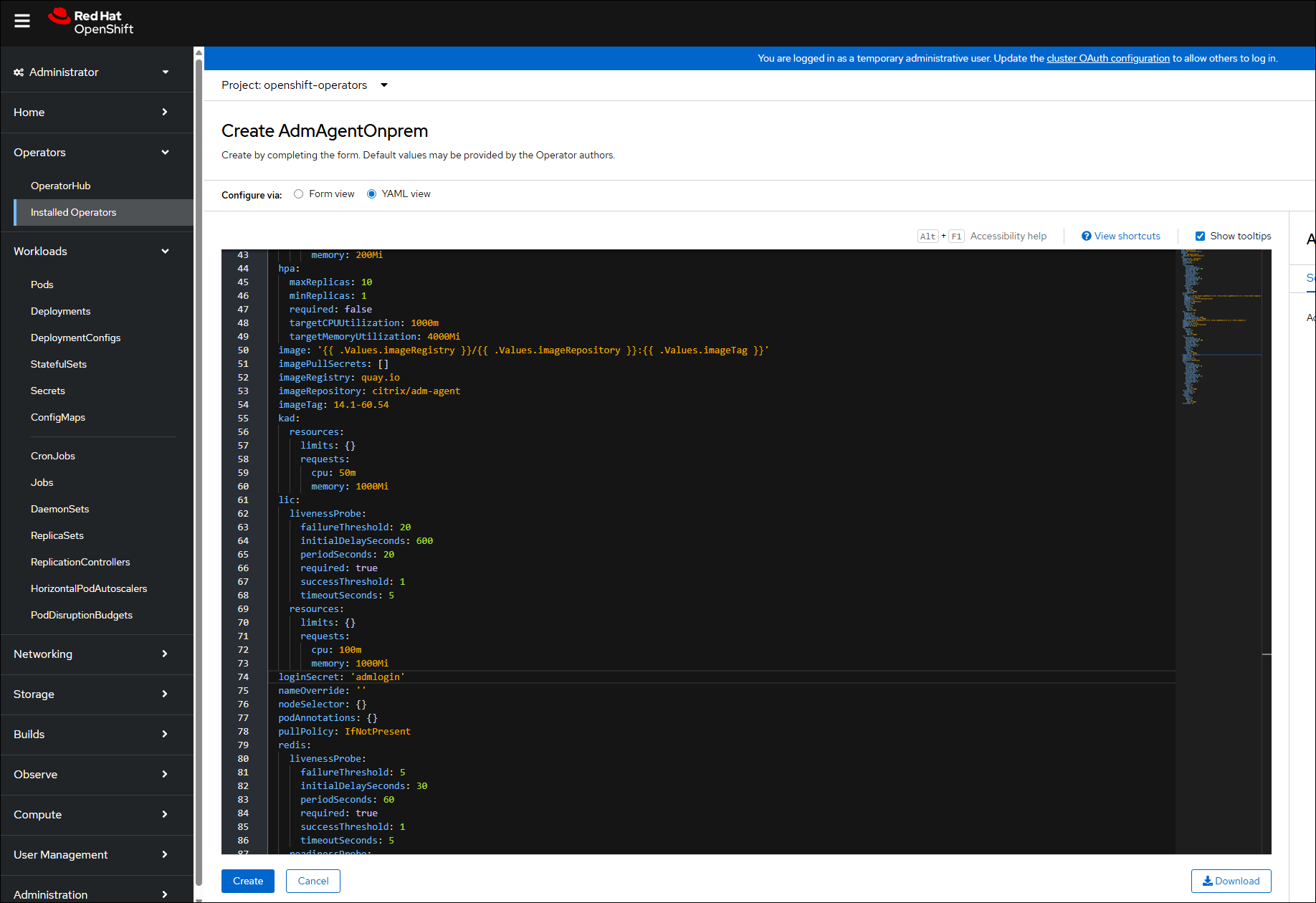
Select the YAML view to update any parameters and then click Create.Note:Ensure that there is only one instance of agent per OpenShift cluster.The following three parameters are mandatory:
-
accessSecret: The secret named astestonpremis created. -
AdmURL: The NetScaler Console IP address. -
loginsecret: The secret named asadmloginis created.
-
-
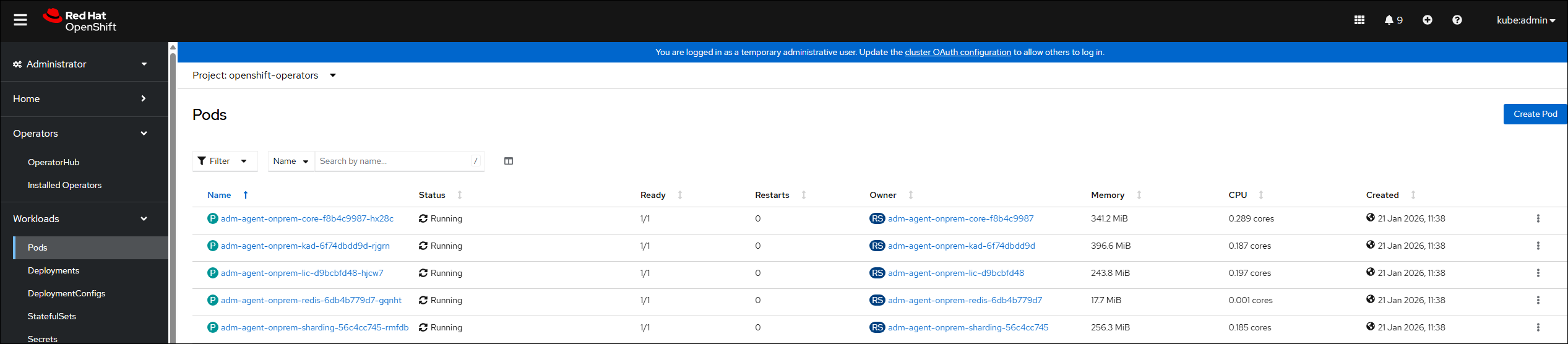
Navigate to Workloads > Pods and ensure that the agent pods are up and running.
Delete an agent instance
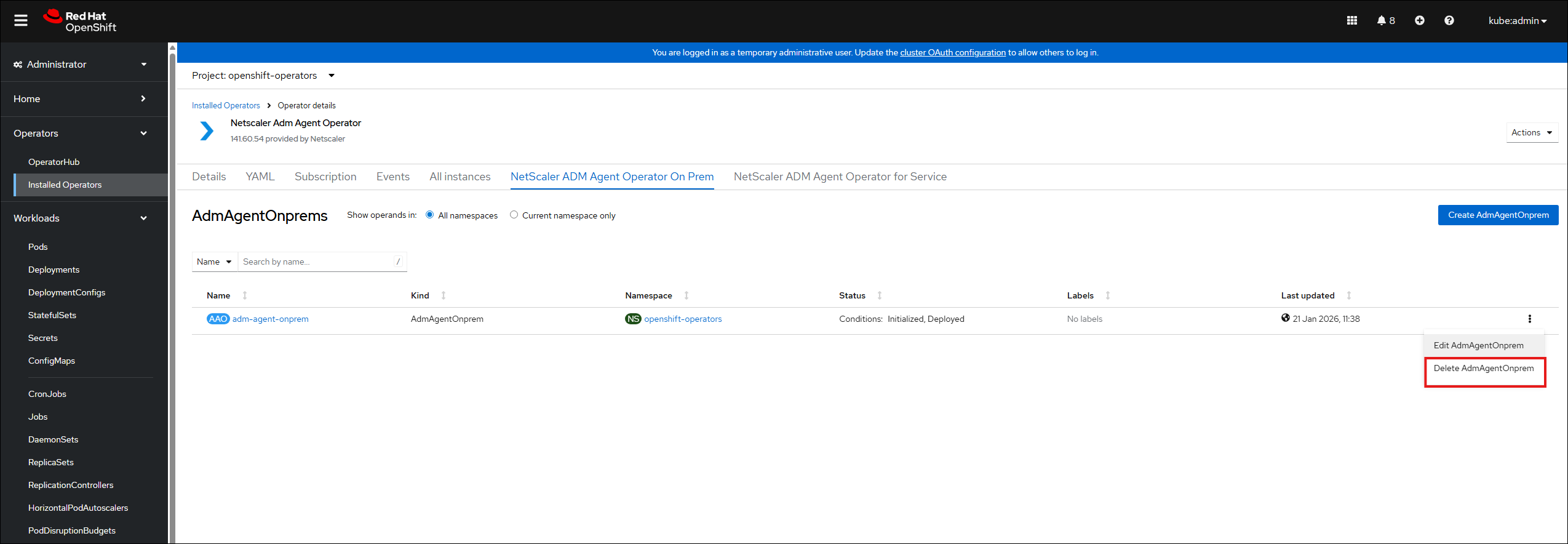
You can delete the instance of agent from the cluster by navigating to Operators > Installed Operators. In the NetScaler ADM Agent Operator tab, select the instance, and select Delete AdmAgentOnPrems from the list.
Uninstall the agent operator
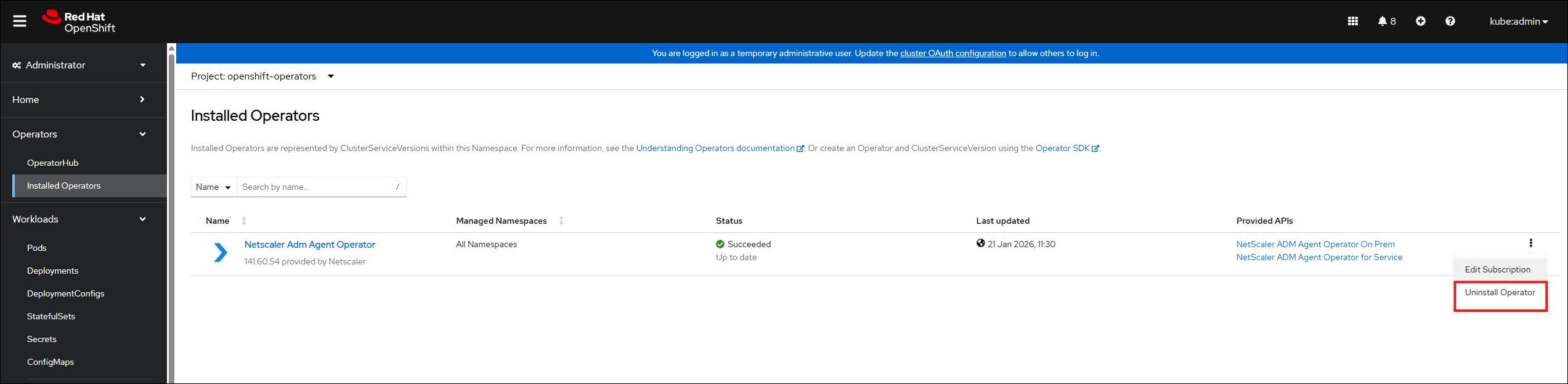
If you want to uninstall the agent operator pod from the cluster, navigate to Operators > Installed Operators, and then select Uninstall Operator from the list.