
Indicators of Compromise detection in NetScaler Console
The Indicators of Compromise (IoC) detection feature in NetScaler Console is designed to detect if your NetScaler appliances have potentially been affected due to a vulnerability.
If there are CVE events, one of the first concerns is that malicious actors have been able to exploit the vulnerability. An exploit causes catastrophic damage to a customer’s business and hence it’s critical to detect such incidents immediately. Indicators of Compromise have been distributed for NetScaler in the past through support channels, which meets the customer need but comes at an additional effort of going through the support process of raising a ticket, speaking with a support professional, which might sometimes not be ideal. The Indicator of Compromise detection feature in NetScaler Console is designed to short-circuit the current support-oriented process and help a customer in making a quick assessment of their NetScaler infrastructure.
Note:
The Indicators of Compromise (IoC) detection feature in NetScaler Console currently does not support the NetScaler BLX platform.
Prerequisites
This feature requires you to send product usage telemetry. For more information on NetScaler telemetry, see
<https://docs.netscaler.com/en-us/netscaler-application-delivery-management-software/current-release/ns-telemetry.html>.
Benefits
-
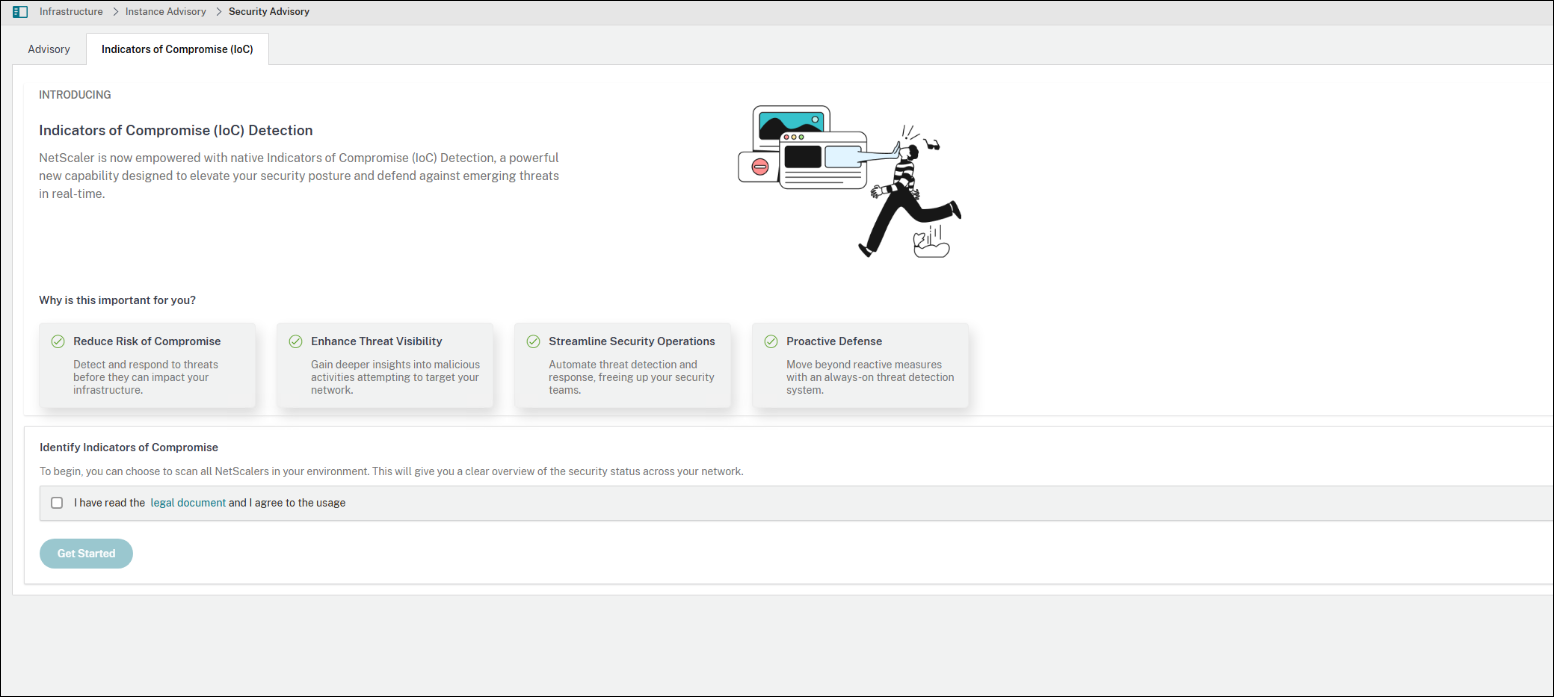
You can run compromise detection scans from the NetScaler Console Security Advisory page.
-
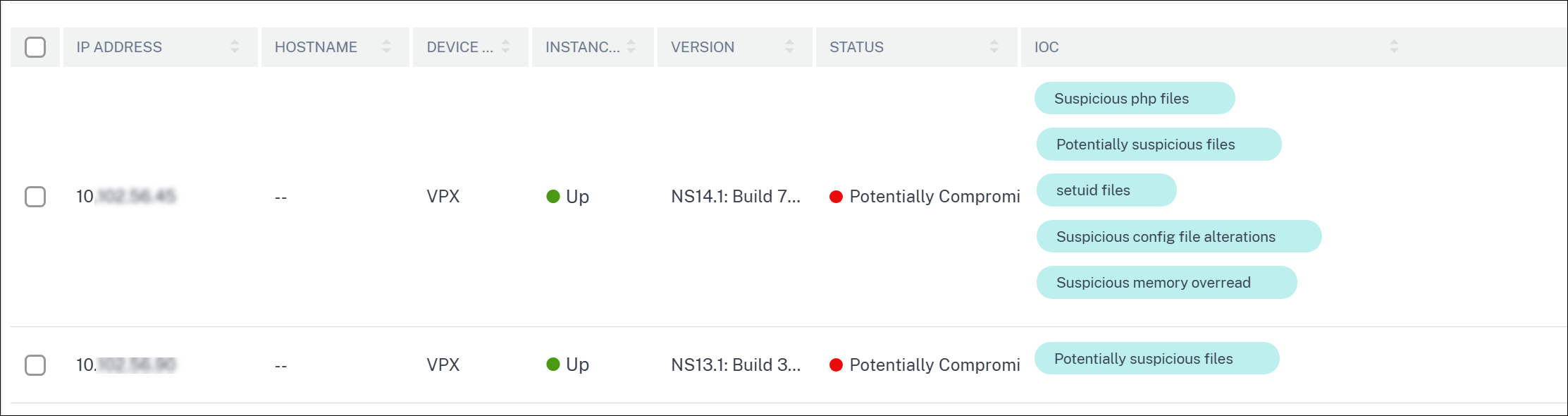
The scan provides one of the following results:
-
Potentially Compromised – If the detection logic has detected a potential compromise for a CVE.
-
No Compromise Detected – If the detection logic hasn’t detected any compromise.
-
Skipped – If the scan has been manually skipped for a particular NetScaler instance.
-
Failed to Execute – If the scan did not run successfully.
-
Execution in Progress – If the scan is in progress.
-
-
The IoC logic keeps getting updated as more IoC’s are discovered. In such a case the home page shows that an update is available.
-
Whenever an update is available to the IoC detection logic, you can see it on the landing page.
-
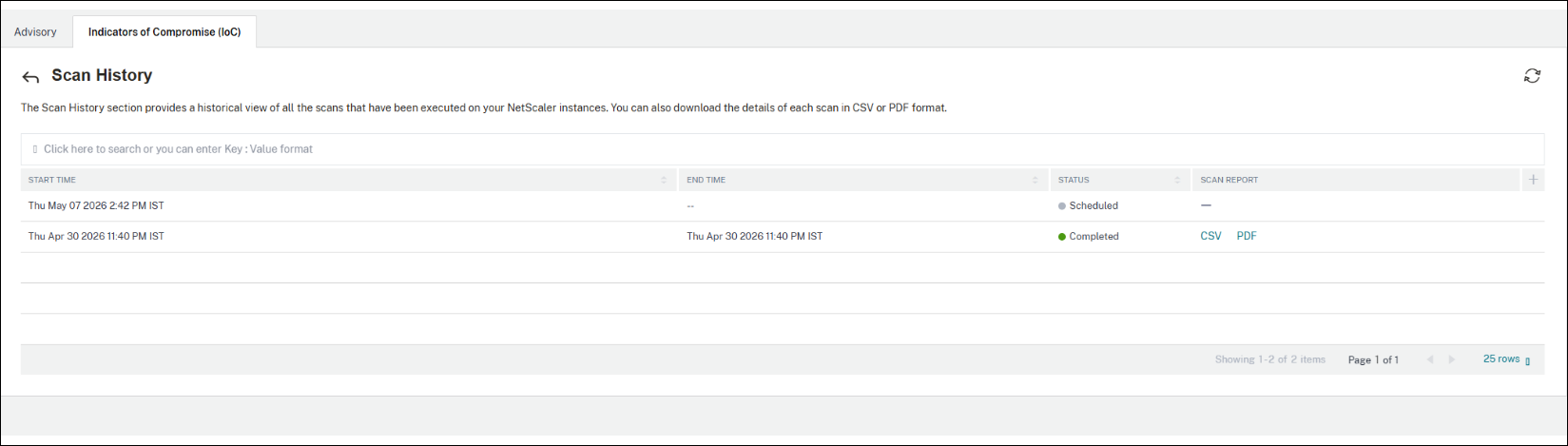
Results of older scans are saved and can be viewed at any point.
-
The solution uses a hub-and-spoke architecture where a central cloud service ingests assets from a secure cloud location, and installs them onto the target devices.
Note:
The IoC Information does not encompass all techniques, tactics, or procedures (“TTPs”) that threat actors might use when targeting relevant environments. Also, threat actors change TTPs and infrastructure frequently. For these reasons and others, the IoC Information might be of limited forensic value and might fail to identify actual compromises. You are advised to retain the services of experienced forensic investigators to assess your environment.